Getting Started for Connect Wireless Stick
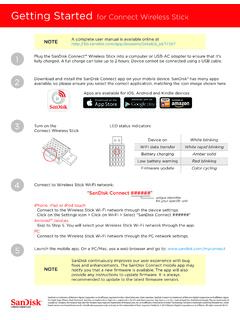
Getting Started for Connect Wireless Stick Plug the SanDisk Connect™ Wireless Stick into a computer or USB-AC adapter to ensure that it’s fully charged. A full charge can take up to 2 hours. Device cannot be connected using a USB cable. Download and install the SanDisk Connect app on your mobile device. SanDisk® has many apps
Download Getting Started for Connect Wireless Stick

Information
Domain:
Source:
Link to this page:
Documents from same domain
Cloning your drive with Acronis True Image WD Version 3
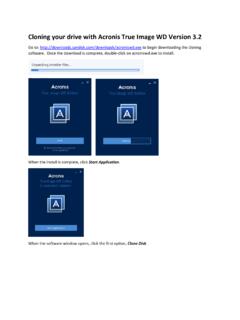
downloads.sandisk.comA Clone Disk Wizard window appears. We recommend selecting the Automatic option and clicking Next. Now, select the source disk. This is drive that you wish to copy from. Make sure this is your original drive so that you don’t accidentally copy over your original drive and click Next.
SanDisk®Clip Jam™ User Manual
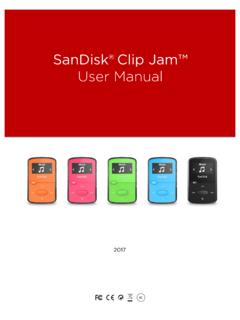
downloads.sandisk.com•To prevent possible hearing damage, do not listen to high volume levels for long periods. • Fully understand user manual before use. • Ensure your player is at low volume levels or power off when not in use. For more information on safety, go to:

Bedienungsanleitung - SanDisk
downloads.sandisk.com2 Wählen Sie die Schaltfläche „+“ zum Hinzufügen von Dateien aus. 3 Wenn Sie aufgefordert werden, Dateien auszuwählen, wählen Sie die Dateien aus, die Sie vom iPhone/iPad auf den Flash Drive übertragen möchten. 4 Wählen Sie das Ziel aus, wo die Dateien auf dem Flash Drive gespeichert werden sollen.

PC SN730 NVMe SSD - SanDisk
downloads.sandisk.comAPST (Autonomous Power State Transitions) and NVMe ASPM (Active State Power Management). In addition, PC SN730 NVME SSD includes a self-thermal throttling mechanism as the last level of thermal protection The PC SN730 NVME SSD is available in M.2 2280 single sided form factor, with capacities of 256, 512 and 1024 gigabytes (GB)1.
SanDisk® Clip Jam™
downloads.sandisk.comWindows® XP SP2 or Mac OS X 10.3 and Linux (mass storage class only), restart the player, and try again. •E: NOT When battery level reaches 20% device will notify: "Battery running low", at 5%- battery will turn off.
ClipSportGo UserManual 2018v11 - SanDisk
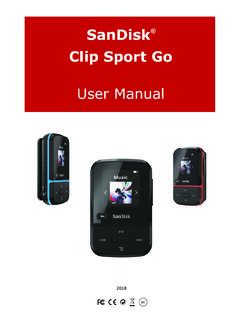
downloads.sandisk.comSanDisk® Clip Sport Go User Manual 4 Playback Screen 1 Play/Pause Displays the music or recording playback status. 2 Battery Indicator Displays the battery status. 3 Album Art Displays the picture of the Album Art of currently playing content.

SanDisk® Memory Zone App
downloads.sandisk.comManual Backup – you are able to back up your photos, music, videos, or ... Restore allows you to restore everything from your latest backup. Settings The settings tab leads to a page showing Information and Cloud storage options. Turning this on and off determines whether or not

Western Digital PC SN730 NVMe SSD - SanDisk
downloads.sandisk.comOperating Vibration 5 gRMS, 10-2000Hz, 3 axes Non-Operating Vibration 4.9 gRMS, 7-800Hz, 3 axes Shock 1,500G @0.5 ms half sine, 3 pulses per face Certifications FCC, UL, TUV, KCC, BSMI, VCCI, C-Tick Limited Warranty⁹ 5 years Physical Dimensions Width 22mm ±0.15mm Length 2280: 80mm ±0.15mm Thickness (max) 2.38mm Weight 2280: 7.3g ±0.5g
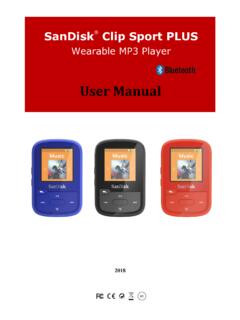
Wearable MP3 Player - SanDisk
downloads.sandisk.comRead the safety instructions carefully before using the player. 1. Review this entire manual to ensure proper usage. 2. Keep this User Manual for future reference. 3. Do not use headphones/earphones while driving, cycling, or operating any motorized vehicle. This may create a traffic hazard and may be illegal in some areas. It can also be

SanDisk SSD Dashboard
downloads.sandisk.comthe Dashboard is launched, it won't be recognized automatically. Click the refresh icon next to the "No USB Drive Found" drop-down. 2. Before proceeding, backup any existing data on the USB drive. 3. Click the drop-down list to select the USB drive.
Related documents

How to connect Gosund Smart Plugs to Smart Life
images-na.ssl-images-amazon.comHow to connect Gosund Smart Plugs to Smart Life Note: 1. Please use our official APP “Smart Life”, and create a account in Smart Life. 2. Choose 2.4G Wifi for the first connection. 3. Two mode for choosing: Easy Mode and AP Mode. Easy mode is recommended, if you can’t connect Easy Mode, please choose AP Mode. Easy Mode 1.
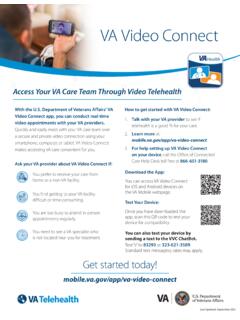
Access Your VA Care Team Through Video Telehealth
mobile.va.govWith the U.S. Department of Veterans Affairs’ VA Video Connect app, you can conduct real-time . video appointments with your VA providers. Quickly and easily meet with your VA care team over . a secure and private video connection using your . smartphone, computer, or tablet. VA Video Connect . makes accessing VA care convenient for you.
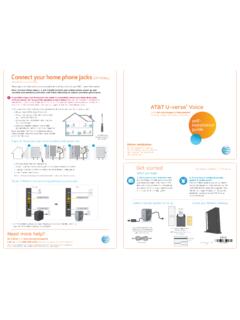
Connect your home phone jacks (OPTIONAL) - AT&T
www.att.comIf you follow steps A and B below but are unable to successfully connect your home phone jacks, OR if you answer “no” to any of the questions in step A below, then you must schedule an appointment with an AT&T U-verse service technician in order to connect your home phone jacks to your AT&T U-verse Voice service. Call 1.800.288.2020.

CHASE CONNECT USER GUIDE
www.chase.com– An independent, large-dollar funds transfer network that links U.S. and foreign banks with offices in New York. CHIPS handles the majority of dollar payments related to international trade. Intermediary bank – The bank funds go through to get to the intended recipient. An intermediary bank is most often used

Stolen Vehicle Assistance - Mopar
www.mopar.comStolen Vehicle Assistance If your vehicle is ever stolen, this App (with your permission) will provide its location to the police to help them track it down.