Getting Started with iPod touch - Apple
This Getting Started guide is designed to help you create an environment where learning really is anywhere, anytime. You’ll learn the basics of iPod touch and iTunes so that you’ll be familiar with the operation and interface. Whether for one user or an entire class,
Download Getting Started with iPod touch - Apple

Information
Domain:
Source:
Link to this page:
Documents from same domain
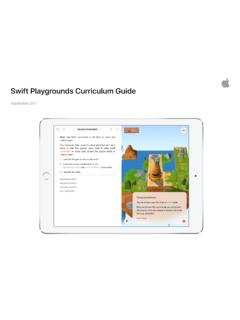
Swift Playgrounds Curriculum Guide 091817 ic - …
images.apple.comSwift Playgrounds Curriculum Guide | September 2017 3 Everyone ... Playgrounds is the same Swift programming language that’s used to build many of the

Face ID Security Guide - Apple
images.apple.comFace ID security Face ID is designed to confirm user attention, provide robust authentication with a low false match rate, and mitigate both digital and physical spoofing.

Differential Privacy Overview - Apple
images.apple.comApple uses local differential privacy to help protect the privacy of user activity in a given time period, while still gaining insight that improves the intelligence and
ENGLISH Apple Inc. Software License Agreement for iTunes ...
images.apple.com5. iTunes Store and other Services. A. The Apple Software may enable access to Apple’s iTunes Store, Apple Music and other Apple and third party services and web sites (collectively and …

2016 EEO-1 Reports - Apple
images.apple.comeq? gswcn!gornq[ogpv!qrrqtvwpkv[w? ugevkqp!d!.!eqorcp[!kfgpvkhkecvkqp ugevkqp!e!.!vguv!hqt!hknkpi!tgswktgogpv 2/ 3/c/ ugevkqp!g!.!guvcdnkujogpv!kphqtocvkqp

Challenge Based Learning A Classroom Guide - Apple
images.apple.comIntroduction to Challenge Based Learning Students today have instant access to information through technology and the web, manage their own acquisition of knowledge through informal learning, and have
Supplier List
images.apple.comApple Supplier Responsibility 2019 Supplier List 5 Supplier Name Manufacturing Location Catcher Technology Company Limited No. 21, Gucheng Road, Suzhou …

Volume Purchase Program Guide
images.apple.comVolume Purchase Program Guide Overview The Volume Purchase Program (VPP) makes it easy for businesses to purchase, distribute, and manage their apps and books in bulk. Whether your workforce uses iPhone, iPad, or Mac, you can provide great content that’s ready for work with flexible and secure distribution options. This guide will give you an
BOMGAR WAIVER AGREEMENT3 - Apple
images.apple.comin arbitration shall be final and binding, and judgment upon award may be entered in any court having jurisdiction or application may be made for judicial acceptance of the award and an order of enforcement. If it becomes necessary for either party to enforce an arbitral award by legal action or additional arbitration or judicial
ENGLISH IMPORTANT: BY USING YOUR iPHONE, iPAD OR …
images.apple.compermitted to use cellular data and view an estimate of how much data such applications have consumed under Cellular Data Settings. For more information, please consult the User Guide for your iOS Device. (h) If you choose to allow automatic app updates, your iOS Device will periodically check with
Related documents

Getting Started with STM32 Nucleo Board Software ...
www.st.comGetting started with STM32 Nucleo board software development tools Introduction The STM32 Nucleo board is a low-cost and easy-to-use development platform used to quickly evaluate and start a development with an STM32 in 32-pin package, 64-pin package and 144-pin package. This document provides guidelines to beginners on how to build and run a ...
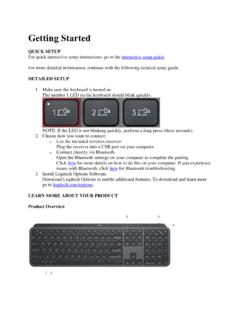
Getting Started
images-eu.ssl-images-amazon.comGetting Started QUICK SETUP For quick interactive setup instructions, go to the interactive setup guide. For more detailed information, continue with the following detailed setup guide. DETAILED SETUP 1. Make sure the keyboard is turned on. The number 1 LED on the keyboard should blink quickly.
Getting Started with Minitab Statistical Software
www.minitab.comGetting Started with Minitab Statistical Software introduces you to some of the most commonly used features and tasks in Minitab. Note: Some features in this guide are only available in the desktop app. When you use the web app on a Windows computer or on a Mac, you can open the desktop app to access all of the features that Minitab offers.
Getting Started With the R Commander - Faculty of Social ...
socialsciences.mcmaster.caGetting Started With the R Commander* John Fox Version 2.6-0 (last modi ed: 2019-08-15) 1 Introduction The R Commander (Fox, 2005, 2017) provides a graphical user interface (\GUI") to the open-source R statistical computing environment (R Core Team, 2019). This manual is a brief, basic introduction

GETTING STARTED - QSR International
download.qsrinternational.comGETTING STARTED This guide will get you up and running with NVivo. It provides steps for installing the software and starting a new project, and gives an introduction to the NVivo workspace and features.

Getting Started in PRIMA - AICPA
us.aicpa.org3 February 2021 1. Select the radio button next to the best match 2. Click on Choose this organization 3. Select your position from the drop-down …

Cryptocurrencies: A Guide to Getting Started Global Future ...
www3.weforum.orgApr 28, 2021 · June 2021 Cryptocurrencies: A Guide to Getting Started Since the creation of bitcoin in 2008, cryptocurrencies have been the subject of uncertainty, scepticism, hype and disillusionment. While still early as a technology category, cryptocurrencies are now maturing and have demonstrable utility.1 As of this writing,

Getting Started with ADP Workforce Now™
portal.adp.comGetting Started 6 ADP Workforce Now 4 In the Connect window, enter your user ID and password, and then click OK. Result: The ADP Workforce Now home page is displayed. 5 Save the address in your Favorites list for qu ick and easy access.(In Internet Explorer, select Favorites, and then select Add to Favorites.) 6 Depending on how your company is set up, for additional …

Getting Started Guide - Authorize.Net
www.authorize.netMay 18, 2017 · Getting Started Guide. By default, your AVS settings are set to reject any transaction that does not have a street address and/or ZIP code match. All international cards are also rejected by default. It is recommended that you review and configure your AVS settings according to your business model. To review and edit your AVS settings: 1.