
Getting started with Webex Meetings.
Remember to take chargers for laptops or other equipment you need from your office. Make sure your computer and apps are up to date. Double check your home internet connection and update your VPN. Dedicate a workspace in your home that’s ergonomic, comfortable, and productive.
Download Getting started with Webex Meetings.

Information
Domain:
Source:
Link to this page:
Documents from same domain
Sharing and Presenting Tools - Cisco Webex
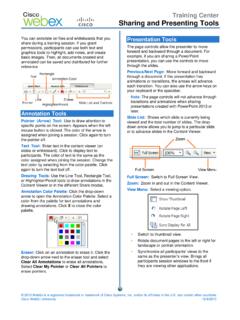
www.webex.comtext color by selecting from the color palette. Click again to turn the text tool off. Drawing Tools: Use the Line Tool, Rectangle Tool, or Highlighter/Pencil tools to draw annotations in the Content Viewer or in the different Share modes. Annotation Color Palette: Click the drop-down arrow to open the Annotation Color Palette. Select a
Getting Started - Cisco Webex
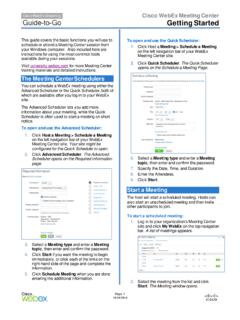
www.webex.comRecorder panel opens and recording begins. 4. Click the . Pause. button ( ) when you want to stop recording briefly, and click it again to re- start. 5. Click the . Stop. button ( ) to end the recording completely. You are prompted to confirm that you want to stop recording. Note: A new recording is created each time you stop recording and ...

Datsheet Webex Desk Hub
www.webex.comexperiences to deliver a modernized, clutter-free safe environment for the hybrid worker. experiences designed for Hot Desking, Hoteling, and advanced Collaboration. The Desk Hub will sit within the single portfolio for Webex Collaboration devices and be a bridge between video phones and our integrated video endpoints like the Webex Desk or

Cisco Webex Training Solution Overview
www.webex.comCisco Webex Assist producers will make sure your training session starts and runs smoothly. Take advantage of robust, media-rich Webex technology, session features like polling, chat, and surveys, work with a producer to prepare a session, and plan and practice a dry run.

AccessRestrictionstoCiscoWebexToll-FreeNumbers
www.webex.comAccessRestrictionstoCiscoWebexToll-FreeNumbers FirstPublished:2017-06-08 LastModified:2018-06-19 AmericasHeadquarters CiscoSystems,Inc. …
CISCO WEBEX VS. MICROSOFT TEAMS
www.webex.comAfter carefully reviewing Cisco Webex and Microsoft Teams, ZK Research found that Teams pales in comparison to Webex with regard to the breadth and depth of capabilities, particularly in the areas noted earlier—even though Teams is a viable product and …

Collaboration device x i r m t ucadro pt
www.webex.comCisco Webex: HTTP, REST APIs VCS: H.323 and SIP CUCM: SIP Cisco Webex: HTTP, REST APIs VCS: H.323 and SIP CUCM: SIP Cisco Webex: HTTP, REST APIs Peripherals Supported Cisco Webex Pen G2 Cisco Touch 10 Cisco Touch 10 Cisco Touch 10 Bandwidth Consumption H.264: from 768 kbps to 6000 kbps Minimum bandwidth: • 720p30 from 768 kbps • 1080p30 ...
Related documents

Dell™ Inspiron™ 5100 and 5150 Owner’s Manual
downloads.dell.comwww.dell.com | support.dell.com Dell™ Inspiron™ 5100 and 5150 Owner’s Manual Model PP07L and PP08L
Dell OptiPlex 790 desktop
i.dell.comseamlessly in virtually any office environment. The Dell OptiPlex 790 also shares the same visual identity as Opti-Plex 990 and 390 to offer a more consistent look across the OptiPlex portfolio and two All-in-One stands enable deployment as a single device with up to 24” displays. Ac-cessibility and serviceability are easy thanks to the conve-
Workstation ergonomics self-assessment
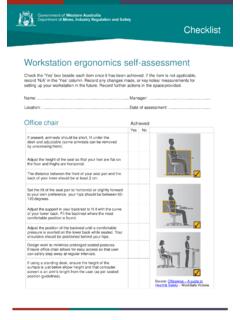
www.commerce.wa.gov.auEnsure office chair allows for easy access so that user can safely step away at regular intervals. If using a standing desk, ensure the height of the surface is just below elbow height and that computer screen is an arm’s length from the user (as per seated position guidelines).

Office Chairs: An Overview of Ergonomic Standards
www.ewiworks.comOffice Chair Ergonomic Standards August 2013 Corporate Office: Unit 201, 5677-99 Street Edmonton, Alberta, T6E 3N8 Tel: +1 (780) 436-0024 Fax: +1 (780) 436-0092 Email: info@ewiworks.com www.ewiworks.com Executive Summary This report was commissioned to examine the industry standards and guidelines pertaining to office chair

LOGI BOLT - logitech.com
www.logitech.comwireless office infrastructure, Logitech engineering and user experiences teams had to peer into the future and ... Logitech ERGO K860 Ergonomic Split Keyboard for Business and M575 Trackball Mouse for Business . Logi Bolt 3 Federal Information Processing Standards (FIPS) is a set of data security and computer ...

Ergonomic Hazards Workbook - Occupational Safety and ...
www.osha.govErgonomic Hazards Workbook . This material was produced under grant number SH-24933-SH3 (and revised under SH-26296-SH4) from the Occupational Safety and Health Administration, U.S. Department of Labor. It does not necessarily reflect the views or policies of the U.S. Department of Labor, nor does mention of trade

Industrial Hygiene - Occupational Safety and Health ...
www.osha.govchemical, physical, ergonomic, or biological exposures. Two roles of the OSHA industrial hygienist are to spot those conditions and help eliminate or control them through appropriate measures. WORKSITE ANALYSIS A worksite analysis is an essential first step that helps an industrial hygienist determine

WORKPLACE INSPECTION CHECKLIST FOR OFFICE …
www.uwo.caFurniture/Office Equipment . Fire door closed In good mechanical condition Fire exit signs lit Properly assembled Properly adjusted . ... Housekeeping satisfactory Proper use of ergonomic equipment No construction hazards present Procedures for manual materials handling in/around inspection area .