
HP Image Assistant User Guide
HP Image Assistant User Guide SUMMARY HP Image Assistant (HPIA) is a Windows® image comparison tool that captures metadata configuration files from images, compares image configuration files, and provides recommendations to help you develop, maintain, and support images for an optimal Windows performance.
Download HP Image Assistant User Guide

Information
Domain:
Source:
Link to this page:
Documents from same domain

Integration Kit - HP
ftp.hp.comHP MIK is optimized to work with Microsoft® System Center Configuration Manager, ... and screenshots only of the HP Manageability Integration Kit plugin within ...

HP System Software Manager
ftp.hp.comHP System Software Manager (SSM) is a free ut ility that enables you to do the following: Deploy software update packages and system ROM updates from a single File Store to multiple desktop, workstation, and notebook computers simultaneously

HP LaserJet Firmware Readme
ftp.hp.comTechnical Assistance Customer Support Internet Additional Information Legal Statements ... Ability for Printer to self-register with DNS via RFC 2136. ... Authentication/Security: The Printer Job Language (PJL) Device Access Command Enable/ Disable setting determines if the device accepts PJL device management commands.

Technical white paper HP BIOS Configuration Utility
ftp.hp.comTechnical white paper . HP BIOS Configuration Utility . FAQ . Table of contents Feature updates .....2

ProCurve Series 2510 Switch - ftp.hp.com
ftp.hp.com4 Switch Overview Installing the Switch Installing the Switch Included Parts The following components ship with a ProCurve Series 2510 switch: ProCurve Series 2510 Quick Installation Guide (5991-4745), this manual Console cable (Part number 5188-3836) Customer Support/Warranty booklet Accessory kit (5064-2085) Power cord, one of the following: ...

installation and getting started guide - ftp.hp.com
ftp.hp.comHP ProCurve Series 2300 and 2500 Switches Installation and Getting Started Guide 2353-ed2.book Page i Friday, February 9, 2001 6:00 PM

Management and Configuration Guide - ftp.hp.com
ftp.hp.comManagement and Configuration Guide ProCurve Switches Software Release F.01.xx (Refer to Release Notes for F.02.xx and greater) Series 2500 Switches
HP BIOS Configuration Utility (BCU)
ftp.hp.com3 BIOS configuration BCU is a Windows-based tool that lets you create standard configuration settings and deploy them across the enterprise. By creating a configuration text file with only the setting you want to change, you can deploy it to
Using the Command Line Interface (CLI) - ftp.hp.com
ftp.hp.com4-6 Using the Command Line Interface (CLI) Using the CLI Changing Interfaces. If you change from the CLI to the menu interface, or the reverse, you will remain at the same privilege level.
Related documents
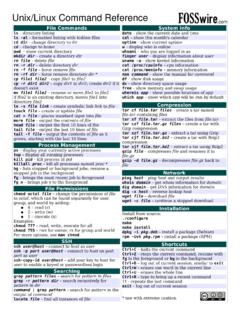
Unix/Linux Command Reference
files.fosswire.comCtrl+C – halts the current command Ctrl+Z – stops the current command, resume with fg in the foreground or bg in the background Ctrl+D – log out of current session, similar to exit Ctrl+W – erases one word in the current line Ctrl+U – erases the whole line Ctrl+R – type to bring up a recent command!! - repeats the last command

Curve Fitting Toolbox User's Guide
cda.psych.uiuc.edu•The Curve Fitting Tool, which is a graphical user interface (GUI) environment •The MATLAB command line environment You can explore the Curve Fitting Tool by typing cftool Click the GUI Help buttons to learn how to proceed. Additionally, you can follow the examples in the tutorial sections of this guide, which are all GUI oriented.
Command Line Interface Reference Guide HP BladeSystem …
h10032.www1.hp.comCommand Line Interface Reference Guide HP BladeSystem PC Blade Switch Document Part Number: 413354-001 December 2005
Command Line Interface - Schneider Electric
iportal2.schneider-electric.comUse case-sensitive user name and password entries to log on (by default, apc and apc for a Super User, or device and apc for a Device User). A Read-Only User cannot access the command line interface. See the UPS Network Management Card 2 User’s Guide (for AP9630, AP9631) for mo re information on these options.

Navy Department of Awards Web Service (NDAWS) User Guide
www.mynavyhr.navy.milApril 2021 NDAWS User Guide The original of this document is the property of Navy Personnel Command and, if reproduced, should be considered “uncontrolled.” Page 1 1. Introduction This user’s guide serves as a systematic instruction for the use and navigation of the
![[U] User's Guide - Stata](/cache/preview/7/7/5/3/e/3/b/2/thumb-7753e3b2038b263eb367b7bfd142f64f.jpg)
[U] User's Guide - Stata
www.stata.com2. Now turn to the other manuals; see [U] 1.2 The User’s Guide and the Reference manuals. 1.2 The User’s Guide and the Reference manuals The User’s Guide is divided into three sections: Stata basics, Elements of Stata, and Advice. The table of contents lists the chapters within each of these sections. Click on the chapter titles to see the
VMware vCenter Converter Standalone User's Guide - …
www.vmware.comUser's Guide vCenter Converter Standalone 6.0 This document supports the version of each product listed and ... Perform a Command-Line Installation in Windows 38 Command-Line Options for Windows Installation 38 Modify Converter Standalone in Windows 39

VMware vCenter Converter Standalone User's Guide - …
www.vmware.comUser's Guide vCenter Converter Standalone 6.1 This document supports the version of each product listed and supports all subsequent versions until the document is ... Perform a Command-Line Installation in Windows 36 VMware, Inc. 3. Command-Line Options for Windows Installation 37

Floating-Band Dynamic EQ - Waves Audio
www.waves.com4 F6 Floating-Band Dynamic Equalizer / User Guide Waves F6 Real Time Equalizer (RTA) To increase F6’s precision and ease of use, we added a simple-to-use, feature-rich Real Time Analyzer (RTA) that creates a real-time visual map of your audio. This provides a fast and accurate way to interpret the signal and set F6 parameters.