Immediate commands - Stata
19 Immediate commands Contents 19.1Overview 19.1.1Examples 19.1.2A list of the immediate commands 19.2The display command 19.3The power command 19.1 Overview An immediate command is a command that obtains data not from the data stored in memory but
Download Immediate commands - Stata

Information
Domain:
Source:
Link to this page:
Documents from same domain
Syntax - Stata
www.stata.com2cluster kmeans and kmedians— Kmeans and kmedians cluster analysis Options Main k(#) is required and indicates that # groups are to be formed by the cluster analysis.
Syntax Description - Stata
www.stata.com2substr()— Extract substring Diagnostics In substr(s, b, l) and substr(s, b), if b describes a position before the beginning of the string or after the end, "" is returned.
Title stata.com generate — Create or change …
www.stata.comTitle stata.com generate — Create or change contents of variable SyntaxMenuDescriptionOptions Remarks and examplesMethods and formulasReferencesAlso see Syntax Create new variable generate type newvar
SyntaxDescriptionRemarks and examplesAlso see
www.stata.commacro— Macro definition and manipulation 3 Macro extended functions related to matrices rownamesjcolnamesjrowfullnamesjcolfullnames matname roweqjcoleq
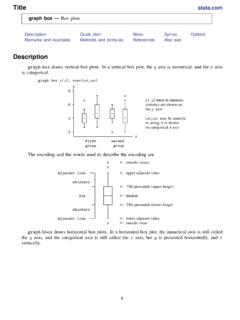
Title stata.com graph box — Box plots
www.stata.comgraph box— Box plots 3 Menu Graphics > Box plot Syntax graph box yvars if in weight, options graph hbox yvars if in weight, options where yvars is a varlist options Description
Title stata
www.stata.comarea options — Options for specifying the look of special areas 3 Also see [G-2] graph dot — Dot charts (summary statistics)
www.stata.com
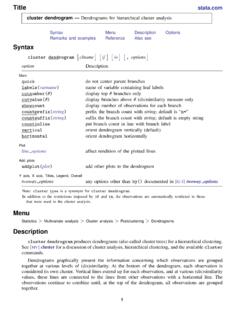
www.stata.com2cluster dendrogram— Dendrograms for hierarchical cluster analysis The height of the vertical lines and the range of the (dis)similarity axis give visual clues about the
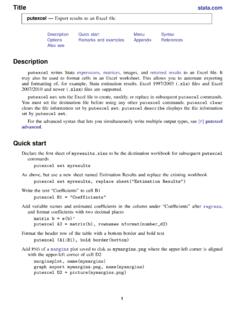
Title stata.com putexcel — Export results to an Excel …
www.stata.computexcel— Export results to an Excel file 3 export options Description Main overwritefmt overwrite existing cell formatting when exporting new content
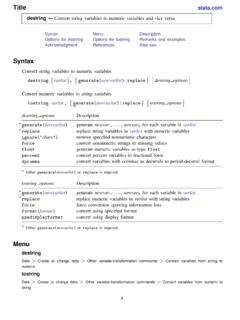
destring — Convert string variables to numeric ... - …
www.stata.comTitle stata.com destring — Convert string variables to numeric variables and vice versa SyntaxMenuDescription Options for destringOptions for tostringRemarks and …
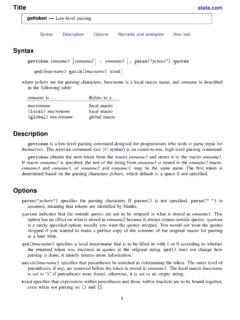
Title stata.com gettoken — Low-level parsing
www.stata.comTitle stata.com gettoken — Low-level parsing SyntaxDescriptionOptionsRemarks and examplesAlso see Syntax gettoken emname1 emname2: emname3, parse("pchars") quotes qed(lmacname) match(lmacname) bind
Related documents
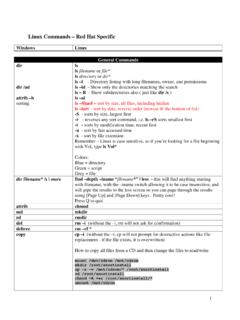
Linux Commands – Red Hat Specific - The Westbrooks
www.thewestbrooks.comLinux Commands – Red Hat Specific Windows Linux General Commands dir dir /ad attrib –h sorting ls ls filename or file* ls directory or dir* ls –l - Directory listing with long filenames, owner, and permissions ... An excellent overview of Grub and how to use it is located at
Introduction to RStudio - Princeton University
dss.princeton.educommands and see output The workspace tab shows all the active objects (see next slide). The history tab shows a list of commands used so far. The files tab shows all the files and folders in your default workspace as if you were on a PC/Mac window. The plots tab …
A Beginner’s Guide to Using Stata - Jason Eichorst
jasoneichorst.comUsers can also run commands in batch using a do- le. In addition, Stata has menus and dialog boxes that give the user access to nearly all built-in commands. User-written commands can be added to Stata using ado- les. Stata is case-sensitive; thus, it distinguishes between lower and upper case letters. Most Stata built-in commands are

Adobe PDF Library Overview
opensource.adobe.comAn overview of the SnippetRunner tool and the plug-in ... Snippet Runner commands Command Description cd Navigate the hierarchy of snippets using standard file path semantics. findsnip Search for a snippet based on a specified substring of the snippet identification string.
Mac Deployment Overview - Apple
www.apple.comMac Deployment Overview December 2019 5 . Deployment Steps Establish a management solution MDM lets organizations securely enroll Mac in the business environment, wirelessly configure and update settings, deploy apps, monitor policy compliance, query devices, and remotely wipe or lock managed devices.

4a-esp8266 at instruction set en - Espressif
www.espressif.com1. Overview 1. Overview ESP8266 AT Firmware, officially launched by Espressif, is available for download and can be used directly. Also, users may find AT Project that Espressif specially created for users to customize AT firmware. This document introduces how to customize AT firmware and download AT firmware into flash.

GPU Memory Model Overview
www.seas.upenn.eduGPU Memory Model Overview Note: These slides do not include the NVIDIA 8-series memory model. Review Vertex Index Stream 3D API Commands Assembled Primitives Pixel Updates Pixel Location Stream Programmable Fragment Processor Programmable Fragment Processor Programmable Transformed Vertices

cluster — Introduction to cluster-analysis commands
www.stata.compostclustering summarization methods, and cluster-management tools. This entry presents an overview of cluster analysis, the cluster and clustermat commands (also see[MV] clustermat), as well as Stata’s cluster-analysis management tools. …

About the Tutorial
www.tutorialspoint.comUbuntu − Overview . Ubuntu 2 Features of Ubuntu Following are some of the significant features of Ubuntu - The desktop version of Ubuntu supports all the normal software on Windows such as Firefox, Chrome, VLC, etc. It supports the office suite called LibreOffice.

Vivado Design Suite Tcl Command Reference Guide
www.xilinx.comCommands Added in 2019.2 apply_bd_automation , assign_bd_address , config_timing_analysis, connect_hw_server , create_bd_intf_port, create_bd_port , create_ip, ... see the Vivado Design Suite Tutorial: Design Flows Overview (UG888). T c l B a t c h M o d e. You can use the Vivado tools in batch mode by supplying a Tcl script when invoking the ...