
Instructions - Garmin
2 Installing the Battery WarnIng This product contains a lithium-ion battery. See page 5 for important battery safety information. 1 With your thumbnail, slide the battery cover release tab .
Download Instructions - Garmin

Information
Domain:
Source:
Link to this page:
Documents from same domain

EDGE® 1030 Owner’s Manual - Garmin International
static.garmin.comCharging the Device NOTICE To prevent corrosion, thoroughly dry the USB port, the weather cap, and the surrounding area before charging or connecting to

Owner’s Manual - Garmin International
static.garmin.comIntroduction WARNING See the Important Safety and Product Information guide in the product box for product warnings and other important information.

Lidar Lite v3 Operation Manual 2 and Technical …
static.garmin.com1 Lidar Lite v3 Operation Manual and Technical Specifications Laser Safety WARNING This device requires no regular maintenance. In the event that the device

Printing a Mounting Template - Garmin
static.garmin.comPrinting a Mounting Template Notice It is not recommended that you print a mounting template on your own. Use the template that came in the product box.

GPSMAP 62 series - Garmin
static.garmin.comGPSMAP 62 Series Quick Start Manual 3 3. Replace the battery cover. For best results, after you install new batteries, update the battery type in the

Important Safety and Product Information 2 …
static.garmin.comIMPORTANT SAFETY AND PRODUCT INFORMATION WARNING Failure to heed the following warnings could result in an accident or collision resulting in death or

Important Safety and Product Information 2 …
static.garmin.comImportant Safety and Product Information 2 Informations importantes sur le produit et la sécurité 3 guida Informazioni importanti sulla sicurezza e sul

GNS 430(A) - Garmin International
static.garmin.com190-00140-00 Rev. P GNS 430(A) Pilot’s Guide and Reference i RECORD OF REVISIONS Revision Date of Revision Description A 12/98 Initial Release B 4/99 Update to conform to recent SW changes

GNS 530(A) - Garmin International
static.garmin.com190-00181-00 Rev. H GNS 530(A) Pilot’s Guide and Reference i RECORD OF REVISIONS Revision Date of Revision Description A 5/00 Initial Release B 5/01 Update to reflect software changes through 2.06

Sélectionnez Télécharger Instructions d'installation …
static.garmin.comInstructions d'installation de la sonde DownVü Pour obtenir des performances optimales et éviter toute détérioration du bateau, installez la sonde Garmin ® DownVü ...
Related documents

Heart Rate Monitor Instructions - Garmin International | Home
static.garmin.comHeart Rate Monitor Instructions WARNING See the Important Safety and Product Information guide in the product box for product warnings and other important

BCT Communication Systems Inc.
www.bctcommunicationsystems.caBCT Communication Systems Inc. Basic Operating Instructions For the Panasonic PBX Telephone System . Making Calls – To an Extension: 1. Lift the handset of your telephone

Owner’s Guide - Service - Home
www.hitachiserviceusa.com4 1) Read these instructions. 2) Keep these instructions. 3) Heed all warnings. 4) Follow all instructions. 5) Do not use this apparatus near water.

388A567 Solar Installation PV150 Operating Instructions Rev5
www.seawardsolar.comSolar Installation PV150 Operating Instructions - 5 - Introduction The Solar Installation PV150 is a hand held, battery powered, multi-function solar

Universal 12N 7 Pin Single Electric Kit (2 metre cable ...
www.towbarsdirect.co.ukContents: 1 12N prewired 7 pin socket with 2 metre cable with three socket screws/nuts 1 1 2 Ring earth terminal 1 4 metre 9's cable 1Gromment 5 metres of 28's Black cable
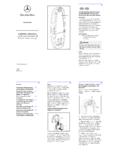
Installation Instructions Mercedes-Benz Cradle adaptor ...
www.wireless4mb.com5 3. To locate the Pass-Key remove cover (5) by sliding it away from the Mercedes-Benz Cradle adaptor with Bluetooth®.Located behind this cover (5) there will be a sticker
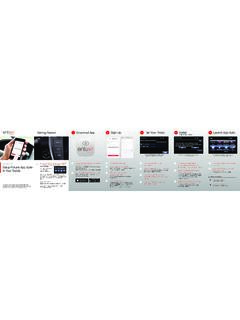
Getting Started Download App Sign-Up 3 Pair Your Phone 4 ...
www.toyota.comHOW TO. Bluetooth ® Pair Your Smartphone with Your Toyota. Pairing your phone is the first step . in connecting with your Toyota for hands-free calling and for audio