
iVMS-4200 Client Software Technical Specification v1
Introduction iVMS-4200 Client Software is a centralized video management software using a distributed structure for surveillance device control and management.
Download iVMS-4200 Client Software Technical Specification v1

Information
Domain:
Source:
Link to this page:
Documents from same domain

DS-2TD2636-10/15 Thermal Bi-spectrum Network …
www.hikvision.comHikvision DS-2TD2636-10/15 Thermal Bi-spectrum Network Bullet Camera is applied to perimeter defense and fire-prevention purposes in critical infrastructures such as: airport, railway, prison, power station, 4S stores, and so

Network Dome Installation - Hikvision
www.hikvision.comNetwork Dome Camera Installation Manual V3.0.0 Hangzhou Hikvision Digital Technology Co., Ltd. http://www.hikvision.com 2010‐04

DS-2CD2T22WD-I3/I5/I8 2.0MP EXIR Network …
www.hikvision.comDS-2CD2T22WD-I3/I5/I8 2.0MP EXIR Network Bullet Camera 1/2.8” Progressive Scan CMOS Up to 2 megapixel resolution Full HD1080p real-time video

DS- 2CD6626B-IZH(R)S(2.8 12 mm )/(8 32 mm) 2 MP …
www.hikvision.comDS-2CD6626B-IZH(R)S(2.8 – 12 mm )/(8 – 32 mm) 2 MP Anti-Corrosion Bullet Camera 1/1.8” Progressive Scan CMOS 1920 × 1080 @ 60fps Motorized zooming and auto focus

iVMS-4200 - Hikvision USA
www.hikvision.comModel iVMS-4200 Group Maximum of Client Encoding Device Maximum of 256 encoding devices supported Maximum of 256 groups supported Maximum of 256 channels can be imported to each group

DS-7200HQHI-F1/N SERIES TURBO HD DVR - …
www.hikvision.comDS-7200HQHI-F1/N SERIES TURBO HD DVR Video Input and Transmission Connectable to HDTVI, AHD and analog cameras Up to 2-ch 1080p IP cameras input for DS-7208/7216HQHI-F1/N

DS-2TD2166-15/25/35 - Hikvision USA
www.hikvision.comDS-2TD2166-15/25/35 Thermal Network Bullet Camera Hikvision DS-2TD2166-15/25/35 Thermal Network Bullet Camera adopts vanadium oxide uncooled focal plane sensor

DS-7200HVI-ST Series DVR User's Manual - …
www.hikvision.com10 z Remote manual recording. z Remote video image capture in JPEG format. z Remote PTZ control. z Voice talk and broadcast. z Built-in WEB Server.

DS 6400HDI T Series Decoder USER MANUAL …
www.hikvision.comUser Manual of DS-6400HDI-T Decoder 1 Hikvision Network Digital Video Recorder User’s Manual This manual, as well as the software described in it, is furnished under license and may be used or copied only in
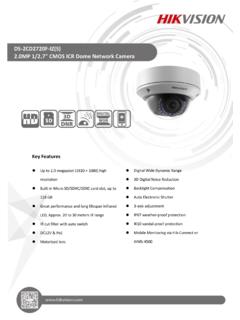
DS-2CD2720F-IZ(S) 2.0MP 1/2.7 CMOS ICR Dome …
www.hikvision.comDS-2CD2720F-IZ(S) 2.0MP 1/2.7" CMOS ICR Dome Network Camera Key Features Up to 2.0 megapixel (1920 × 1080) high resolution Built-in Micro SD/SDHC/SDXC card slot, up to
Related documents
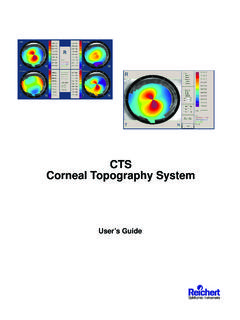
CTS Corneal Topography System - doclibrary.com
doclibrary.com15050-101-Rev. A Congratulations on the purchase of your new CTS Corneal Topography System. The CTS software allows the visualization of the Axial, Tangential and Refractive maps in Normalized, Numeric, Absolute
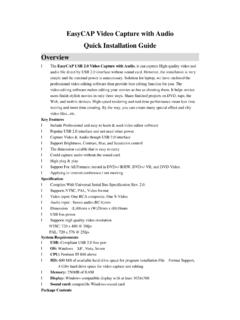
EasyCAP Video Capture with Audio Quick Installation Guide ...
lifastleg1680.comEasyCAP Video Capture with Audio Quick Installation Guide Overview l The EasyCAP USB 2.0 Video Capture with Audio, it can capture High-quality video and audio file direct by USB 2.0 interface without sound card.

wePresent - AWIND
www.awindinc.com4 WiPG-1000 User Manual →Back 1. Overview wePresent WiPG-1000 is professional wireless presentation gateway. By enabling the Revolutionary “interactive” and “wireless” functions, you can throw your presentations
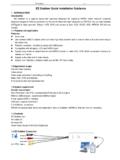
EZ Grabber Quick Installation Guidance
www.derbymagic.comEZ Grabber V3.1 EZ Grabber Quick Installation Guidance 1.INTRODUCTION Introduction EZ Grabber is a capture equipment specified designed for capturing MPEG, which transmit screened
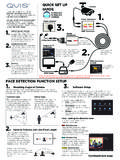
BEFORE INSTALLING ANYTHING WE STRONGLY …
www.free-instruction-manuals.comFACE DETECTION FUNCTION SETUP (Cont.) Return to the real-time monitoring page using the right click on the mouse. Face images will be presented on the right hand side of

Network Video Recorder - Hikvision
www.hikvision.comUser Manual of Network Video Recorder 3 Regulatory information FCC information FCC compliance: This equipment has been tested and found to comply with the limits for a digital device, pursuant
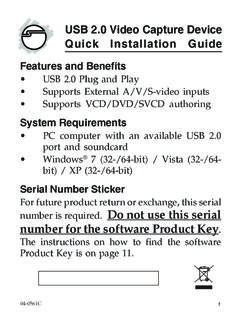
USB 2.0 Video Capture Device Quick Installation Guide
www.siig.com6 Honestech VHS to DVD Installation The USB 2.0 Video Capture Device includes Honestech VHS to DVD video capture software for capturing, editing and burning to CD/DVD. Follow the directions below to install the software.
Related search queries
CTS Corneal Topography System, EasyCAP Video Capture with Audio Quick Installation, Video capture, Capture, Video, WePresent, EZ Grabber Quick Installation Guidance, BEFORE INSTALLING ANYTHING WE STRONGLY, Network Video Recorder, Device, Video Capture Device Quick Installation, Installation, Video Capture Device