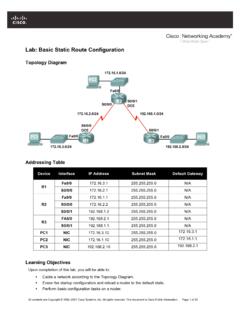
Lab: Basic Static Route Configuration
CCNA Exploration Routing Protocols and Concepts: Static Routing Lab 2.8.1: Basic Static Route Configuration _____
Download Lab: Basic Static Route Configuration

Information
Domain:
Source:
Link to this page:
Documents from same domain
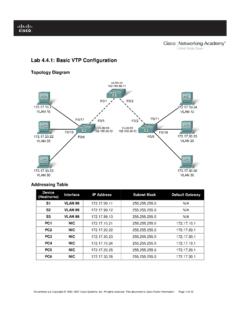
Lab 4.4.1: Basic VTP Configuration - Arvutiteaduse instituut
courses.cs.ut.eeSet the VTP domain name to Lab4 and the VTP password to cisco on all three switches . Configure S1 in server mode, S2 in client mode, and S3 in transparent mode.

Packet Tracer Configuring VPNs (Optional) - ut
courses.cs.ut.eePacket Tracer – Configuring VPNs (Optional) © 2013 Cisco and/or its affiliates. All rights reserved. This document is Cisco Public. Page 2 of 6 ISAKMP Phase 1 ...

Lab: Basic OSPF Configuration Lab
courses.cs.ut.eeThe OSPF router ID is used to uniquely identify the router in the OSPF routing domain. A router ID is an IP address. Cisco routers derive the Router ID in one of three ways and with the following precedence: 1. IP address configured with the OSPF router-id command. 2. Highest IP address of any of the router’s loopback addresses. 3.

Rui Jiang Xuegong Zhang Michael Q. Zhang Editors Basics of ...
courses.cs.ut.eeinclude useful introductions to concepts such as gene or Bayesian methods. This is a valuable aspect of the volume allowing a student various angles of approach to a new topic. Chapter 1, “Basics for Bioinformatics,” defines bioinformatics as “the storage, manipulation and interpretation of biological data especially data of nucleic acids

Lab 2.5.1: Basic Switch Configuration
courses.cs.ut.eeSet the login password to cisco . Also configure the vty lines 0 to 15 with the password cisco . S1#configure terminal Enter the configuration commands, one for each line. When you are finished, return to global configuration mode by entering the exit command or pressing Ctrl-Z. S1(config)# line console 0 S1(config-line)# password cisco

Lab: Basic Router Configuration
courses.cs.ut.eeR1(config-if)#interface serial 0/0/0 R1(config-if)#ip address 192.168.2.1 255.255.255.0 R1(config-if)#clock rate 64000 R1(config-if)#no shutdown R1(config-if)# Note: The interface will be activated until the serial interface on R2 is configured and activated Step 12: Return to privileged EXEC mode. Use the end command to return to privileged ...

Lab 3.5.1: Basic VLAN Configuration - ut
courses.cs.ut.eeIf necessary, refer to Lab 2.5.1, Appendix 1, for the procedure to clear switch configurations. It is a good practice to disable any unused ports on the switches by putting them in …

Lab 5.5.1: Basic Spanning Tree Protocol - ut
courses.cs.ut.eeCCNA Exploration LAN Switching and Wireless: STP Lab 5.5.1: Basic Spanning Tree Protocol ... • Configure a password of cisco for console connections. • Configure a password of cisco for vty connections. (Output for S1 shown) Switch> enable Switch# configure terminal
Related documents
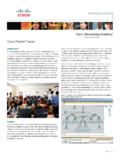
Cisco Packet Tracer
www.cisco.com• Supports the majority of protocols and technologies taught in the following Networking Academy curricula: Cisco CCNA® Discovery, CCNA Exploration, and CCNA Security, and can be used to teach concepts from IT Essentials and Cisco CCNP® courses Figure 2. Multiuser games provide fun learning opportunities for collaboration and competition
Lab: Basic OSPF Configuration Lab - ut
courses.cs.ut.eeCCNA Exploration Routing Protocols and Concepts: OSPF Lab: Basic OSPF Configuration Lab information. ...