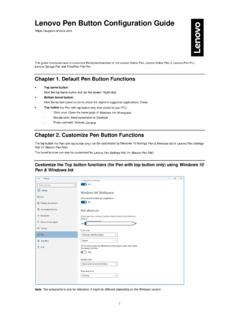
Lenovo Pen Button Configuration Guide
• 5th Click – Execute a Mouse 5 th Click at the cursor location • Modifier – Open a dialog that allows the user to choose a modifier button (alt, ctrl, shift, Win) to send to the system when the ... • Barrel Button – Send a “Barrel Button” command to the system to invoke the system or app defined behavior. Most apps treat this ...
Download Lenovo Pen Button Configuration Guide

Information
Domain:
Source:
Link to this page:
Documents from same domain

ThinkPadT460sUserGuide
download.lenovo.comProtectyourcomputeranddatawhenmovingit. Before moving a computer equipped with a hard disk drive, do one of the following,andmakesurethatthepowerbuttonisofforisblinking:

M720q User Guide and Hardware Maintenance Manual
download.lenovo.comFigure 2. Rear view 1 Optional connector 2 2 1 3 Security-lock slot 4 Wi-Fi antenna slot 5 Ethernet connector 6 USB 3.1 Gen 2 connectors (2) 7 USB 3.1 Gen 1 connector 8 HDMI™ 1.4 out connector 9 USB 3.1 Gen 1 connector 10 DisplayPort® 1.2 out connector 11 Power adapter connector 1 Optional connector 2 Depending on the computer model, the connector might vary.
T480 User Guide - Lenovo
download.lenovo.comProtect yourself from the heat generated by the ac power adapter. When the ac power adapter is connected to an electrical outlet and your computer, it generates heat.

E14/R14/E15/S3 Gen 2 User Guide - Lenovo
download.lenovo.comdisabled in UEFI BIOS. • When the computer is off or in hibernation mode, and Charge in Battery Mode is disabled in UEFI BIOS, ensure that you have connected the computer to ac power. To enable the Always On USB feature: 1. Enter the UEFI BIOS menu. See “Enter the UEFI BIOS menu” on page 29. 2.
Lenovo ThinkSystem System Manager User Guide
download.lenovo.comQuick buttons on the TSM main interface The quick buttons and user information are located on the upper side of the TSM main interface. Table 1. Quick buttons on the TSM main interface Button Description After you click this icon, the current page will be expanded to hide the left menu bar. To display the left menu bar, click this icon again.

Ubuntu Linux 20.04 LTS Installation
download.lenovo.comLinux 20.04 LTS utilizing RAID arrays on the Lenovo ThinkStation P620. Note: This is assuming storage RAID is already set up and configured in BIOS. • Download the Linux AMD storage RAID driver from the Lenovo support site and copy the contents onto a directory labelled ‘dd’ from the root of a USB flash drive.

Ubuntu Linux Setup Guide - Lenovo
download.lenovo.com2. Add the Nvidia repository using the following command. # sudo add-apt-repository ppa:graphics-drivers 3. Update Ubuntu again to update the source list file. # sudo apt update 4. Install the Nvidia driver. # sudo apt install nvidia-driver-430 5. Reboot the system. # sudo reboot

T490s and X390 User Guide - Lenovo
download.lenovo.comThinkPad X390 2 T490s and X390 User Guide. 1. Power button Press to turn on the computer or put the computer to sleep mode. To turn off the computer, open the Start menu, click Power, and then select ... • Charge USB-C compatible devices with the …

ThinkPad X12 Detachable Gen 1 User Guide - Lenovo
download.lenovo.com2 ThinkPad X12 Detachable Gen 1 User Guide. Emergency-reset hole If the computer stops responding and you cannot turn it off by pressing the power button, reset your computer: ... – USB-C to VGA: up to 1920 x 1200 pixels, 60 Hz – USB-C to …

M710q - Lenovo
download.lenovo.com• Some of the har dware components explained in this manual are optional. • Use computer components provided only by Lenovo. • When installing or replacing an option, use the appropriate instructions explained in this manual along …
Related documents
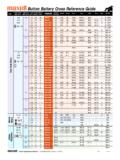
Button Battery Cross Reference Guide
www.batteriesandbutter.comButton Battery Cross Reference Guide Model Recommended Dimensions Height Nominal Capacity Energizer Applications Diameter (mm) (mm) Voltage (V) (mAh) (Everready) Duracell Rayovac Renata Varta Seiko Citizen Timex New TEC Silver Oxide Battery Alkaline Battery Lithium Manganese High 11.6 5.4 1.55 165 SR44W 357 D357 357 357(7) V357(541) SB-B9 – J ...
PlayStation®5
manuals.playstation.net5 . Turn on your PlayStation®5 console by pressing the (power) button. The power indicator blinks blue, and then turns white. If you leave the console idle for 60 seconds after you turn it on, the text-to-speech feature turns on. You can listen to on-screen text and other important information read aloud to help you . accomplish what you want ...
CONTENTS
ts.thrustmaster.comMouse button event (needs to be activated in the Settings menu). Keyboard event press. Keyboard event release, and how long the key as been pressed. The Event Tester uses one line per event, so a momentary press on a key will generate 2 lines. T.A.R.G.E.T Script Editor Basics User Manual v1.5 – 5/60

NEC SV8100 Telephone System User Guide (for 12-button …
www.alternativetechs.com1. Press the Speaker button 2. Dial 720 3. Press 1 for intercom calls or 2 for outside calls 4. Press 1 through 8 to hear the 8 different ring tone choices 5. Press the number of your choice 6. Press Speaker to finish How to program a headset key on your phone: 1. Press the Speaker button 2. Dial 751 3. Press an available function key 4. Dial 05 5.

Keep Calm and Wash Your Hands 8.5 by 11 Poster
www.cdc.govKeep Calm and Wash Your Hands 8.5 by 11 Poster Author: Centers for Disease Control and Prevention Subject: Keep Calm and Wash Your Hands 8.5 by 11 Poster Keywords: Keep Calm and Wash Your Hands 8.5 by 11 Poster Created Date: 3/23/2021 12:28:24 PM

Button Size Chart www.MJTRIM.com fx: 212.704
www.mjtrim.com1008 Sixth Avenue New York, NY 10018 ph: 212.391.6200 fx: 212.704.8092 Button Size Chart www.MJTRIM.com 44 mm 1 3/4 Inches 72 Ligne 34 mm 1 3/8 Inches

VA Blue Button: Exploring Your Mental Health Notes
www.portlandcoin.research.va.govApr 19, 2015 · VA Blue Button: Exploring Your Mental Health Notes . Signed By: Below is an example of a mental health note written by a psychiatrist. ... 5. Encouraged he contact PCP to follow-up on leg pain issues. /es/ SANDRA R SMITH MD . STAFF PSYCHIATRIST Signed: 04/19/2015 12:02 .