LibreOffice Math Guide Version 7
The Elements Dock to the left of the Preview window and/or the Elements dialog as a floating dialog may also appear, if these have been selected in View on the main menu bar. For more information on creating formulas, see “Creating formulas” on Page 13.
Download LibreOffice Math Guide Version 7

Information
Domain:
Source:
Link to this page:
Documents from same domain
Chapter 12 Calc Macros - LibreOffice
documentation.libreoffice.orgIntroduction A macro is a saved sequence of commands or keystrokes that are stored for later use. An example of a simple macro is one that “types” your address. The LibreOffice macro language is very flexible, allowing automation of both simple and complex tasks. Macros are especially useful to repeat a task the same way over and over again.

Adding and Formatting Text - LibreOffice
documentation.libreoffice.orgbulleted lists, tables, fields, and hyperlinks. Using the text tool To activate the text tool, click the Text icon for horizontal text or the Vertical Text icon for vertical text on the Drawing toolbar. If the Vertical Text icon is not visible, first select the option Show UI elements for East Asian

Form Letters, Mailing Labels, and Envelopes
documentation.libreoffice.org2) How to create and print form letters, mailing labels, and envelopes. 3) Optionally, how to save the output in an editable file instead of printing it directly. Creating and registering the data source A data source is a database containing the name and address records (and optionally other information) from which a mailing list may be derived.

LibreOffice 4.3 Draw Guide
documentation.libreoffice.orgA few examples of the drawing functions are: layer management, snap functions and grid-point system, dimensions and measurement display, connectors for making organization charts, 3D functions that enable small three-dimensional drawings to be created (with texture and lighting effects), drawing and page-style integration, and Bézier curves.
LibreOffice 3.5 Guida a Draw
documentation.libreoffice.orgAlcuni esempi delle funzioni di disegno sono: gestione dei livelli, griglia magnetica, visualizzazione di dimensioni e misure, connettori per creare organigrammi, funzioni 3D per creare piccoli disegni tridimensionali (con trame ed effetti di luce), integrazione di disegni e stili di pagina, e le curve di Bézier.
LibreOffice 7.2 Math Guide
documentation.libreoffice.orgFor quick tips when a toolbar is visible, place the mouse pointer over any of the icons to see a small box (“tooltip”) with a brief explanation of the icon’s function. For a more detailed explanation, select Help > What's This? and hold the pointer over the icon. In addition, you can choose whether to activate Extended Tips using Tools >

Creating Charts and Graphs - LibreOffice
documentation.libreoffice.orgCreating charts and graphs To demonstrate the process of creating charts and graphs in Calc, we will use example data as shown in Figure 1 to create a chart. Figure 1: Example data for creating a chart 1) Select the cells containing the data …

Formulas and Functions - LibreOffice
documentation.libreoffice.orgIntroduction In previous chapters, we have been entering one of two basic types of data into each cell: numbers and text. However, we will not always know what the contents should be. Often the contents of one cell depends on the contents of other cells. To handle this situation, we use a third type of data: the formula. Formulas are equations ...

Working with Images - LibreOffice
documentation.libreoffice.orgIf color images are to be printed in grayscale, check that any adjacent colors have good contrast and print dark enough. Test by printing on a black-and-white printer using a grayscale setting. Better still: change the “mode” of the image to grayscale, either in a photo editor or in Writer itself (see “Graphics mode” on page 11).
Base Handbook - LibreOffice
documentation.libreoffice.orgdatabase programs, including Microsoft Access, MySQL, Oracle, and PostgreSQL. Base includes additional functionality that allows you to create full data-driven applications. This book introduces the features and functions of Base, using two example databases. • Creating a database • Accessing external databases
Related documents
USE CATEGORY SYSTEM USER SPECIFICATION FOR …
awpa.combasis (e.g., on a freshwater floating dock or by a watering system that is fixed and not adjustable). f) When components are used in tropical climates UC4A GROUND CONTACT General Use (for all other Commodity Specifications) -- Wood and wood-based materials used in contact with the ground, fresh water, or other situations favorable to deterioration.

Tariff Book TRANSNET NATIONAL PORTS AUTHORITY PORT …
www.transnet.netDRYDOCKS, FLOATING DOCKS, 1. General terms and conditions 2. Booking fees Penalties Preparation Docking and undocking of ves-sels 6. Drydock, floating dock and syncrolift dues 7. Slipway Wharf cranes 9. Miscellaneous Breakbulk 2. Dry Bulk 3. Liquid Bulk Containers 5. Coastwise cargo Exemptions Transhipped cargo 8. Late order an d relate d fees ...
CARGO-HANDLING EQUIPMENT ON BOARD AND IN PORT - …
www.pfri.uniri.hrGeneral cargo is handled by cranes on the quay, floating cranes or by the ship's own cargo gear (deck cranes, derricks, etc.). Attached to such lifting gear is a shackle which links the crane or derrick with the form of cargo-handling equipment being used. For most lifts a hook is used.
Floating Foundations: A Game Changer for Offshore Wind …
www.irena.orgFloating foundations offer the offshore wind industry two decisive opportunities: • They allow access to deep-water sites. In water deeper than 50 metres, they offer access to large areas with a strong wind resource and proximity to population centres. For some countries, such as those with a narrow continental shelf, floating
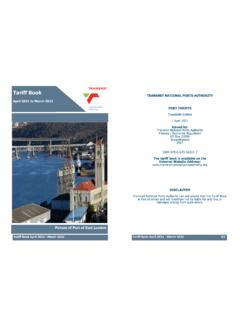
Tariff Book TRANSNET NATIONAL PORTS AUTHORITY April …
www.transnetnationalportsauthority.netDRYDOCKS, FLOATING DOCKS, SYNCROLIFTS AND SLIPWAYS 1. General terms and conditions 2. Booking fees 3. Penalties 4. Preparation 5. Docking and undocking of ves-sels 6. Drydock, floating dock and syncrolift dues 7. Slipway 8. Wharf cranes 9. Miscellaneous SECTION 7 CARGO DUES ON IMPORTS, EXPORTS, TRANSHIPMENTS AND COASTWISE …
Twenty Thousand Leagues under the Sea - Free c lassic e-books
freeclassicebooks.comThe engineers visited the Scotia, which was put in dry dock. They could scarcely believe it possible; at two yards and a half below water-mark was a regular rent, in the form of an isosceles triangle. ... of the floating island, and the unapproachable sandbank, supported by minds little competent to form a judgment, was abandoned. And, indeed,

Volume II: Materiel Inspection - United States Coast Guard
www.dco.uscg.miladditional guidance on how to document dry-dock dates. This guidance can be found on page 14. Commandant United States Coast Guard US Coast Guard Stop 7501 2703 Martin Luther King Jr. Ave SE Washington, DC 20593-7501 Staff Symbol: CG-CVC Phone: (202) 372-1224