
Linux Notes for Professionals - GoalKicker.com
Ctrl + N Shows next executed command, i.e. walk forward through the command history (Similar to down arrow). Terminal control Ctrl + L Clears the screen, similar to the clear command. Ctrl + S Stop all output to the screen. This is useful when running commands with lots of long output. But this doesn't stop the running command.
Download Linux Notes for Professionals - GoalKicker.com

Information
Domain:
Source:
Link to this page:
Documents from same domain

Complete Excel VBA Secrets & Tips for Professionals
goalkicker.comComplete Excel® VBA Tips & Secrets for Professionals 3 First, the Developer Tab must be added to the ribbon. Go to File -> Options -> Customize Ribbon, then check the

C# Notes for Professionals - goalkicker.com
goalkicker.comC# C# Notes for Professionals Notes for Professionals GoalKicker.com Free Programming Books Disclaimer This is an uno cial free book created for educational purposes and is

JavaScript Notes for Professionals - goalkicker.com
goalkicker.comSection 12.4: Filtering Object Arrays ..... 84
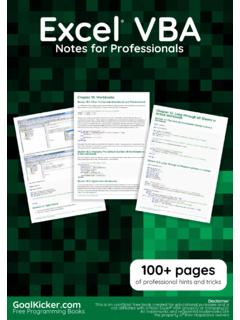
Excel VBA Notes for Professionals - goalkicker.com
goalkicker.comExcel VBA Excel Notes for Professionals® VBA Notes for Professionals GoalKicker.com Free Programming Books Disclaimer This is an uno cial free book created for educational purposes and is

SQL Notes for Professionals - goalkicker.com
goalkicker.comSQL SQL Notes for Professionals Notes for Professionals GoalKicker.com Free Programming Books Disclaimer This is an uno cial free book created for …

Oracle Database Notes for Professionals - …
goalkicker.comOracle Database Oracle ... Chapter 12: IF-THEN-ELSE Statement ... Section 39.2: Specifying the Direction of the Query From the Top Down ...

Kotlin Notes for Professionals - goalkicker.com
goalkicker.comKotlin Kotlin Notes for Professionals ® Notes for Professionals GoalKicker.com Free Programming Books Disclaimer This is an uno cial free book created for educational purposes and is
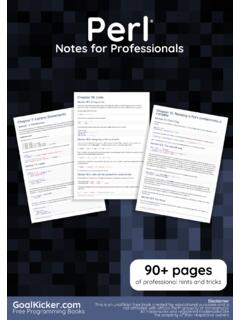
Perl Notes for Professionals - goalkicker.com
goalkicker.comPerl Perl Notes for Professionals ® Notes for Professionals GoalKicker.com Free Programming Books Disclaimer This is an uno cial free book created for educational purposes and is
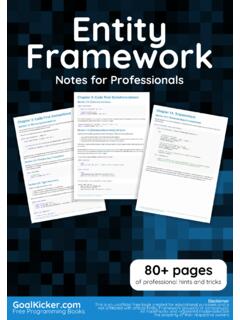
Entity Framework Notes for Professionals - goalkicker.com
goalkicker.comEntity framework is an Object/Relational Mapping (O/RM) framework. It is an enhancement to ADO.NET that gives developers an automated mechanism for accessing & storing the data in the database.
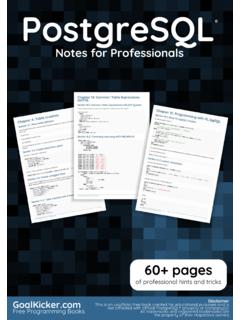
PostgreSQL Notes for Professionals - goalkicker.com
goalkicker.comPostgreSQL PostgreSQL Notes for Professionals ® Notes for Professionals GoalKicker.com Free Programming Books Disclaimer This is an uno cial free book created for educational purposes and is
Related documents

Guide Symantec Endpoint Protection 14.3 RU1 for Linux Client
techdocs.broadcom.comWhenever you run the yum update command on a RHEL, Amazon Linux, Oracle Linux, or CentOS system, the command also looks for new agent packages. If an update is available, the latest kernel module is downloaded and the agent is updated automatically. After the kernel module is updated, you must restart the instance for the update to take effect.

YUM COMMAND - Red Hat Customer Portal
access.redhat.comyum provides “*bin/top” Show package that contains top command yum provides “*/README.top” Show package containing README.top file search Search package names and descriptions for a term yum search samba Find packages with samba in name or description updateinfo Get information about available package updates yum updateinfo security

About the Tutorial
www.tutorialspoint.comLinux Admin 1 Unique among business class Linux distributions, CentOS stays true to the open-source nature that Linux was founded on. The first Linux kernel was developed by a college

MongoDB - riptutorial.com
riptutorial.comcommand window here which would be visible after right clicking on the empty space of the folder GUI pressing the Shift and Ctrl key together. Write the command to start the server:

vscode - riptutorial.com
riptutorial.comCode version, remove it and replace it by executing the Shell Command: Install 'code' command in PATH command. On Linux Debian and Ubuntu based distributions ... We currently ship the stable 64-bit VS Code in a yum repository, the following script will install the key and repository:
The Python Guide for Beginners - renanmf.com
renanmf.comTo install using yum, available in RedHat and CentOS, enter the following: sudo yum install python3 11. 4 Running Code ... to tell the interpreter that a new command is beginning. The print() function will display something. In this example, we …

Red Hat Enterprise Linux 8
access.redhat.com12.4.2. Installing a package group with YUM 12.4.3. Specifying a package name in YUM input 12.5. UPDATING SOFTWARE PACKAGES 12.5.1. Checking for updates with YUM 12.5.2. Updating a single package with YUM 12.5.3. Updating a package group with YUM 12.5.4. Updating all packages and their dependencies with YUM 12.5.5. Updating security-related ...

Vim - Tutorialspoint
www.tutorialspoint.com1. Execute below command in terminal: $ su - $ yum install vim 2. To ensure Vim is correctly installed execute below command: $ which vim 3. It should print the location of Vim binary. In my case it was: /usr/bin/vim

Amazon Corretto - Corretto 11 User Guide
docs.aws.amazon.comAmazon Corretto Corretto 11 User Guide Installing on RPM-based Linux Example sudo yum install -y java-11-amazon-corretto-devel Using zypper To use Corretto RPM repositories with the zyppr package manager (such as openSUSE), import the