
Marine Camera Integration Guide - Garmin
NOTE: You must have a dual-payload M-series FLIR camera connected to your chartplotter network to switch between views. FLIR MD-series cameras provide thermal views only. From the video screen, select Menu. Change Colors: Sets the color scheme of the infrared image. Change Scene: Sets the camera to a night, night docking, day, or man overboard ...
Download Marine Camera Integration Guide - Garmin

Information
Domain:
Source:
Link to this page:
Documents from same domain

EDGE® 1030 Owner’s Manual - Garmin International
static.garmin.comCharging the Device NOTICE To prevent corrosion, thoroughly dry the USB port, the weather cap, and the surrounding area before charging or connecting to

Owner’s Manual - Garmin International
static.garmin.comIntroduction WARNING See the Important Safety and Product Information guide in the product box for product warnings and other important information.

Lidar Lite v3 Operation Manual 2 and Technical …
static.garmin.com1 Lidar Lite v3 Operation Manual and Technical Specifications Laser Safety WARNING This device requires no regular maintenance. In the event that the device

Printing a Mounting Template - Garmin
static.garmin.comPrinting a Mounting Template Notice It is not recommended that you print a mounting template on your own. Use the template that came in the product box.

GPSMAP 62 series - Garmin
static.garmin.comGPSMAP 62 Series Quick Start Manual 3 3. Replace the battery cover. For best results, after you install new batteries, update the battery type in the

Important Safety and Product Information 2 …
static.garmin.comIMPORTANT SAFETY AND PRODUCT INFORMATION WARNING Failure to heed the following warnings could result in an accident or collision resulting in death or

Important Safety and Product Information 2 …
static.garmin.comImportant Safety and Product Information 2 Informations importantes sur le produit et la sécurité 3 guida Informazioni importanti sulla sicurezza e sul

Instructions - Garmin
static.garmin.com1 GLO™ GLONASS and GPS Sensor Instructions August 2012 190-01492-00_0B Printed in Taiwan

GNS 430(A) - Garmin International
static.garmin.com190-00140-00 Rev. P GNS 430(A) Pilot’s Guide and Reference i RECORD OF REVISIONS Revision Date of Revision Description A 12/98 Initial Release B 4/99 Update to conform to recent SW changes

GNS 530(A) - Garmin International
static.garmin.com190-00181-00 Rev. H GNS 530(A) Pilot’s Guide and Reference i RECORD OF REVISIONS Revision Date of Revision Description A 5/00 Initial Release B 5/01 Update to reflect software changes through 2.06
Related documents
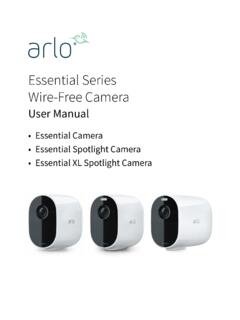
Essential Series Wire-Free Camera - Arlo
www.arlo.comGet to Know Your Essential Series Camera 9 Arlo Essential Series ire-Free Camera User Manual Features • Capture clear details in full high-definition. Record video in 1080p for a clear picture. • Designed to withstand heat, cold, rain, or sun. Camera can be used indoors or out. • Receive alerts when motion is detected. Notifications are ...

DH-IPC-HFW2531S-S-S2 - Dahuasecurity.com
www.dahuasecurity.comIP67: The camera passes a series of strict test on dust and soak. It has dust-proof function, and the enclosure can works normal after soaking in 1 m deep water for 30 minutes. Wide voltage: The camera allows ±30% input voltage tolerance (wide voltage range), and it is widely applied to outdoor environment with instable voltage.

Intel RealSenseTM Product Family D400 Series
www.intelrealsense.comDocument Number: 337029 -009 Intel® RealSenseTM Product Family D400 Series Datasheet Intel® RealSense™ Vision Processor D4, Intel® RealSense™ Vision Processor D4 Board, Intel® RealSense™ Vision Processor D4 Board V2, Intel® RealSense™ Vision Processor D4 Board V3, Intel® RealSense™ Depth Module D400, Intel® RealSense™ Depth Module D410, Intel®

Camera Body AI lens AF-D lens AF-S lens AF-P lens E-Type lens
www.nikonusa.comNikon 1 series with FT-1 Some AI lenses Compatible Full Compatibility Full Compatibility Limited Compatibility* Full Compatibility Limited Compatibility† Can only be used as a manual focus lens. No AF. Please see your camera's user manual for reference Limited Compatibility‡ Exposure can not be metered TTL. Must use a light meter.
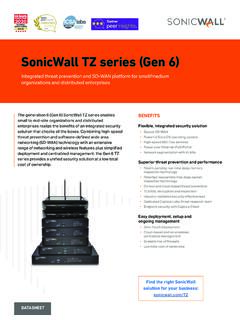
SonicWall TZ Series (Gen 6)
www.sonicwall.comSonicWall TZ series (Gen 6) Integrated threat prevention and SD-WAN platform for small/medium . organizations and distributed enterprises. The generation 6 (Gen 6) SonicWall TZ series enables . small to mid-size organizations and distributed enterprises realize the benefits of an integrated security solution that checks all the boxes. Combining ...
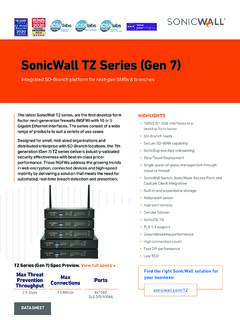
SonicWall TZ Series (Gen 7)
www.sonicwall.comSonicWall TZ Series (Gen 7) Integrated SD-Branch platform for next-gen SMBs & branches The latest SonicWall TZ series, are the first desktop form factor next-generation firewalls (NGFW) with 10 or 5 Gigabit Ethernet interfaces. The series consist of a wide range of products to suit a variety of use cases.

MONTANA Owner’s Manual 700 SERIES - Garmin
www8.garmin.comCamera lens (Montana 750i only) Flashlight Camera flash (Montana 750i only) Power button microSD® card slot (under battery pack) Battery pack D-ring Micro-USB port (under weather cap) External Iridium and GNSS antenna port (under weather cap) Introduction 1