
Mini User Guide - Fetch TV
3. 12 You can go back a day in the TV Guide and watch programs you missed. You can set a reminder to alert you when your favourite programs are about to start. TV Guide – Reverse EPG Set Reminders In the TV Guide or Live TV Info Bar press to browse backwards into the ... Fetch Mighty or Gen 2 box.
Download Mini User Guide - Fetch TV

Information
Domain:
Source:
Link to this page:
Documents from same domain

Fetch Remote 3 - Fetch TV. Show TV who's boss. …
www.fetchtv.com.au2 Welcome to Fetch Simple Remote Set Up 3 Direct Remote Set Up 4 Controlling the TV Volume 5 TV Power and AV 6 Reset remote to control Fetch Box only 7

Wi-Fi User Guide - Fetch TV
www.fetchtv.com.au4 1 Connect Fetch to your home Wi-Fi To set up your Fetch with Wi-Fi You’ll need your Wi-Fi network name and password to connect. Before you start, check you can browse

Quick Start Guide - Fetch TV
www.fetchtv.com.au5 Connection Option 3 – PLC Adaptors You can use this option if you cannot connect using Ethernet Cable and you ordered PLC Adaptors with your Fetch

Mighty Quick Start Guide - Fetch TV
www.fetchtv.com.au• The remote control works up to 6m away from the Fetch box in Infrared mode. The voice remote control works up to 10m away in Bluetooth mode. • Unplug the Fetch box from the power source before cleaning. • Clean using a dry cloth only - don’t use water or chemicals. • Don’t try to open the Fetch box - it’s dangerous and will void ...

My Media Hub Quick Start Guide for USB Devices
www.fetchtv.com.au(see the “Fetch My Media Hub Quick Start Guide for Media Servers”) • See your folders, album artwork, playlists in My Media Hub • Play a slideshow of photos • Play your music or videos with full playback controls About this document This guide will help play your media off a USB device from your Fetch Box to your connected TV. Related ...

Multiroom User Guide - Fetch TV
www.fetchtv.com.auFetch through Optus, iiNet, Internode, Westnet, Aussie Broadband or iPrimus. Before you can use your Fetch box, you’ll need to create an account directly with us. Go to fetch.com.au/activate. Once you have entered in your personal details and credit card details, you will be given an Activation Code (also called your Fetch ID).

New Software Update - Fetch
www.fetchtv.com.auThis update to Fetch introduces the ability to watch sport via the Paramount + app. Menu > Apps > All > Paramount + > All Shows > Sports • From October 14, there will be sport highlights, mini matches and full match replays from AFC Road to Qatar Qualifier as well as Socceroo and Matildas friendly matches available to watch.

Mini Quick Start Guide - Fetch TV
www.fetchtv.com.auConnect the Fetch Mini to your broadband modem Connect the Fetch Mini to your TV Antenna Connect the Fetch Mini to your TV Power up your Fetch Mini Start up Fetch This guide tells you all you need to know about setting up and turning on Fetch. It also has important safety and usage information. It’s Fetch and it’s ready when you are. 1 2 3 ...

Fetch Voice Remote
www.fetchtv.com.aufront of your box to pair the remote. • You can pair one Fetch Mighty or Fetch Mini at a time to use voice control through the remote. • Fetch will prompt you to pair the remote using Bluetooth the first time you use it with your Fetch Mighty or Fetch Mini. • Bluetooth pairing is not supported on Gen 2 Fetch boxes.
Related documents
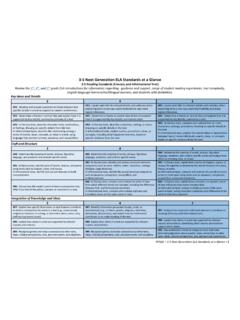
35 ELA Standards at a Glance - New York State Education ...
www.nysed.gov3-5 Next Generation ELA Standards at a Glance . . 4 . 3-5 Writing Standards (continued) Review the . 3. rd, 4 th, and 5 th grade ELA introductions for information regarding: guidance and support, range of student reading experiences, text complexity, English language learners/multilingual learners, and students with disabilities. Review the . 3 ...

ThinkPad Thunderbolt 3 Dock Gen 2 ThinkPad …
content.etilize.comNote: It is recommended that you connect the receiver of the wireless keyboard or mouse to the USB 3.1 connector Gen 2 8. 4 Always On USB 3.1 connector Gen 2: Connect USB-compatible devices or charge mobile digital devices and smartphones when the dock is connected to ac power. 5 Ethernet connector: Connect the dock to a local area network (LAN).

TESLA, INC.
ir.tesla.comAug 13, 2021 · (3) Per unit price or other underlying value of transaction computed pursuant to Exchange Act Rule 0-11 (set forth the amount on which the filing fee is calculated and state how it was determined): (4) Proposed maximum aggregate value of transaction: (5) Total fee paid: $ ☐ Fee paid previously with preliminary materials.

ThinkPad X1 Carbon (5 Gen) Platform Specifications
psref.lenovo.comTwo USB 3.1 Gen 1 (USB 3.0, one Always On), two USB 3.1 Type-C Gen 2 / Thunderbolt 3 (with the function of Power Delivery and DisplayPort), HDMI 1.4b, Ethernet extension connector * Depending on many factors, actual data transfer speed may be lower than theoretical speed ThinkPad WiGig dock HDMI to VGA: Lenovo HDMI to VGA Monitor Adapter
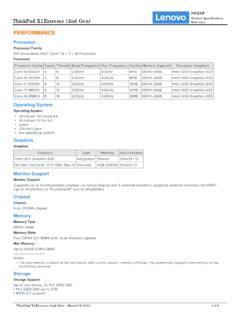
ThinkPad X1 Extreme (2nd Gen) Reference - Lenovo
psref.lenovo.com• 1x USB 3.1 Gen 1 • 1x USB 3.1 Gen 1 (Always On) • 2x USB-C 3.1 Gen 2 / Thunderbolt 3 (support data transfer, Power Delivery and DisplayPort™ 1.2) • 1x HDMI 2.0 • 1x SD card reader • 1x Ethernet extension connector • 1x headphone / microphone combo jack (3.5mm) • 1x power connector Optional Ports 1x Smart card reader Notes: 1.

Intel® Core™ i7 Desktop Processors Comparison Chart
www.intel.comi7-3770S 3rd Gen 3.10 3.90 8 4/8 65 HD 4000 650/1150 Yes Yes Yes No 2 NA/NA/1333,1600 i7-3770K 3rd Gen 3.50 3.90 8 4/8 77 HD 4000 650/1150 Yes Yes Yes No 2 NA/NA/1333, 1066 i7-3770 3rd Gen 3.40 3.90 8 4/8 77 HD 4000 650/1150 Yes Yes Yes No 2 NA/NA/1333, 1066 i7-2700K 2nd Gen 3.50 3.90 8 4/8 95 HD 3000 850/1350 Yes Yes Yes No 2 NA/NA/1333, 1066
JMS583 USB 3.1 Gen 2 to PCIe Gen3x2 Bridge Controller
www.jmicron.comThe JMS583 is a USB 3.1 Gen 2 to PCIe Gen3 x 2 bridge controller between USB host and PCIe storage device. The USB 3.1 Gen 2 interface offers data transfer speed up to 10Gbps, doubling the USB 3.1 Gen 1 data rate. Meanwhile, the downstream port of the JMS583 is compatible with storage device with PCIe interface, such as SSD. The PCIe
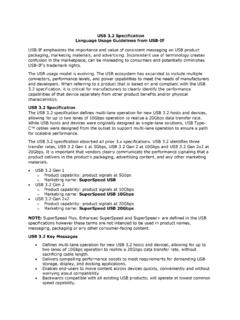
USB 3.2 Specification Language Usage Guidelines from USB-IF
www.usb.orgUSB 3.2 identifies three transfer rates, USB 3.2 Gen 1 at 5Gbps, USB 3.2 Gen 2 at 10Gbps and USB 3.2 Gen 2x2 at 20Gbps. It is important that vendors clearly communicate the performance signaling that a product delivers in the product’s packaging, advertising content, and any other marketing materials. • USB 3.2 Gen 1