
MultiFactor Authentication Options and Enrollment
Authentication with a PC / Laptop - Enter the 6-digit Security Code displayed and click “Continue” Note that a new security code will appear every 30 seconds . The Appropriate portal for your role (employee, Nursing, etc.) will be displayed . 20 Updated March 2021 .
Download MultiFactor Authentication Options and Enrollment

Information
Domain:
Source:
Link to this page:
Documents from same domain
- PLEASE READ THIS ENTIRE DOCUMENT - …
christianacare.org4 | P a g e STEP 2 – Enroll your device AFTER you have installed the application on your device, please follow the steps below to set it up for use. You will need to have the device available to complete these steps. 1. Click or copy the link below for the Symantec VIP Self Service Portal.

Volunteer Training Manual - Christiana Care Health System
christianacare.orgVolunteer . Training Manual . Volunteers ... Giving the time to make a difference • Christiana Hospital • Wilmington Hospital • Riverside ... It is imperative for all volunteers to sign-in and out properly as it is the only record we have for your liability insurance coverage.

Vaginal Atrophy Related to Estrogen Deficiency
christianacare.org•Menopause •Leading cause •Non-menopausal causes: •Radiation therapy/Chemotherapy •Spontaneous premature ovarian failure •Immunologic disorders • Bilateral Oophorectomy •Postpartum •Side effects of anti-estrogen medications • Provera • Tamxoifen • Danazol

Frequently Asked Questions - Christiana Care Health System
christianacare.orgFrequently Asked Questions 1. Why is Christiana Care changing from Ultipro to Workday? Christiana Care wanted to implement a technology solution that would allow for a more integrated, employee self- service delivery model to improve the overall customer experience.

Frequently Asked Questions Managers
christianacare.orgFrequently Asked Questions ... Workday Inbox so that the employee can make needed corrections or add additional information. Once the employee makes the needed corrections, the employee will re-submit to re-engage the routing and review process. 19.

Home Health Face-to-Face Encounter Certification
christianacare.orgPer CMS’s regulation (42C.F.R § 424.22) “the physician responsible for performing the initial certification must document that the face to face patient encounter, which is related to the primary reason the patient requires home health services, has occurred”.

Medication Allergies and Cross-Reactivity
christianacare.orgidentical structures Ann Pharmacother 2007,41:1191-200. Management of Aspirin Sensitivity ... LF is a 63 yom with a h/o asthma, DM, HTN, HLD, and PVD who presents with unstable angina and is going to go for PCI with probable stent placement. He has been unable to tolerate
Related documents
Cryptography Based Authentication Methods
www.iaeng.orgauthentication protocol used by Point to Point Protocol to authenticate users before allowing them access to data resources. Password [6] is the most common used method in authentication protocols. Whereby, the user should prove his/her username and …

G e t A u t h e n t i ca t i o n f o r G o o g l e S e rvi ...
d35mpxyw7m7k7g.cloudfront.netThe google authentication code will do authentication and list all files in your Google Drive. Note that every time you run the following program, the code will open a web browser to ask you to input your Google account and password. To avoid inputting passwords every time, we can create a s e t t i ngs .ya m l file to save all the
IDENTITY VERIFICATION & AUTHENTICATION FAQ’s
does.dc.govAuthentication security feature during the online application process. Question: When will my identity be verified and authenticated? Answer: Your identity will be verified and authenticated when you file an initial claim for unemployment benefits online. Your identity will be re-authenticated if you re-open an unemployment benefits claim or ...

Apostille/Certificate of Authentication Request
dos.ny.govAuthentication must first be certified by an official at the educational institution attesting that the document is an official record or a true copy of the original document. The official’s signature then must be notarized by a notary public. The notary public’s signature must then be certified by the County Clerk in the county where the
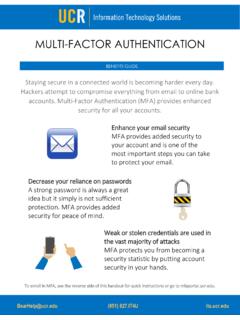
MULTI-FACTOR AUTHENTICATION
its.ucr.eduMULTI-FACTOR AUTHENTICATION BearHelp@ucr.edu (951) 827.IT4U its.ucr.edu This step-by-step process will help you set up your account with Multi-Factor Authentication's added layer of security. Be sure to have the device you are adding on hand. For detailed instructions, visit mfaportal.ucr.edu. For MFA benefits, see the reverse side of this handout.
Kentucky Online 'ateway Multi-&actor Authentication (M&A ...
kog.chfs.ky.govA Multi-Factor Authentication screen will appear in KOG that includes fields for the user to enter the Token Nickname, as well as the Credential ID and Security Code from their previously installed security token. The user can choose anything for the Token Nickname.

Citrix ADC Hardware Platforms
www.citrix.comData Sheet Citrix ADC Hardware Platforms Enabling high performance application delivery with hardware appliances and multi-tenant support Citrix Application Delivery Controller (ADC) is …

Apostilles and Authentication - Pa Department of State
www.dos.pa.govAuthentication requests are processed as quickly as possible. However, processing time may vary dependent upon the volume of work and the resources available. Please submit documents as soon as possible to allow sufficient time for completion. Requests are processed in the date order they are received.