MULTIFUNCTIONAL DIGITAL SYSTEMS Copying Guide
Thank you for purchasing TOSHIBA Multifunctional Digital Systems. This manual describes how to use the copying functions. Read this manual before using this equipment. Keep this manual within easy reach, and use it to configure an environment that makes the best use of the e-STUDIO’s functions.
Download MULTIFUNCTIONAL DIGITAL SYSTEMS Copying Guide

Information
Domain:
Source:
Link to this page:
Documents from same domain
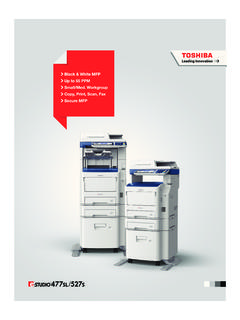
Black & White MFP Up to 55 PPM Small/Med. …
business.toshiba.comBlack & White MFP Up to 55 PPM Small/Med. Workgroup Copy, Print, Scan, Fax Secure MFP
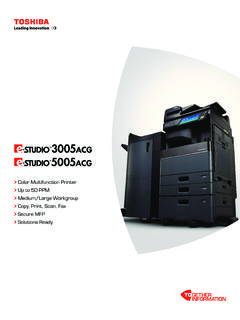
Color Multifunction Printer Copy, Print, Scan, Fax ...
business.toshiba.comPrint Around eliminates printing bottlenecks by ... • EPEAT Gold Registered in the global registry for ... Designs and specifications subject to change without notice. For best results and reliable performance, always use …
Lexmark CX310 Series Multifunction Color Laser Printer
business.toshiba.comThe Lexmark CX310 Series MFP color laser printer affordably delivers PANTONE® color matching that’s typically found only on higher-end systems.
MULTIFUNCTIONAL DIGITAL SYSTEMS Troubleshooting Guide
business.toshiba.comPreface 1 Preface Thank you for purchasing TOSHIBA Multifunctional Digital Systems. This manual describes how to troubleshoot the problems that could occur while you are using the equipment.
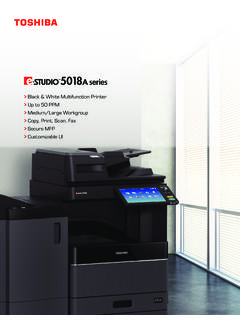
Black & White Multifunction Printer Up to 50 PPM Medium ...
business.toshiba.comA COMPACT DESIGN THAT LEAVES NOTHING OUT. Workgroups can now get a lot more done using fewer resources and less space. The compact design of the e-STUDIO5018A Series is
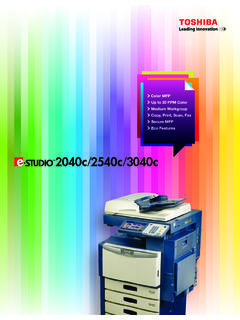
Color MFP Up to 30 PPM Color Medium Workgroup Copy, …
business.toshiba.comColor MFP Up to 30 PPM Color Medium Workgroup Copy, Print, Scan, Fax Secure MFP Eco Features
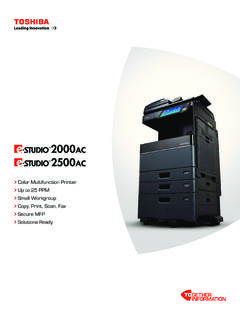
Color Multifunction Printer Copy, Print, Scan, Fax ...
business.toshiba.comSimple, smart and stylish. A new 9” tablet-style touch screen with an embedded web browser is easy to use and customizable to meet your needs.
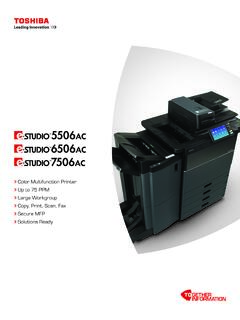
Color Multifunction Printer Copy, Print, Scan, Fax ...
business.toshiba.comdata sent to and from the MFP Environmental Responsibility ... Multi-Station Print Enabler Toshiba’s internally developed Multi-Station Print Enabler allows users to send print jobs from their desktop and retrieve them at any available MFP by simply swiping
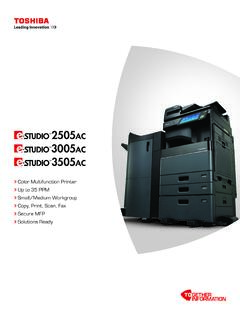
Color Multifunction Printer Copy, Print, Scan, Fax ...
business.toshiba.comColor Multifunction Printer Up to 35 PPM Copy, Print, Scan, Fax Secure MFP Solutions Ready. Technology for every office, delivering advanced functionality, ease of use and peace of mind. Every industry has unique workflow needs. Toshiba has ... developed solutions or even third-party applications. 1 2 4 3
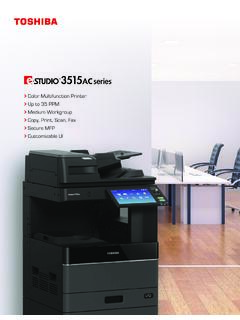
Color Multifunction Printer Up to 35 PPM Copy, Print, Scan ...
business.toshiba.comToshiba’s seamless integration with third-party solutions and the use of embedded web browser technology. Toshiba’s exclusive e-BRIDGE Print & Capture application enables mobile device users to take . advantage of the broad feature set of the …
Related documents

imageRUNNER ADVANCE C5051 / C5045 / C5035 / C5030 …
brochures.gcsbkk.comCopying copyrighted material, such as books, music, paintings, block prints, maps, movies, drawings, or photos, is prohibited except for personal, family, or other limited use. A designated administrator is required for management and control of …

MX-2600N | MX-3100N Quick Start Guide - SharpUSA
business.sharpusa.comCopying Waiting Waiting Waiting Color Mode Special Modes Plain 2-Sided Copy Output File Quick File Copy Ratio Copying 100% 1. 8½x11 2.8½x11R 3. 8½x14 4. 11x17 Original Paper Select Auto 8½x11 Plain Auto 8½x11 Full Color Exposure Auto 8½x11 IMAGE SEND DOCUMENT FILING COPY Ready to scan for copy. 0 Touch panel

MX-3071 MX-3571 MX-4071 ADVANCED SERIES COLOR …
business.sharpusa.com4071 DSPF PCL, ® 6 and Adobe PostScript® 3™ printing systems, network scanning, auto duplexing, 1 x 550-sheet paper drawer, 100-sheet bypass tray. Black and color developer is included. Type Color multi-function digital document system Display 10.1" (diagonally measured) color dot matrix high-resolution