NaviNet User Guide - content.highmarkprc.com
Benefits Submission If the member’s primary insurer is not Highmark, you will need to adjust the Coordination of Benefits for the claim. 1. Choose Claim Submission from the left navigation on Plan Central and then complete Patient Entry Screen. 2. Payer Screen: Fill in the primary payer Explanation of Benefits (EOB) information by changing ...
Download NaviNet User Guide - content.highmarkprc.com

Information
Domain:
Source:
Link to this page:
Documents from same domain
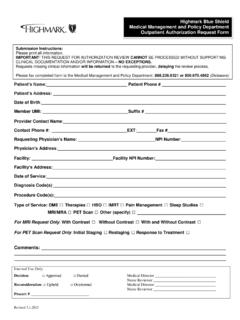
Highmark Blue Shield Medical Management and …
content.highmarkprc.comRevised 3.1.2015 Name of Requestor/Contact Person: _____ Patient’s Name: Patient Phone # Patient’s Address: Date of Birth: Member UMI: Suffix # …
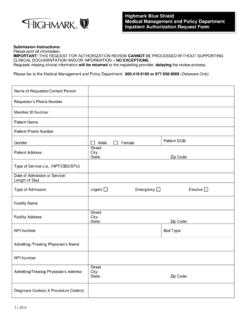
Highmark Blue Shield Medical Management and Policy ...
content.highmarkprc.com3.1.2016 CLINICAL DOCUMENTATION AND Name of Requestor/Contact Person Requestor’s Phone Number Member ID Number Patient Name Patient Phone Number

Advanced Imaging and Cardiology Services Program Codes ...
content.highmarkprc.com75565 Cardiac magnetic resonance imaging for velocity flow mapping (list separately in addition to code for primary procedure) 75571 . Computed tomography, heart, without contrast material, with …
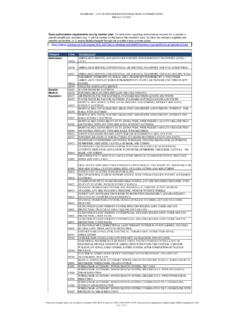
Some authorization requirements vary by member plan. s ...
content.highmarkprc.comstanding frame/table system, one position (e.g., upright, supine or prone stander), any size including pediatric, with or without wheels e0639 patient lift, moveable from room to room with disassembly and reassembly, includes all components/accessories e0642 standing frame/table system, mobile (dynamic stander), any size including pediatric

Medicaid Provider Enrollment Requirements by State
content.highmarkprc.comMI Provider Manual (Section 7.3) Provider Bulletin Link to Provider Page: MI Medicaid Provider Website ... state professional or institutional providers to bill an MCO in New York State. Reference to ... Link to Provider Page: TennCare Providers Texas Blue Cross and Blue Shield of Texas Yes Yes, but also must

SPECIALTY DRUG REQUEST FORM
content.highmarkprc.comSPECIALTY DRUG REQUEST FORM To view our formularies on-line, please visit our Web site at the addresses listed above. Fax each form separately. Please use a separate form for each drug.Print, type or write legibly in blue or black ink. See reverse side for additional details. Once completed, please fax this form to1-866-240-8123.

2021 Adult Preventive Health Guidelines: Ages 19 through ...
content.highmarkprc.comThe USPSTF recommends against screening for cervical cancer in women who have had a hysterectomy with removal of the cervix and do not have a history of a high-grade precancerous lesion (ie, cervical intraepithelial neoplasia [CIN] grade 2 or 3) or cervical cancer.D Recommendation
Highmark Reimbursement Policy Bulletin
content.highmarkprc.comJul 15, 2019 · Page 3 of 12 When a covered benefit, evaluation and management and consultation services delivered through telehealth for *new and established patients may be reimbursed under the following conditions: *Note: In accordance with the telehealth waiver issued by CMS related to the 2019 novel coronavirus, new patients will be permitted to receive telehealth services …

F02 General Consent For Medical/Surgical Procedures ...
content.highmarkprc.comGeneral Consent For Medical/Surgical Procedures/Interventions _____ _____ Patient Name Medical Record Number TO THE MEMBER: You have been given information about your condition and the recommended surgical, medical, or diagnostic procedure(s). This consent form is designed to provide a written ...

Physician Patient Termination Letter
content.highmarkprc.comTHIS IS ONLY A SAMPLE!!! PLEASE WRITE YOUR OWN BASED ON THE SPECIFIC NEEDS/SITUATION OF YOUR PRACTICE. PHYSICIAN/PATIENT TERMINATION PROTOCOLS The patient must be given clear and reasonable notice of the physician’s intent to withdraw as the primary care physician from the case. If at all possible, the
Related documents

Claim EOB Tool: Access and Use - Aetna
www.aetna.comQuality health plans & benefits Healthier living Financial well-being Intelligent solutions Claim EOB tool How to access and use the claim EOB tool Accessing the claim EOB tool The claim Explanation of Benefits (EOB) tool is available on our secure provider website on NaviNet®. The tool gives you

Table of Contents
padmin.comin mind you may need to submit appropriate documentation (e.g., Explanation of Benefits (EOB) or receipt(s)) to substantiate expenses. The NCFlex Convenience Card lets you pay a provider or vendor directly from your FSA at the point of purchase (if the provider accepts this form of …

Enjoy the benefits - Aetna Dental
www.aetnadental.comdirectly into the account of your choice. It’s really that simple. Get our EFT enrollment form at joinaetnadentalnetwork.com. All the tools you need . Check claims status, access Explanation of Benefits (EOB) statements, get real-time eligibility and benefits data, and more — anytime, anywhere. With our tools, you can access

ANSI Denial Guide - CGS Medicare
www.cgsmedicare.comexplanation of benefits (EOB) information submitted with claim. The EOB information is required for Medicare to make a secondary payment. Determine if the patient has Group Health Plan coverage that is primary to Medicare. – If the patient has Group Health Plan coverage, resubmit the claim with the primary insurer’s EOB information.

PROVIDER CLAIMS MANUAL
www.ilmeridian.comExplanation of Benefits (EOB) 23 Encounter Billing Guidelines – ERC, FQHC, and RHC 23 Electronic Claims Submission 23. Section . 6: Grievance and Appeals Process 2. 4 Grievance and Appeals Overview 24 Appeals 24 Member Expedited Appeals 25. Section . 7: Coordination of Benefits (COB) 27 Overview 27 Claims Guidelines for Dual-Eligible Members 27
National Drug Codes - UHCprovider.com
www.uhcprovider.comexplanation of benefits (EOB) or provider remittance advice (PRA) As a coordination of benefits (COB) claim (any primary payer; not limited to Medicare) COB submission The paper process2 (by fax), as noted in “How to submit NDC claims” Please submit both the CMS-1500 claim form and the primary carrier’s EOB together. NDC claim requirements