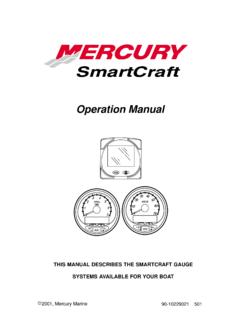
Operation Manual
1. Turn ignition key to the on position. 2. Press and hold and for 3 seconds to bring up the CAL 1 calibration screen. NOTE:Press and hold and for 3 seconds to get out of the CAL 1 calibration screen. Cal 1 Start Screen Press the button to move to the next calibration screen. ˇ ˚ Trim Pop-up Screen (Turn on or off) Select whether you want the
Download Operation Manual

Information
Domain:
Source:
Link to this page:
Documents from same domain

ARMY FOOD MANAGEMENT INFORMATION …
dmna.ny.govInput Vendors . Input Food Service Personnel Information (Dinning Facility Cash Data Maintenance)
New York Division of Military and Naval Affairs …
dmna.ny.govDMNA Regulation Number 672-1 Decorations, Awards, and Honors State Military Awards Division of Military and Naval Affairs 330 Old Niskayuna Road
Military Police Serious Incident Report
dmna.ny.govContents—Continued Incidents not reportable by serious incident report † 2–5, page 19 Chapter 3 Reporting Procedures, page 19 Special handling of reports † 3–1, page 19
Army National Guard and Army Reserve The Active …
dmna.ny.govArmy Regulation 135–18 Army National Guard and Army Reserve The Active Guard Reserve (AGR) Program Headquarters Department of the Army Washington, DC
THIS MESSAGE HAS BEEN TRANSMITTED BY …
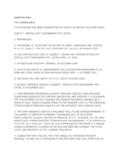
dmna.ny.govalaract 014/2014 dtg: r 152003z jan 14 this message has been transmitted by usaita on behalf of//dape-mso// subject: special duty assignment pay (sdap)
DEPARTMENT OF THE AIR FORCE - New York …
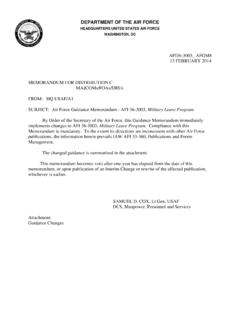
dmna.ny.govdepartment of the air force headquarters united states air force washington, dc afi36-3003_ afgm8 13 february 2014 memorandum for distribution c
New York ANG AGR Application Instructions
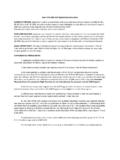
dmna.ny.govNew York ANG AGR Application Instructions ELIGIBILITY CRITERIA: Applications will be accepted from individuals who meet the prerequisites of ANG 36-101, AFI 48-123 and AFI 36-2905, as outlined in the announcement.
APPLICATION FOR ACTIVE GUARD/RESERVE (AGR) …
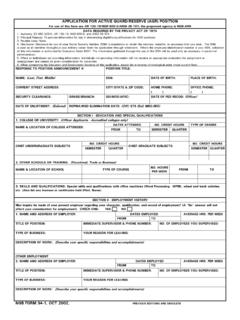
dmna.ny.govetc. (Also list any licenses or certificates held (Pilot, Nurse). APPLICATION FOR ACTIVE GUARD/RESERVE (AGR) POSITION TITLE OF POSITION: For use of this form see AR 135-18/NGR 600-5/ANGI 36-101; the proponent agency is NGB-ARH
Personnel Separations Physical Evaluation for …
dmna.ny.govArmy Regulation 635–40 Personnel Separations Physical Evaluation for Retention, Retirement, or Separation Headquarters Department of the Army Washington, DC
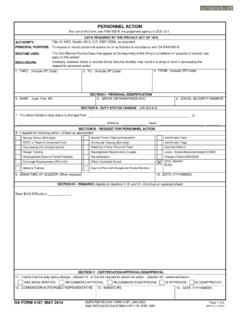
PERSONNEL ACTION
dmna.ny.govPERSONNEL ACTION. To request or record personnel actions for or by Soldiers in accordance with DA PAM 600-8. Identification Card. Identification Tags
Related documents
Department of Defense
www.esd.whs.milDoDM 4160.21-V4, October 22, 2015. Change 3, 9/30/2019 2 b. Parts 101 and 102 of Title 41, Code of Federal Regulations (CFR) (also known as the

Dell Wireless Mouse and Keyboard KM717
downloads.dell.com2 Turn the mouse off then on. • Check if the battery status light is flashing amber 10 times, indicating the battery power is low. If the battery is fully depleted, the battery status light will not turn on. 3 Restart your computer. Left/right buttons doesn’t work No response when the left or right mouse button is pressed Wireless ...

IHD3-PPMID CAD User Guide
s3-eu-west-2.amazonaws.comTo turn on your In-Home Display, press and hold this button on the back. The seven buttons on the front make it easy to use your display and find out how much, when, and where you are using energy in your home. The HOME button returns you to the home screen at any time and shows your energy use so far today. If you
Dell Wireless Mouse WM126 User's Guide
downloads.dell.com2. Turn the mouse off then on. • Check if the battery status light is flashing amber 10 times, indicating the battery power is low. If the battery is fully depleted, the battery status light will not turn on. 3. Restart your computer. Left/right buttons don’t work No response when the left or right mouse button is pressed 1. Check the ...

IHD6-PPMID CAD User Guide - Amazon Web Services
s3-eu-west-2.amazonaws.comTurn your Wi-Fi option on using the ON/OFF button on your In-Home Display and choose a method with which to connect to the Wi-Fi. You can connect to the Wi-Fi through four different ways: Scan for networks, WPS Push Button, WPS PIN number, or Enter Network Name.
Jabra Elite Active 75t
www.jabra.comTurn HearThrough on/off Press the Left button when not on a call 6.4 Sidetone Sidetone enables you to better hear your own voice when you are on a call. Sidetone settings can be configured using the Jabra Sound+ app. Left button Sidetone Turn Sidetone on/off Double-press the Left button when on a call