
Packet Tracer Create a Simple Network Using Packet Tracer
d. Identify the type of provider While still in the Config tab click Ethernet under INTERFACE in the left pane. In the Ethernet configuration window select Cable as …
Download Packet Tracer Create a Simple Network Using Packet Tracer

Information
Domain:
Source:
Link to this page:
Documents from same domain

Packet Tracer - Logical and Physical Mode Exploration
contenthub.netacad.comencounter in Cisco Networking Academy courses will use Logical mode. You can switch between these You can switch between these modes at any time to compare the differences by clicking the Logical (Shift+L) and Physical (Shift+P)

Packet Tracer Configure End Devices
contenthub.netacad.comPacket Tracer – Configure End Devices Objectives Configure various end devices in Packet tracer. Background / Scenario In this activity you will construct a simple Packet Tracer network and complete basic configuration of end devices. Step 1: Launch Packet Tracer. a. Launch Packet Tracer on your PC or laptop computer

Packet Tracer Modify Your Thing
contenthub.netacad.comIn the Server-Devices Window click on the Security Camera to expand the device information. Notice the Security Camera is On but not activated. Step 2: Activate the Security Camera. Move the Tablet configuration window out of the way but still visible so that the Packet Tracer workspace is visible.
Introducción a la ciberseguridad Actividades y recursos ...
contenthub.netacad.comCisco y/o sus filiales. Todos los derechos reservados. Información confidencial de CiscoPágina 1 de 5 www.netacad.com Introducción a la ciberseguridad . Actividades y recursos adicionales
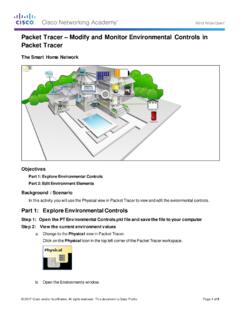
Packet Tracer Modify and Monitor Environmental Controls in ...
contenthub.netacad.comPacket Tracer – Modify and Monitor Environmental Controls in Packet Tracer The Smart Home Network Objectives Part 1: Explore Environmental Controls Part 2: Edit Environment Elements Background / Scenario In this activity you will use the Physical view in Packet Tracer to view and edit the evironmental controls.
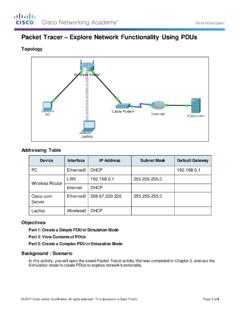
Packet Tracer Explore Network Functionality Using PDUs
contenthub.netacad.comObserve the information in the OSI Model tab. Notice that this is an outbound Layer 3 PDU and the source and destination IPv4 address is shown. Packet Tracer – …

Lab Create a Process Flowchart
contenthub.netacad.comLab – Create a Process Flowchart Objectives Part 1: Recognize Symbols Used in a Flowchart and List Logical Process to Solve a Problem Part 2: Draw the Flowchart to Illustrate the Problem Solving Process Background Flowcharts are diagrams used to represent processes or workflows. Using different shapes, boxes, and

Video Introduction to Packet Tracer
contenthub.netacad.comserver labs, we can see security with AAA, DNS, file servers, secure web browsing, email servers, and even go into IoT registration servers for our IoT devices. For now, we're going to head over to the PC directory, and then the VPN folder. In the VPN folder, there's a VPN Easy file that we can open up.

Lab - Mapping the Internet
contenthub.netacad.comLab - Mapping the Internet © 2018 Cisco and/or its affiliates. All rights reserved. This document is Cisco Public. Page 6 of 12 path, and the return time is measured ...

Packet Tracer Adding IoT Devices to a Smart Home
contenthub.netacad.comof the IoT device window, click the Advanced button. Notice more tabs become visible at the top of the window. Click the I/O Config tab. Change the Network Adapter drop down list to PT-IOT-NM-1W, which is a wireless adapter. f. Configure the Wind Detector for the wireless network.
Related documents

Provider Office Guide - Blue KC
providers.bluekc.comBlue KC’s provider portal gives you 24/7/365 access to: Member information such as the status of a claim, eligibility of a member, benefits or coverage of a member’s plan, remittance advices, explanation of benefits (EOB) and medical policies. A provider directory, which enables members and providers to find addresses

A Hands-on Introduction to Docker - Carnegie Mellon University
resources.sei.cmu.edu2017. Setting expectations. ... • A directory structure is set up but only a bare bones OS has been loaded. 18 A Hands on Introduction to Docker May 1–4, 2017 ©2017 Len Bass SATURN 2017 ... autoscaling facilities of cloud provider. AWS has …

Payment Reduction for X-Rays Taken Using Computed ... - CMS
www.cms.govJul 28, 2017 · Related CR Release Date: July 28, 2017 . Related CR Transmittal Number: R3820CP . Related Change Request (CR) Number: 10188 . Effective Date: January 1, 2018 . Implementation Date: January 2, 2018 . PROVIDER TYPE AFFECTED This MLN Matters® Article . is intended for physicians and other providers submitting claims to
New Positron Emission Tomography (PET) …
www.cms.govNov 09, 2017 · Effective January 1, 2017, with the January 2017 quarterly Healthcare Common Procedure Coding System (HCPCS) update, the two temporary PET HCPCS codes are: • A9597 - Positron emission tomography radiopharmaceutical, diagnostic, for tumor identification, not otherwise classified

Directory of Residential Care Apartment Complexes in …
www.dhs.wisconsin.govDirectory 02/28/2022 Udtd Facility Name and Address Licensee Name and Phone Mailing Address By County, Facility Name Phone Number / Contact Person Public Directory Specialty Programs For Facility Type RCAC 212 IROQUOIS AVENUE GREEN BAY WI 54301 (920) 437-0883 HANNAH SCHAD County: BROWN ST PAUL ELDER SERVICES INC 316 E 14TH …

Medi-Cal Managed Health Care Your Medi-Cal Managed Care ...
www.sandiegocounty.govprovider about . using other locations in an emergency. Kaiser Permanente San Diego Medical Center Kaiser Permanente Zion Medical Center Palomar Medical Center Escondido Doctors you can choose Call Member Services at (800) 464-4000 or go to www.kp.org Urgent Care Centers. Call your provider during business hours. After hours, call (800) 290-5000.