Example: dental hygienist
Lab - Mapping the Internet
Lab - Mapping the Internet © 2018 Cisco and/or its affiliates. All rights reserved. This document is Cisco Public. Page 6 of 12 path, and the return time is measured ...
Information
Domain:
Source:
Link to this page:
Documents from same domain

Packet Tracer - Logical and Physical Mode Exploration
contenthub.netacad.comencounter in Cisco Networking Academy courses will use Logical mode. You can switch between these You can switch between these modes at any time to compare the differences by clicking the Logical (Shift+L) and Physical (Shift+P)

Packet Tracer Configure End Devices
contenthub.netacad.comPacket Tracer – Configure End Devices Objectives Configure various end devices in Packet tracer. Background / Scenario In this activity you will construct a simple Packet Tracer network and complete basic configuration of end devices. Step 1: Launch Packet Tracer. a. Launch Packet Tracer on your PC or laptop computer

Packet Tracer Modify Your Thing
contenthub.netacad.comIn the Server-Devices Window click on the Security Camera to expand the device information. Notice the Security Camera is On but not activated. Step 2: Activate the Security Camera. Move the Tablet configuration window out of the way but still visible so that the Packet Tracer workspace is visible.
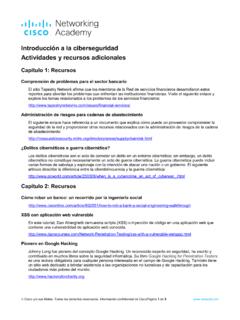
Introducción a la ciberseguridad Actividades y recursos ...
contenthub.netacad.comCisco y/o sus filiales. Todos los derechos reservados. Información confidencial de CiscoPágina 1 de 5 www.netacad.com Introducción a la ciberseguridad . Actividades y recursos adicionales
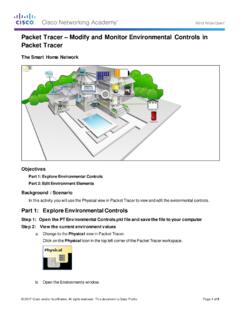
Packet Tracer Modify and Monitor Environmental Controls in ...
contenthub.netacad.comPacket Tracer – Modify and Monitor Environmental Controls in Packet Tracer The Smart Home Network Objectives Part 1: Explore Environmental Controls Part 2: Edit Environment Elements Background / Scenario In this activity you will use the Physical view in Packet Tracer to view and edit the evironmental controls.

Packet Tracer Create a Simple Network Using Packet Tracer
contenthub.netacad.comPart 1: Build a Simple Network in the Logical Topology Workspace Step 1: Launch Packet Tracer. a. Launch Packet Tracer on your PC or laptop computer Double click on the Packet Tracer icon on your desktop or navigate to the directory that contains the Packet Tracer executable file and launch Packet Tracer.
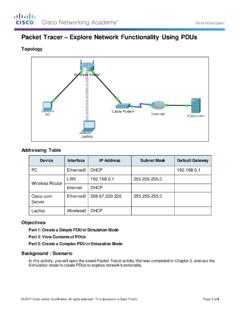
Packet Tracer Explore Network Functionality Using PDUs
contenthub.netacad.comObserve the information in the OSI Model tab. Notice that this is an outbound Layer 3 PDU and the source and destination IPv4 address is shown. Packet Tracer – …

Lab Create a Process Flowchart
contenthub.netacad.comLab – Create a Process Flowchart Objectives Part 1: Recognize Symbols Used in a Flowchart and List Logical Process to Solve a Problem Part 2: Draw the Flowchart to Illustrate the Problem Solving Process Background Flowcharts are diagrams used to represent processes or workflows. Using different shapes, boxes, and

Video Introduction to Packet Tracer
contenthub.netacad.comserver labs, we can see security with AAA, DNS, file servers, secure web browsing, email servers, and even go into IoT registration servers for our IoT devices. For now, we're going to head over to the PC directory, and then the VPN folder. In the VPN folder, there's a VPN Easy file that we can open up.

Packet Tracer Adding IoT Devices to a Smart Home
contenthub.netacad.comof the IoT device window, click the Advanced button. Notice more tabs become visible at the top of the window. Click the I/O Config tab. Change the Network Adapter drop down list to PT-IOT-NM-1W, which is a wireless adapter. f. Configure the Wind Detector for the wireless network.
Related documents

Ethicon Needle Sales Types
www.ethicon.comV130-4 V130-5 CC CC-1 V-18 V-4 V-3 V75-3 V100-3 RV-2 CIF-4 V-5 V-6 V-7 V-34 V-37 V-40 V-56 V-26 STP-10 V-47 EN-S EN-1 TQ EN-5 EN-4 EN-2 …

Lenovo V130-15IKB Platform Specifications Product ...
psref.lenovo.comLenovo V130-15IKB Platform Specifications Product Specifications Reference (PSREF) Lenovo December 2019 Note: The specifications above may not be available in all regions. Created Date:
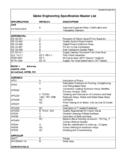
Globe Engineering Specification Master List
www.globeeng.comPCN V130 NC Manufacturing Vacuum Heat Treat Instruction QCI-08-024 L Identification AUTO-VALVE, INC. 35C150A B Valve Assy, Check CARLETON LIFE SUPPORT SYSTEMS PD1635250 R Materials List SP1638392 A 2024-T3 AL Sheet and -T351 Plate SP1638394 A 6061-O AL Sheet and Plate SP1638396 A 6061-T6 AL Sheet and -T651 Plate SP1638424 A Conversion Coating ...

取扱説明書 - ntt-west.co.jp
www.ntt-west.co.jpこのたびは、Web Caster V130をご利用い ただきまして、まことにありがとうございま す。 ご使用の前に、この「取扱説明書」をよく お読みのうえ、内容を理解してからお使い ください。 お読みになったあとも、本商品のそばなど