Pinnacle Studio 22 User Guide
Pinnacle Studio™ 22 User Guide Including Pinnacle Studio™ Plus and Pinnacle Studio™ Ultimate
Download Pinnacle Studio 22 User Guide

Information
Domain:
Source:
Link to this page:
Documents from same domain
Guía del usuario de Pinnacle Studio 22
help.pinnaclesys.comGuía del usuario de Pinnacle Studio™ 22 Incluye Pinnacle Studio™ Plus y Pinnacle Studio™ Ultimate
Pinnacle Studio 25 User Guide
help.pinnaclesys.com4K: A video resolution that is approximately 4,000 pixels in width. It is also known as Ultra High-Definition or Ultra HD. The term is used to refer to all screen standards that are at least 3840 x 1080 pixels. AVCHD: A video data format used by some high-definition camcorders, and for creating DVD discs that can be read on Blu-ray players. DV:

Pinnacle Studio 18 User Guide
help.pinnaclesys.comHelp button > User Manual to access the Learning Center page with links to video tutorials, the Pinnacle Studio 18 User Guide PDF, and other community and support links. Video tutorials You can access video tutorials from the Learning Center page ( Help > User Manual) or by visiting the following sites directly:
Pinnacle Studio 25 User Guide
help.pinnaclesys.comThank you for purchasing Pinnacle . Studio™ 25, powerful and crea tiv e video editing software. We hope you enjoy using the software. If you have not used Pinnacle Studio before, we recommend that you review this section and “Using Pinnacle Studio” on page 5. The rest of
Pinnacle Studio 18 User Guide
help.pinnaclesys.comHelp button > User Manual to access the Learning Center page with links to video tutorials, the Pinnacle Studio 18 User Guide PDF, and other community and support links. Video tutorials You can access video tutorials from the Learning Center page ( Help > User Manual) or by visiting the following sites directly:
Pinnacle Studio 25 User Guide
help.pinnaclesys.comThank you for purchasing Pinnacle . Studio™ 25, powerful and crea tiv e video editing software. We hope you enjoy using the software. If you have not used Pinnacle Studio before, we recommend that you review this section and “Using Pinnacle Studio” on page 5. The rest of
Related documents

Creating 3D Projects in MyDVD - Roxio
img.roxio.comCreating 3D Optical Discs in MyDVD Roxio MyDVD can create standard definition and high definition 3D optical discs from 2D and 3D input. This tutorial details the workflow. Getting Started: 1. Run MyDVD. To run MyDVD, in Creator, click “Video/Movies” on the left, and then
Create and Burn - tutorial - Roxio
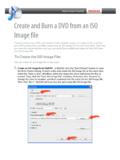
img.roxio.comCreate and Burn a DVD from an ISO Image file If you're producing a DVD, and need to make multiple copies, or simply want to archive your DVD productions, consider outputting an ISO image file to …
Guía del usuario de Pinnacle Studio 22
help.pinnaclesys.comGuía del usuario de Pinnacle Studio™ 22 Incluye Pinnacle Studio™ Plus y Pinnacle Studio™ Ultimate

DVD-Video からの動画ファイルの取り出しとファイル形式の …
someya-net.comExtraction of video and subtitle data from DVD-Videos for use with your PC. (2009) 2 1.2 DVD Decrypterのインストール 上記のアイコン(またはSetupDVD Decrypter_3.5.4.0.exe という名称のファイ …

パナソニックがお勧めする Windows 7.
panasonic.biz26,250円 (税抜25,000円) cf-vzsu61ajs 品 名 品 番 希望小売価格 バッテリーパック※1 (同等品を本体に標準添付)