
Printing Instructions - eMedNY
Printing Instructions It is important to use the following printing instructions so that the submitted form processes accurately. Select Print Button from upper left hand corner of screen. In the print box under Page Scaling, change the defaulted option from ‘Shrink to Printable Area’ to ‘None’ as shown: EMEDNY-401001 \(06/08\)
Download Printing Instructions - eMedNY

Information
Domain:
Source:
Link to this page:
Documents from same domain
New York State Medicaid Enrollment Form - …
www.emedny.orgEMEDNY-426401 (08/17) 1 New York State Medicaid . Enrollment Form . Thank you for your interest in enrolling with the New York State Medicaid Program.
NEW YORK STATE MEDICAID PROGRAM - …
www.emedny.orgnew york state medicaid program comprehensive medicaid case management (cmcm) billing guidelines
Frequently Asked Questions on Delayed Claim …
www.emedny.orgFrequently Asked Questions on Delayed Claim Submission . 1. Effective 5/4/2016, New York Codes, Rules and Regulations (NYCRR), Title 10, Sections 763.7 & 766.4 allow certified home health agencies

New York State 150003 Billing Guidelines - …
www.emedny.orge me d n y i n f o r ma t i o n durable medical equipment, medical supplies, orthopedic footwear, orthotic and prosthetic appliances version 2011 - 01 6/1/2011
INFORMATION FOR ALL PROVIDERS THIRD …
www.emedny.orgInformation for All Providers – Third Party Information Third Party Health Resources Insurance codes are used to identify Third Party …
NEW YORK STATE MEDICAID PROGRAM …
www.emedny.orgnew york state . medicaid program . rehabilitation services . procedure codes & fee schedule
Home Health Services Policy Guidelines - …
www.emedny.orgHome Health Manual Policy Guidelines Version 2012-1 May 1, 2012 Page 4 of 14 • A patient roster, or provision of patient rosters in sub- offices of the parent agency

INFORMATION FOR ALL PROVIDERS GENERAL …
www.emedny.orgInformation For All Providers, General Policy _____ Persons related to the Supplemental Security Program (i.e. aged, certified blind or disabled);
INFORMATION FOR ALL PROVIDERS INTRODUCTION
www.emedny.orgnew york state . medicaid program . information for all providers . introduction
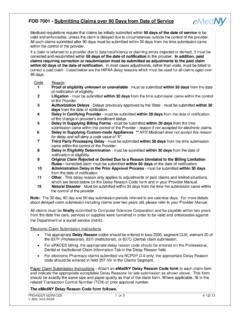
FOD 7001 - Submitting Claims over 90 Days from ...
www.emedny.orgFOD 7001 - Submitting Claims over 90 Days from Date of Service PROVIDER SERVICES 1 OF 3 4/12/13 1-800-343-9000 Medicaid regulations require that claims be initially submitted within 90 days of the date of service to be valid and enforceable, unless the claim is delayed due to circumstances outside the control of the provider.
Related documents
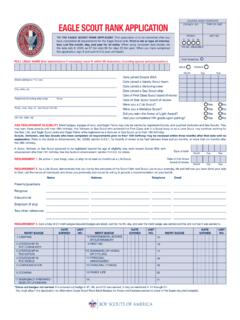
EAGLE SCOUT RANK APPLICATION COUNCIL NO. TYPE OF …
filestore.scouting.orgTO THE EAGLE SCOUT RANK APPLICANT. This application is to be submitted after you have completed all requirements for the Eagle Scout rank. Print in ink or type all informa-

Instructions for printing a temporary Florida Blue ID Card
ufh-gatorcare.sites.medinfo.ufl.eduInstructions for printing a temporary Florida Blue ID Card 1. To obtain your Member ID Number and Group Number: Contact Florida Blue Customer Service 1-800-664-5295 Wait for the system to prompt you to say “I don’t have my ID number” You will then be routed to a customer service representative for assistance or

2021 Instructions for Schedule H - IRS tax forms
www.irs.govThe type and rule above prints on all proofs including departmental reproduction proofs. MUST be removed before printing. care tax. For more information, see the instructions for line 8b, line 8c, line 8e, and line 8f, later. Deferral of the employer share of social security tax ex-pired. The Coronavirus Aid, Relief, and Economic Security
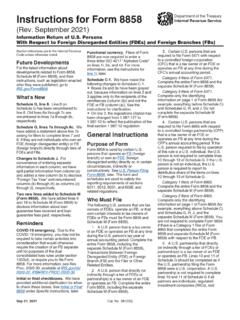
Instructions for Form 8858 (Rev. September 2021)
www.irs.govThe type and rule above prints on all proofs including departmental reproduction proofs. MUST be removed before printing. Instructions for Form 8858(Rev. September 2021) Information Return of U.S. Persons With Respect to Foreign Disregarded Entities (FDEs) and Foreign Branches (FBs) Department of the Treasury Internal Revenue Service