
Programming Stata
6[U] 18 Programming Stata 18.3 Macros Before we can begin programming, we must discuss macros, which are the variables of Stata programs. A macro is a string of characters, called the macroname, that stands for another string of characters,
Download Programming Stata

Information
Domain:
Source:
Link to this page:
Documents from same domain
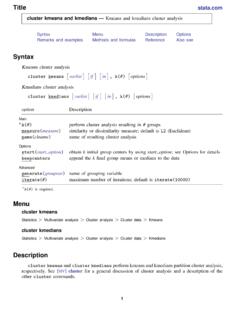
Syntax - Stata
www.stata.com2cluster kmeans and kmedians— Kmeans and kmedians cluster analysis Options Main k(#) is required and indicates that # groups are to be formed by the cluster analysis.
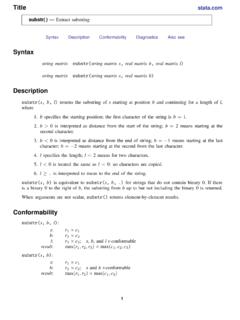
Syntax Description - Stata
www.stata.com2substr()— Extract substring Diagnostics In substr(s, b, l) and substr(s, b), if b describes a position before the beginning of the string or after the end, "" is returned.
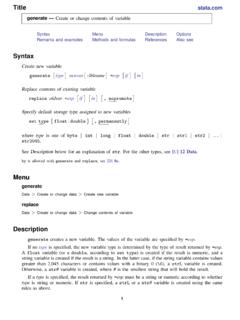
Title stata.com generate — Create or change …
www.stata.comTitle stata.com generate — Create or change contents of variable SyntaxMenuDescriptionOptions Remarks and examplesMethods and formulasReferencesAlso see Syntax Create new variable generate type newvar
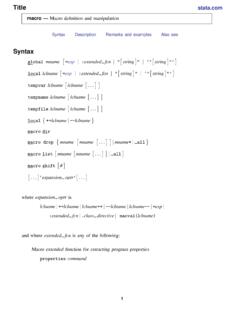
SyntaxDescriptionRemarks and examplesAlso see
www.stata.commacro— Macro definition and manipulation 3 Macro extended functions related to matrices rownamesjcolnamesjrowfullnamesjcolfullnames matname roweqjcoleq
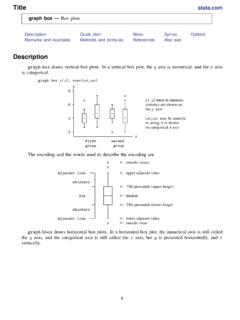
Title stata.com graph box — Box plots
www.stata.comgraph box— Box plots 3 Menu Graphics > Box plot Syntax graph box yvars if in weight, options graph hbox yvars if in weight, options where yvars is a varlist options Description
Title stata
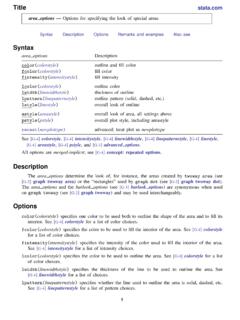
www.stata.comarea options — Options for specifying the look of special areas 3 Also see [G-2] graph dot — Dot charts (summary statistics)
www.stata.com
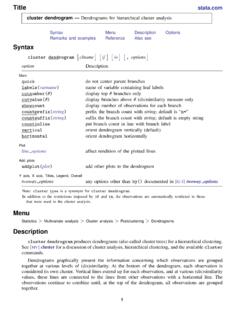
www.stata.com2cluster dendrogram— Dendrograms for hierarchical cluster analysis The height of the vertical lines and the range of the (dis)similarity axis give visual clues about the
Title stata.com putexcel — Export results to an Excel …
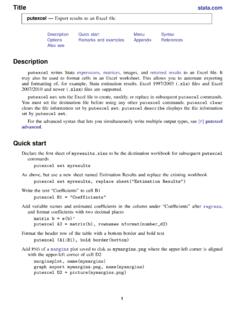
www.stata.computexcel— Export results to an Excel file 3 export options Description Main overwritefmt overwrite existing cell formatting when exporting new content
destring — Convert string variables to numeric ... - …
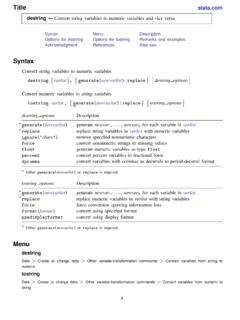
www.stata.comTitle stata.com destring — Convert string variables to numeric variables and vice versa SyntaxMenuDescription Options for destringOptions for tostringRemarks and …
Title stata.com gettoken — Low-level parsing
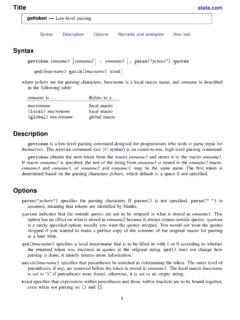
www.stata.comTitle stata.com gettoken — Low-level parsing SyntaxDescriptionOptionsRemarks and examplesAlso see Syntax gettoken emname1 emname2: emname3, parse("pchars") quotes qed(lmacname) match(lmacname) bind
Related documents
HP Pavilion PC User™s Guide
h10032.www1.hp.comGuide provides an easy way to start using your HP Pavilion PC. It offers easy access to a variety of on-screen tutorials and multimedia demos that will help you get up and running quickly with your new computer. Start Personal Guide by double-clicking its icon on the Windows 95 desktop. To explore a Personal Guide category, click its

7 Steps to Perfect Program Planning - Purdue Agriculture
ag.purdue.edu7 Steps to Perfect Program Planning Janet Bechman Purdue University. 2008. Purdue University is an Equal Opportunity/Equal Access institution. ... It may be that some participants are planning to open a bank account, b對ut are not planning to start saving money monthly, or vice versa. Separate the questions in cases similar to this.

HYSYS : An Introduction to Chemical Engineering Simulation
eprints.utm.mySelect File/New/Case or press Crtl+N or click on the New Case to start a new case. In HYSYS, your simulation is referred to as a “case”. This will open up the Simulation Basis Manager which is where all of the components and their properties can …

Microsoft Excel 2007 Basics For Windows
ist.mit.edu• Double-click the Excel program icon or an existing Excel worksheet. Excel 2007 program icon • Choose Microsoft Excel from the Microsoft Office Manager. • Click on the Windows XP Start button, choose Programs, MS Office, MS Excel . Start button. Creating and Opening Workbooks Creating a new workbook . 1) On the Office button menu, click New.
KOFAX POWER PDF ADVANCED QUICK START GUIDE
www.kofax.comSep 23, 2020 · 4. Cci k l ht e Start converting button to create the PDF. Create a PDF from Windows Explorer or desktop by drag-and-drop Drag-and-drop one or more files onto the Power PDF icon. The program starts and creates one PDF file for each dragged document. The files can also be gragged onto an empty window in Power PDF. If files are dragged onto a

Scholastic Literacy Pro User Guide
www.scholastic.comScholastic Literacy Pro™ is a browser-based program that assesses students’ ... students start the test, the difficulty level of questions change according to students’ performance. When the computer has enough information to generate ... saving changes). The Home Screen appears again, with the new Reading

WESTERN WASHINGTON JUDGING PROGRAM 2022 WINTER …
baray-production-storage.s3.us-west-2.amazonaws.comNo roping off or saving of grooming areas. Show Committee reserves the right to rearrange crates etc., in the non-reserved grooming area in order to make more room. Grooming equipment left in day grooming area after Best in Show will be confiscated. • Grooming and Crating area aisles must remain open at all times.