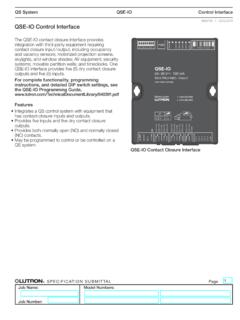
QSE-IO Control Interface (369374)
100 devices and 100 zones. Each QSE-IO control interface counts as 1 device and 5 zones. • Each QSE-IO control interface consumes 3 Power Draw Units (PDU) on the QS link. Refer to the QS Link Power Draw Units Specification Submittal (P/N 369405) at www.lutron.com for more information. • The maximum wiring length for the QS link is
Download QSE-IO Control Interface (369374)

Information
Domain:
Source:
Link to this page:
Documents from same domain
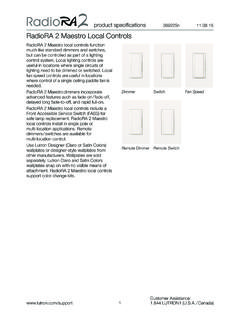
RadioRA 2 Maestro Local Controls SPEC (369225)
www.lutron.comproduct specifications 369225m 12.01.17 RadioRA 2 Maestro Local Controls 3 Customer Assistance: www.lutron.com/support 1.844.LUTRON1 (U.S.A. / …
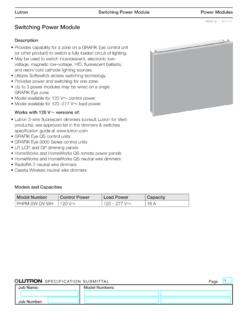
Switching Power Module SPEC (369357) - Lutron …
www.lutron.com369357g 1 09.14.17 g ® SPECIFICATIN SUMITTAL Page Lutron Switching Power Module Description •ovides capability for a zone on a GRAFIK Pr Eye control unit (or other product) to switch a fully loaded circuit of lighting.

Lutron® and Apple® HomeKit™ certified FAQ
www.lutron.com2. Name your home (ex. Jones Residence) 3. Enter the HomeKit Accessory Setup Code found on the bottom of your Lutron Smart Bridge or
Using DALI in HWQS - Lutron Electronics
www.lutron.comUsing DALI Ballasts in HWQS – Rev A Page 2 Overview Lighting fixtures that utilize DALI digitally addressable dimming ballasts can be controlled in a
lighting control solutions switching systems
www.lutron.comLutron switching systems — designed and manufactured to provide exceptional value Ease of use Lutron switching panels are easy to program and
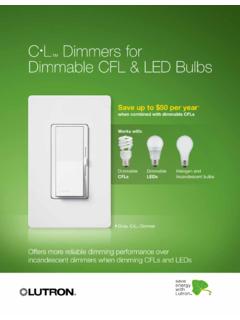
CL Dimmers for Dimmable CFL & LED Bulbs
www.lutron.comOffers more reliable dimming performance over incandescent dimmers when dimming CFLs and LEDs C•L Dimmers for Dimmable CFL & LED Bulbs Save up to $50 per year

Hi-lume 1% 2-Wire LED Driver Forward-Phase …
www.lutron.com®SPECIFICA AL a Job Name: Job Number: Model Numbers: LED Dimming Driver Hi-lume 1% 2-Wire LTE (K-, KL- Case) Architectural Dimming 3691081a 3 01.04.18
Lutron Electronics Co., Inc. Trademark Style Guide
www.lutron.comThe Lutron Trademark style guide is a tool used to ensure that Lutron’s trademarks are being properly represented with regard to Lutron …
Technical white paper May 2014 - Lutron Electronics
www.lutron.com3 | Lutron When the unabsorbed blue light mixes with the other colors of light it creates what your eye perceives as “white” light The choice of blue LED and yellow phosphor, and the method of placing
Maestro 0-10 V Dimmer Sensor Spec 369833
www.lutron.comMaestro Maestro 0–10 V Dimmer Sensor Sensor 369833c 3 10.09.17 ® SPECIFICATION SBMITTAL Page ob Name: ob Nmber: odel Nmbers: Load …
Related documents
C++ Input/Output: Streams - Virginia Tech
courses.cs.vt.eduis used to control the formatting of output and/or input values. Manipulators can only be present in Input/Output statements. The endl manipulator causes a newline character to be output. endl is defined in the < iostream > header file and can be used as …

BOOST CONTROL INSTRUCTIONS A STEP-BY-STEP EXAMPLE …
documents.holley.comNov 07, 2012 · that this is the one you created and named in the IO ICF. Zero the Solenoid Control Signal Table (only for custom solenoids). Figure 14 8. Under the Inputs/Outputs tab of the Boost ICF (Figure 15): Select the input type for the T-Brake/Launch input. In this example we will use a “Ground” input type.

Documentation EtherCAT Bus Coupler - Beckhoff Automation
download.beckhoff.comThe serial number/ data code for Beckhoff IO devices is usually the 8-digit number printed on the device or on a sticker. The serial number indicates the configuration in delivery state and therefore refers to a whole production batch, without distinguishing the individual modules of a batch. Structure of the serial number: KK YY FF HH
42EF Photoelectric Sensors product profile
literature.rockwellautomation.comIO-Link enabled sensors offer advanced features and diagnostics that can only be accessed through an IO-Link master. These sensors act like standard sensors when not interfaced to an IO-Link enabled control system, so you can stock the same sensors for standard I/O (SIO) applications and IO-Link applications, simplifying the selection process and

871TM Long Range Inductive Proximity Sensors product profile
literature.rockwellautomation.comembedded IO-Link functionality on select 8 mm, 12 mm, 18 mm and 30 mm models. IO-Link allows sensors to easily integrate with The Connected Enterprise, delivering data from the sensor directly into a control system in a very cost-efficient and easy-to-use manner via an IO-Link Master and EtherNet/IP™.

How to Program Your Cablevision/IO remote to your T.V.
openlab.citytech.cuny.eduStep 3: Now point the Cablevision/IO remote to the destined T.V. you are programming and enter the three digit code you will need that is assigned to brand of T.V. List below the three digit codes in order to program below. Above is the list that contains the …

Jenkins User Handbook
www.jenkins.ioGetting Started with Jenkins This chapter is intended for new users unfamiliar with Jenkins or those without experience with recent versions of Jenkins.