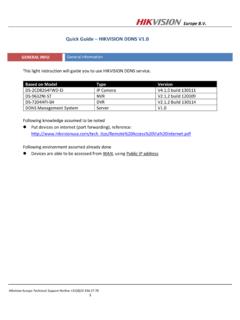
Quick Guide HIKVISION DDNS V1
Europe B.V. Hikvision Europe Technical Support Hotline +31(0)23 554 27 70 1 Quick Guide – HIKVISION DDNS V1.0 GENERAL INFO General information This light instruction will guide you to use HIKVISION DDNS service.
Download Quick Guide HIKVISION DDNS V1

Information
Domain:
Source:
Link to this page:
Documents from same domain

DS-2TD2636-10/15 Thermal Bi-spectrum Network …
www.hikvision.comHikvision DS-2TD2636-10/15 Thermal Bi-spectrum Network Bullet Camera is applied to perimeter defense and fire-prevention purposes in critical infrastructures such as: airport, railway, prison, power station, 4S stores, and so

Network Dome Installation - Hikvision
www.hikvision.comNetwork Dome Camera Installation Manual V3.0.0 Hangzhou Hikvision Digital Technology Co., Ltd. http://www.hikvision.com 2010‐04

DS-2CD2T22WD-I3/I5/I8 2.0MP EXIR Network …
www.hikvision.comDS-2CD2T22WD-I3/I5/I8 2.0MP EXIR Network Bullet Camera 1/2.8” Progressive Scan CMOS Up to 2 megapixel resolution Full HD1080p real-time video

DS- 2CD6626B-IZH(R)S(2.8 12 mm )/(8 32 mm) 2 MP …
www.hikvision.comDS-2CD6626B-IZH(R)S(2.8 – 12 mm )/(8 – 32 mm) 2 MP Anti-Corrosion Bullet Camera 1/1.8” Progressive Scan CMOS 1920 × 1080 @ 60fps Motorized zooming and auto focus

iVMS-4200 - Hikvision USA
www.hikvision.comModel iVMS-4200 Group Maximum of Client Encoding Device Maximum of 256 encoding devices supported Maximum of 256 groups supported Maximum of 256 channels can be imported to each group

iVMS-4200 Client Software Technical Specification v1
www.hikvision.comIntroduction iVMS-4200 Client Software is a centralized video management software using a distributed structure for surveillance device control and management.

DS-7200HQHI-F1/N SERIES TURBO HD DVR - …
www.hikvision.comDS-7200HQHI-F1/N SERIES TURBO HD DVR Video Input and Transmission Connectable to HDTVI, AHD and analog cameras Up to 2-ch 1080p IP cameras input for DS-7208/7216HQHI-F1/N

DS-2TD2166-15/25/35 - Hikvision USA
www.hikvision.comDS-2TD2166-15/25/35 Thermal Network Bullet Camera Hikvision DS-2TD2166-15/25/35 Thermal Network Bullet Camera adopts vanadium oxide uncooled focal plane sensor

DS-7200HVI-ST Series DVR User's Manual - …
www.hikvision.com10 z Remote manual recording. z Remote video image capture in JPEG format. z Remote PTZ control. z Voice talk and broadcast. z Built-in WEB Server.

DS 6400HDI T Series Decoder USER MANUAL …
www.hikvision.comUser Manual of DS-6400HDI-T Decoder 1 Hikvision Network Digital Video Recorder User’s Manual This manual, as well as the software described in it, is furnished under license and may be used or copied only in
Related documents
Amadeus Selling Platform 2
www.amadeus.comz Windows Mandatory Profiles is not supported. z Users must have access to save data in the Application Data folder in their Windows profile. z All users will have the same Amadeus Selling Platform version release, but they can access different product options. z Only one CID can be used to deploy/install the product(s). This is the Server CID. z Pro Tempo will not work when Amadeus Selling ...
Accessing CNErgy Off Campus Using http - Rhode Island
www.carenewengland.orgAccessing CNErgy Off Campus Using http://home.carenewengland.org Page 3 Troubleshooting Solving Connection/Configuration Problems Problem Solution
First Choice For Security Professionals - Hikvision
www.hikvision.comTo setup quick recording schedule: 6. Recording 1. Enter the Quick Schedule Configuration menu by going to Main Menu > Recording Configuration > Quick Schedule Configuration. 2. Select the camera to configure from the camera drop down menu. If all the cameras are to be configured
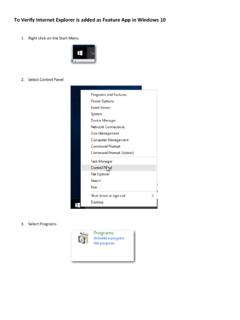
To Verify Internet Explorer is added as Feature App in ...
www.masonic-web.comTo Verify Internet Explorer is added as Feature App in Windows 10 1. Right click on the Start Menu 2. Select Control Panel 3. Select Programs