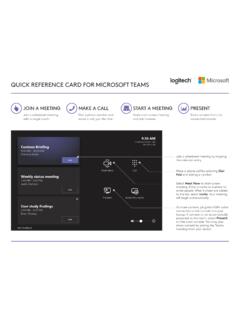
QUICK REFERENCE CARD FOR MICROSOFT TEAMS
JOIN A MEETING. Join a scheduled meeting . with a single touch. Join a scheduled meeting by tapping the calendar entry. Make a phone call by selecting . Dial Pad. and dialing a number. Select . Meet Now. to start a new meeting. Enter a name or number to invite people. After invitees are added to the list, sele ct . Invite. Y our meeting will ...
Download QUICK REFERENCE CARD FOR MICROSOFT TEAMS

Information
Domain:
Source:
Link to this page:
Documents from same domain

Activities Want to know more? - Logitech
www.logitech.comLogitech Gaming Software - Help Center file:///E|/Help/en_US/front_page.htm[4/28/2014 8:07:32 PM] Activities... Want to know more? Create a new profile Getting started

On - logitech.com
www.logitech.com1 2 Logitech® Wireless Mouse M217 Setup Guide Guide d’installation English Mac® OS X Users: When plugging in the Unifying receiver, the Keyboard Assistant

圧倒される 超・高解像度 - logitech.com
www.logitech.comLogicool BRIO Ultra HD 4K画像センサー 4K(Ultra HD)@ 30 fps、1080p(フルHD)@ 30/ 60 fps および 720p(HD)@ 30/60/90 fpsを含めた複 数の解像度をサポートし、お使いのアプリケーションや

SMALL GROUPS. BIG POTENTIAL. - Logitech
www.logitech.comSmall group video conferencing deserves more than huddling around PC webcams or begging for time on overbooked conference room systems. The ConferenceCam BCC950

Logicool ゲーム ソフトウェア - logitech.com
www.logitech.com快適な作業および安全性 file:///E¦/Help/ja_JP/comfort_and_safety.htm[4/26/2014 9:19:02 PM] 快適な作業および安全性 ここでは快適な作業 ...

Logitech® USB Headset H390
www.logitech.comEnglish Know your product 1. USB Headset H390 2. Microphone boom 3. Microphone 4. Volume controls (+/–) 5. Mute button 6. Mute light 7. USB connector

SUPER-WIDE FIELD OF VIEW FOR SMALL SPACES.
www.logitech.comMeetUp’s integrated audio is optimized for huddle room acoustics and delivers an exceptional sound experience. Three horizontally-aimed beamforming mics and

Introducing the Logitech MeetUp
www.logitech.com3 TalkingPointz July 21, 2017 What’s a MeetUp? Logitech currently offers three small room conferencing products in its ConferenceCam lineup .

Setup Guide Guide d’installation Logitech® HD …
www.logitech.com4 English English 5 Getting started with Logitech® HD Pro Webcam C920 Thank you for buying your c920! Use this guide to set up and begin using your Logitech webcam.

Logitech Addresses and Phone Numbers
www.logitech.comLogitech ® G 27 Racing Wheel © 2013 Logitech. All rights reserved. Logitech, the Logitech logo, and other Logitech marks are owned by Logitech …
Related documents
WebEx Integration to Outlook for Windows - Cisco
www.cisco.comWhen scheduling a meeting, you can invite attendees using any of your Outlook address lists, including the Global Address List, Personal Address List, or Contacts folder. Attendees whom you invite to a meeting do not need to use Integration to Outlook to join the meeting. To provide security for your meetings, Integration to Outlook uses 128 ...

User Guide
cdn.brandfolder.ioInvite when in a Meeting Invite by Contacts Invite by Email Tap the flag icon to select the country you are calling. Enter the phone number and tap the phone icon to call. Enter the IP address or E.164 number of the device you’re calling. Tap H.323 or SIP. Tap Call. Invite by Phone Invite by Room System Tap Participants on the Controller.
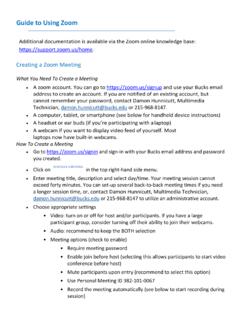
Guide to Using Zoom - Bucks County Community College
www.bucks.eduInvite more people to join by email, IM , SMS (mobile users) or meeting ID 5. View a list of participants 6. Share your desktop (everything you have open) or select a specific application to share (e.g., Microsoft Word) 7. Send a message to one …
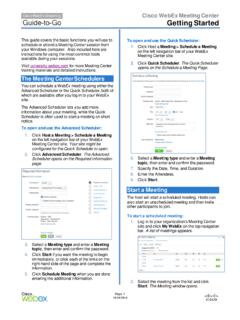
Getting Started - Cisco Webex
www.webex.comand you can then invite participants. Join a Meeting When hosts schedule meetings , they send an email to invited attendees with the information on how to join. The meeting can also be joined from your WebEx site. To j oin a meeting: From an email . 1. Open your invitation message, and
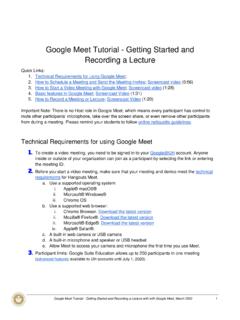
Google Meet Tutorial: Getting Started and Recording a …
edvance.hawaii.hawaii.eduClick Join now. Join with a meeting link URL Sometimes there isn’t enough time to schedule a meeting and book a room. With Hangouts Meet, you can join an impromptu video meeting by clicking the meeting link URL sent to you in a text or email. 1. Click the meeting link sent to you in a chat message or email. 2. Select Join now to join the meeting.
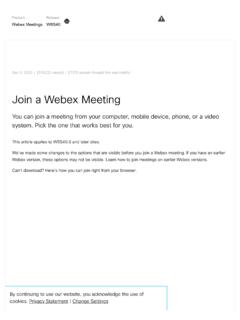
Join a Webex Meeting - Chicago
www.chicago.govinformation you need to join the meeting. Reach out to your meeting organizer for the invite. If you have a Webex account, sign in to your Webex site. and enter the meeting number in the search box. If you don't have an account, join by entering the meeting number on webex.com. If you're using your computer for audio:

Meeting invitation - IAPO
iapo.org.ukI would like to invite you to a meeting/teleconference <delete as appropriate> to discuss <describe purpose of meeting>. [For a face-to-face meeting:] The meeting will take place on <insert date>, starting at <insert time> and finishing at <insert time>. It will be held at <insert location and address>. Please can you confirm whether

LIST OF CANDIDATES SELECTED FOR FINAL SELECTION …
joinindiancoastguard.gov.inFeb 04, 2022 · You are required to report at the main gate of CGSB NOIDA as per the time and date mentioned. Please bring all enclosures duly filled and deposit at the Selection Board on arrival. The verification of documents and filling up of requisite documents will be carried out on the day of reporting. 3. Approaches to NOIDA (Distances from CGSB). (a) By Air

EN - Ceremony Invitation - KofC
www.kofc.orgWe look forward to you becoming a Third Degree Knight of Columbus! We are pleased to invite you to a special, online ceremony of admission and advancement. This Knights of Columbus ceremony advances new and existing members through the lessons of Charity, Unity and Fraternity required of a Third Degree member. ...