
Quick Reference E4OD/4R100 - .NET Framework
IDENTIFICATION TAG LINE PRESSURE TAP Gear ODs 2 Line Pressure - kPa Idle psi 50- 65 70- 100 50- 65 70- 100 Line Pressure - kPa 1689- 1998 -1276
Download Quick Reference E4OD/4R100 - .NET Framework

Information
Domain:
Source:
Link to this page:
Documents from same domain

Subaru Lineartronic CVT Introduction - atracom.blob.core ...
atracom.blob.core.windows.netIntroduction The Lineartronic CVT is an automatic continuously variable all wheel drive longitudinal transaxle. It provides an infinite step-less change in ratios from 2.37 to 1 in the highest

ZF9HP48 / 948TE Introduction - .NET Framework
atracom.blob.core.windows.netThe dog clutch is the linchpin that allows Chrysler's nine-speed transmission to be so compact. Chrysler delayed the Jeep Cherokee's launch to tweak the transmission's software. Now, it's under its third five-minute software reset or "reflash". A new software recalibration covers more than 100,000 Jeep Cherokees to address continuing

by Mike Brown Interchanges for the E4OD and 4R100
atracom.blob.core.windows.net9 is an identification chart for matching separator plates and valve bodies. Accumulator Bodies The 1989-95 E4OD accumulator bodies aren’t interchangeable with the 1996-and-later E4OD or the 4R100. 22 GEARS March 2004 Interchanges for the E4OD and 4R100 As of 2000, the direct drum no longer uses the #8 thrust wash-er. The sun shell was also ...

LET'S PLAY BALL CONTROLLING 6R80
atracom.blob.core.windows.netapply and release the brake to operate the brake lights. Maintain the speed and throttle for at least five seconds. 6. Brake to a stop and remain stopped for at least 20 seconds. 7. Repeat steps 4 through 6 five times. 8. Perform a self-test and record any DTCs. If DTCs are present, repair all non-transmission DTCs first, as they can directly ...

6T40/45 Diagnostics Webinar Handout - .NET Framework
atracom.blob.core.windows.netInternal Electronic Component Testing The speed sensors are 2 wire “hall effect” style assemblies. The input speed sensor is mounted externally in the case. The wiring runs into the transmission to the TECHM. The output speed sensor is mounted under the valve body in the case. The TECHM provides a signal voltage for the sensor operation.

62TE Update - .NET Framework
atracom.blob.core.windows.netA freewheel (sprag) is used to provide this nonsynchronous clutch apply and release sequence. The sprag holds in first, third and fourth providing a smoother 1-2, 2-1, 4-5 and 5-4 shift. • A = Applied • H = Holding • * = Limp-in Mode • ^ = Applied in coast only . P = Prime . P.
6L50-6L80-6L90 Updates and Product Issues
atracom.blob.core.windows.netLow Sprag Update The Low Sprag was updated as a mid 2007, interim 2007 change. Additional elements were added ,from 30 elements to 38 elements for greater holding strength. Oil hole positions changed, New Part Number: • 24248957– Low Sprag Note: Will back service previous model years 6L80 - UPDATE

6T40-6T45 Updates and Product Concerns - .NET Framework
atracom.blob.core.windows.net* Chevrolet Sonic 1.8L (RPO LUW) * Chevrolet Captiva * Orlando Component interchange is now a major issue because the updated components for the most part, CAN NOT be interchanged with the previously designed components. The system upgrades will be defined using the terms; Gen 1-- 1st design- Previous design

The NVG246 Transfer Case, Part 1: Description and Operation
atracom.blob.core.windows.netnosis of the Borg-Warner 1354, 1356 and the 4405 transfer cases, used mainly in Ford vehicles. In this arti-cle we’ll look at the NVG246 transfer case, found mainly in General Motors Blazers, Sonomas and Silverados, start-ing in 1998 and continuing through 2004. In part two, we’ll follow that up with diagnostic and repair procedures
LCT 1000 Generation II 2006 – 2010 6 Speed
atracom.blob.core.windows.netwith solenoid swap, replace the faulty solenoid. Air test the unit to assure clutch assemblies hold. The valve body is very sensitive to dirt and the valves are easily stuck. Make sure all magnets are installed (both pan and spin on filter). Flat sand valve body and torque all bolts evenly. C D E
Related documents
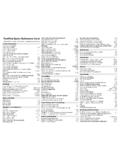
TextPad Quick Reference Card - John Bokma
johnbokma.comInvoke the document selector F11 Scrolling and Scroll Bars Scroll the view up one line, without moving the cursor c-↓ Scroll the view down one line, without moving the cursor c-↑ Locks cursor position when scrolling with page up/down keys Scroll Lock Display/hide the horizontal scroll bar c-Q-H Display/hide the vertical scroll bar c-Q-V

Qualys API Quick Reference
www.qualys.comWeb Application .....45 Authentication .....46

RS485 Quick Guide - Analog Devices
www.analog.comRS485 Quick Guide RS485 conveys data differentially over a terminated twisted pair, permitting up to 10Mbps data rates. The standard specifies electrical characteristics of a driver and receiver, and does not specify any data protocol or connectors. RS485 is popular for inexpensive local

C-172 CESSNA SKYHAWK Quick Reference Normal …
www.bergstromaircraft.comC-172 CESSNA SKYHAWK Quick Reference Normal Operating Checklist For use only with an approved Cessna checklist REMEMBER TO CLOSE YOUR VFR FLIGHT PLAN !

Free Gmail Quick Reference - CustomGuide
www.customguide.comQuick Reference Guide The Gmail Inbox View Your Email Open an Email: Click an email in the inbox. Return to the Inbox: While viewing an email, click the Back to Inbox button on the toolbar. Open an Email in a Separate Window: Click an email in the inbox to open it, then click the In new window button. Toggle Read Status: While hovering your mouse

Word 2019 Intermediate Quick Reference - CustomGuide
www.customguide.comQuick Reference Guide Elements of a Table Insert a Table: Click the Insert tab, click the Table button, and select the number of rows and columns that you want. Add a Row or Column: Click in a cell next to where you want to add a row or column. Click the Table Tools Layout tab, then click Insert Above , Insert Below , Insert Left , or Insert Right
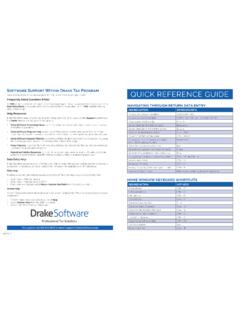
QUICK REFERENCE GUIDE - Drake Software
www.drakesoftware.comData Entry Menu or by typing FAQ into the selector field and pressing ENTER. FAQ content varies by state and package. Help Resources Drake Tax offers many ways for you to get the help you need. When you click the Support button from the …

Quick Reference Guide - Drake Software
www.drakesoftware.comQUICK REFERENCE GUIDE navigating through return data entry DESIRED ACTION KEYBOARD KEYS Move cursor forward one field Tab, Enter, or Down Arrow ... Data Entry Menu or by typing FAQ into the selector field and pressing ENTER. FAQ content varies by state and package. Help Resources. Drake Tax offers many ways for you to get the help you need ...