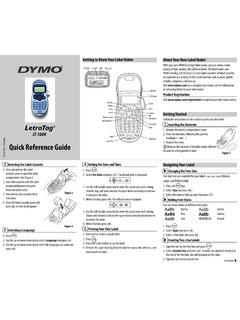
Quick Reference Guide - DYMO
3. Select the desired font size and then press . Adding Font Styles You can choose from six different font styles: Normal Outline Bold Shadow Italic Vertical 1. Press . 2. Select Style and press . 3. Select a font style and press . Creating Two-Line Labels 1. Type the text for the first line and press . 2. Select Second Line and press . A multi ...
Download Quick Reference Guide - DYMO

Information
Domain:
Source:
Link to this page:
Documents from same domain
User Guide - DYMO
download.dymo.comAbout the LabelWriter Printer 2 Top cover Label spool Label release Label feed path and tear bar Label roll Label guide Reverse label button Form-feed button
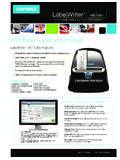
LabelWriter 450 Turbo
download.dymo.comLabelWriter ® 450 Turbo High-Speed Label and Postage Printer For PC and MAC® LabelWriter ® 450 Turbo Features: Print faster – and print postage 1 2 3 4 5 Eliminate the hassle of printing sheet labels through a desktop printer

LabelWriter 450 TwinTurbo - DYMO
download.dymo.comLabelWriter ® 450 TwinTurbo Dual Roll Label and Postage Printer For PC and MAC® LabelWriter ® 450 Twin Turbo Features: Double your label capacity and mailing efficiency 1 2 3 4 5

LabelWriter 450 Series Printers Technical …
download.dymo.comLabelWriter®. 450 Series Printers. Technical Reference Manual . Includes LabelWriter 450, LabelWriter 450 Turbo, LabelWriter 450 …

DYMO Label v.8.5
download.dymo.comDYMO Label v.8.5.4 . Read Me — 30 September 2016 . This document contains important information that is not included in any other DYMO Label documentation.

DYMO Label v.8.6
download.dymo.comDYMO Label v.8.6.1 . Read Me — 9 February 2017 . This document contains important information that is not included in any other DYMO Label documentation.
Quick Start Guide - DYMO
download.dymo.com5 4. Loading Labels To load a label roll 1 Press the form-feed button o ject lab ls at protected the printer during shipment. 2 Op en th op cover andremov ny packing ...
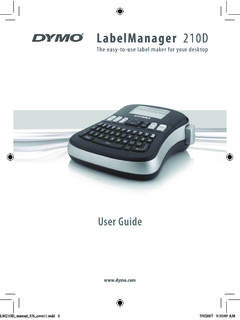
LM210D manual US cover1 - DYMO
download.dymo.com7 Using the Label Maker for the First Time The first time you turn on the power, you are asked to select the language. This selection will remain set until you change it, …

User Guide - DYMO
download.dymo.com4 Figure 1 RHINO 5200 Label Printer SHIFT SHIFT BKSP Feed Print/# of copies Escape Backspace Shift Size/CAPS Backlight Serialization Label exit …

LabelWriter 4XL Quick Start Guide - DYMO
download.dymo.com1 For complete information about your label printer, you can view the LabelWriter Printer User Guide from the DYMO Label v.8 Help menu or from the DYMO Web site at www.dymo…
Related documents
Help and tutorials - Adobe Inc.
helpx.adobe.comTo resize a field, use the font up or down button in the toolbar - the first two buttons from left. To move a field, move your mouse pointer closer to field border until you see the drag handle, and then hold and move the field as required.
Reference sheet for natbib usage - Gary King
gking.harvard.eduReference sheet: natbib 4 De ne \citenumfont to be a font declaration or command like \itshape or \textit. Rede ne \bibnumfmt as a command with an argument to format the numbers in the list of references. The default de nition is [#1]. The indentation after the rst line of each reference is given by \bibhang; change this with the \setlength ...
APA Format - Lake Washington Institute of Technology
www.lwtech.eduAPA Format - Quick Reference Sheet . Styling * 12-point font, preferably Times New Roman * Double-spaced * 1-inch margins. Title Page Page Header – In the header, flush left, write “Running head:” and the title of your paper all in capital letters. Include the page number, flush right. Pages after this simply have the title of your paper

HTML: The Complete Reference, Second Edition - Yola
nsofts999.yolasite.comThe Complete Reference, Second Edition Thomas A. Powell Osborne/McGraw-Hill Berkeley New York St. Louis San Francisco Auckland Bogotá Hamburg London Madrid Mexico City Milan Montreal New Delhi Panama City Paris São Paulo Singapore Sydney Tokyo Toronto
dsPICDEM™ MCLV-2 Development ... - Microchip Technology
ww1.microchip.comCourier New font: Plain Courier New Sample source code #define START Filenames autoexec.bat File paths c:\mcc18\h Keywords _asm, _endasm, static Command-line options -Opa+, -Opa-Bit values 0, 1 Constants 0xFF, ‘A’ Italic Courier New A variable argument file.o, where file can be any valid filename
The titlesec titleps titletoc Packages - tug.ctan.org
tug.ctan.orgformat, i. e., shape, font, label..., the second one de nes the \external" format, i. e., spacing before and after, indentation, etc. This scheme is intended to easy de nitions, since in most of cases you will want to modify either spacing or format.3 That rede nes existing sectioning commands, but does not create new ones.