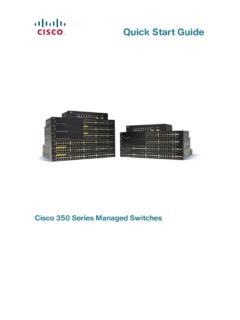
Quick Start Guide - Cisco
Cisco 350 Series Managed Switches 5 STEP 4 Place the bottom of the switch over the screws and slide the switch down until the screws fit snugly into the slots. Connecting Network Devices To connect the switch to the network: STEP 1 Connect an Ethernet cable to the Ethernet port of a computer, printer, network storage, or other network devices.
Download Quick Start Guide - Cisco

Information
Domain:
Source:
Link to this page:
Documents from same domain

Miercom Report: Dual-Band Wave 2 Access Points ...
www.cisco.comDual-Band Wave 2 Access Points Comparative Performance: Cisco Aironet 2800 and 3800 Aruba AP-335 DR160830 September 2016 Miercom www.miercom.com

Cisco ASA with FirePOWER Services At-a-Glance
www.cisco.comAt a glance Cisco public Next steps To learn more about the Cisco ASA Firewall with FirePOWER Services, visit www.cisco. com/go/asafps. Meet the industry’s first adaptive, threat-focused next-generation firewall (NGFW) designed for a new

Architecting the Network for the Cloud - cisco.com
www.cisco.comWHITE PAPER Architecting the Network for the Cloud Sponsored by: Cisco Systems Lucinda Borovick Rohit Mehra January 2011 EXECUTIVE SUMMARY Cloud computing is now one of the prevailing IT trends as we head into the new

Cisco Identity Services Engine Ordering Guide
www.cisco.com© 2018 Cisco and/or its affiliates. All rights reserved. This document is Cisco Public Information. Page 1 of 22 Cisco Identity Services Engine

TERMS OF SALE AND SOFTWARE LICENSE …
www.cisco.comTERMS OF SALE AND SOFTWARE LICENSE AGREEMENT-US 3 CISCO CONFIDENTIAL SALES_TERMS_OF_SALE.docx June 2017 Terms of Sale. Customer shall pay any taxes related to Products and Services provided

Cisco Industrial Ethernet 4010 Series Switches Data …
www.cisco.com© 2018 Cisco and/or its affiliates. All rights reserved. This document is Cisco Public Information. Page 1 of 11 Data Sheet Cisco Industrial Ethernet 4010 Series Switches

Help Partners Increase Deal Sizes and Customer …
www.cisco.comHelp Partners Increase Deal Sizes and Customer Satisfaction Cisco Solution Support 101 Service and Promotion Overview for Partner Sales Teams Greg Suhayda

Cisco IP Phone Portfolio Brochure
www.cisco.comBrochure 3 © 2018 Cisco and/or its affiliates. All rights reserved. Introduction Leading the Way in Collaboration Cisco® IP Phones empower your business with a new collaboration experience

Data Center Power and Cooling White Paper - …
www.cisco.com© 2017 Cisco and/or its affiliates. All rights reserved. This document is Cisco Public Information. Page 1 of 22 White Paper Cisco Unified Computing System

Cisco Certification and Confidentiality Agreement …
www.cisco.comCisco Confidential Cisco Certifications and Confidentiality Agreement - Version 22 If you have been convicted of a crime that Cisco deems, in its sole discretion, in any way
Related documents
Stratix 5700 - Rockwell Automation
literature.rockwellautomation.comIndustrial Managed Ethernet Switch The wide deployment of EtherNet/IP™ in industrial automation means that there is a growing demand to manage the network properly. Integtrating new machine-level networks into an existing plant network requires convergence. With more devices connected on the same Ethernet network than ever
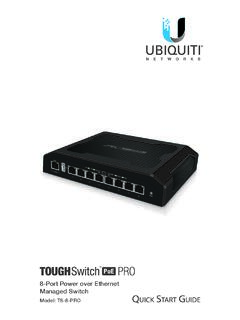
8-Port Power over Ethernet Managed Switch - Ubiquiti
dl.ubnt.com8-Port Power over Ethernet Managed Switch Model: TS-8-PRO Quick Start Guide TERMS OF USE: All Ethernet cabling runs must use CAT5 (or above). Shielded Ethernet cable and earth grounding must be used for outdoor installations as conditions of product warranty. TOUGHCable™ is designed for outdoor installations. It is the customer’s ...

Dell PowerScale: Ethernet Back-end Network Overview
www.delltechnologies.comDell PowerScale: Ethernet Back-end Network Overview 5 entirely of Ethernet back-end nodes. In these configurations, only Ethernet back-end switches that are provided and managed by Dell are supported. The PowerScale Ethernet back-end connection options are detailed in the following table: Table 1. Isilon Ethernet back-end options
EtherNet/IP Quick Start for Vendors Handbook
www.odva.orgEthernet network solution available for manufacturing automation, with rapid growth as users seek to harness the advantages of open technologies and the internet. EtherNet/IP is a member of a family of networks that implements CIP at its upper layers (Figure 1). EtherNet/IP and CIP are managed by ODVA.
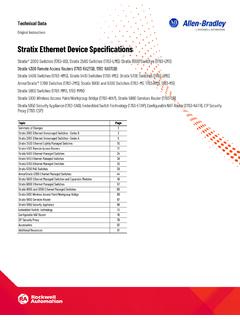
Stratix Ethernet Device Specifications
literature.rockwellautomation.comStratix 5800 Ethernet Managed Switches and Expansion Modules 49 Stratix 6000 Ethernet Managed Switches 57 Stratix 8000 and 8300 Ethernet Managed Switches 60 Stratix 5100 Wireless Access Point/Workgroup Bridge 66 Stratix 5900 Services Router 67 Stratix 5950 Security Appliance 69
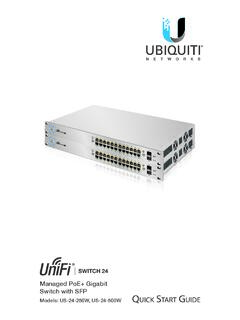
Managed PoE+ Gigabit Switch with SFP
dl.ubnt.com2. Connect Ethernet cables from the Ethernet ports of your devices to the other numbered ports of the UniFi Switch. Note: The PoE settings for ports 1-24 are set to auto-sensing PoE+ by default, so 802.3af/at devices can be plugged in and automatically receive PoE. For instructions on how to enable 24V passive PoE, refer

Quick Start Guide - Cisco
www.cisco.comSTEP 1 Connect the Ethernet cable to the Ethernet port of a computer, printer, network storage, or other network device. STEP 2 Connect the other end of the network Ethernet cable to one of the numbered managed switch Ethernet ports. The Ethernet port light turns green when the connection is active.

Data Sheet EX2300 ETHERNET SWITCH Description
www.juniper.netmanaged as a single logical device, delivering a scalable, pay-as-you-grow solution for expanding network environments. While EX2300 switches can be interconnected over any of the front-panel uplink ports using standard 10GbE SFP+ transceivers (sold separately), these ports can also be configured as 1GbE/
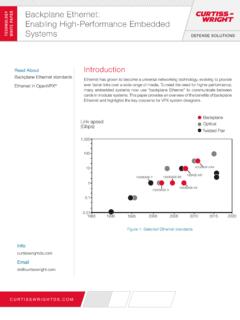
Backplane Ethernet: TECHNOLOG WHITE AER Enabling High ...
www.eletimes.comManaged multi-layer Gigabit Ethernet switch 24x 1000BASE-X SerDes VPX3-685 VPX 3U Secure router/switch with firewall and VPN services 8x 1000BASE-X SerDes (optional) VPX3-687 VPX 3U High density 10 Gbps backplane Ethernet switch 2x 40GBASE-KR4 24x 10GBASE-KR VPX6-6902 VPX 6U SRIO fabric and Gigabit