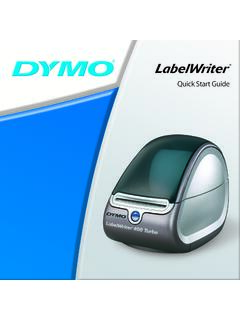
Quick Start Guide - DYMO
Your LabelWriter printer is a direct thermal printer and does not use ink or toner. Instead, the printer uses heat from a thermal print head to print on specially treated labels. Labels are the only supplies you will ever need to buy. The form-feed button on the front of the printer advances a single label. The label
Download Quick Start Guide - DYMO

Information
Domain:
Source:
Link to this page:
Documents from same domain

User Guide - DYMO
download.dymo.comAbout the LabelWriter Printer 2 Top cover Label spool Label release Label feed path and tear bar Label roll Label guide Reverse label button Form-feed button

LabelWriter 450 Turbo
download.dymo.comLabelWriter ® 450 Turbo High-Speed Label and Postage Printer For PC and MAC® LabelWriter ® 450 Turbo Features: Print faster – and print postage 1 2 3 4 5 Eliminate the hassle of printing sheet labels through a desktop printer

LabelWriter 450 TwinTurbo - DYMO
download.dymo.comLabelWriter ® 450 TwinTurbo Dual Roll Label and Postage Printer For PC and MAC® LabelWriter ® 450 Twin Turbo Features: Double your label capacity and mailing efficiency 1 2 3 4 5

LabelWriter 450 Series Printers Technical …
download.dymo.comLabelWriter®. 450 Series Printers. Technical Reference Manual . Includes LabelWriter 450, LabelWriter 450 Turbo, LabelWriter 450 …

DYMO Label v.8.5
download.dymo.comDYMO Label v.8.5.4 . Read Me — 30 September 2016 . This document contains important information that is not included in any other DYMO Label documentation.

DYMO Label v.8.6
download.dymo.comDYMO Label v.8.6.1 . Read Me — 9 February 2017 . This document contains important information that is not included in any other DYMO Label documentation.

Quick Start Guide - DYMO
download.dymo.com5 4. Loading Labels To load a label roll 1 Press the form-feed button o ject lab ls at protected the printer during shipment. 2 Op en th op cover andremov ny packing ...

LM210D manual US cover1 - DYMO
download.dymo.com7 Using the Label Maker for the First Time The first time you turn on the power, you are asked to select the language. This selection will remain set until you change it, …

User Guide - DYMO
download.dymo.com4 Figure 1 RHINO 5200 Label Printer SHIFT SHIFT BKSP Feed Print/# of copies Escape Backspace Shift Size/CAPS Backlight Serialization Label exit …

LabelWriter 4XL Quick Start Guide - DYMO
download.dymo.com1 For complete information about your label printer, you can view the LabelWriter Printer User Guide from the DYMO Label v.8 Help menu or from the DYMO Web site at www.dymo…
Related documents

Zebra ZD420 Label Printer Troubleshooting Guide
referencemanual.aclab.comLabel Printer Troubleshooting Guide p.2 . PRINT QUALITY PROBLEMS . No print on the label • Check to make sure the label roll is loaded correctly. The printed barcode and information does not look right • Clean the printhead using an alcohol wipe. The label is misaligned • Check to make sure the label roll is loaded correctly

Parcel Returns made easy - Australia Post
auspost.com.authe portal to print the return label If required, customer pays for the label online at a rate customised to your business Customer packs the items to be returned and attaches the printed return label * Go Online is only available to customers sending and receiving over 10,000 parcels per annum under contract. More information can be found at

PM42 Industrial Label Printer User Manual - …
country.honeywellaidc.comChapter 1 — About the Printer 2 PM42 Industrial Label Printer User Manual About the PM42 Printer The PM42 printer is a rugged label printer that include integrated Ethernet, RS-232, and USB interfaces. The printer includes these features: • Print speeds of up to 10 ips (406 dpi printhead) and 12 ips (203 and 300 dpi printhead)

LabelWriter 450 Quick Start Guide - DYMO
download.dymo.comThe printer automatically feeds the label, stopping at the beginning of the first label. If the printer does not feed the labels, make sure the first label is fully inserted and then press the form-feed button. If the first label on the roll is not a full label, press the form-feed button to …

T120 Printer and T520 Printer Series
ftp.ext.hp.comCheck the Product number on the label located at the back of the printer. 1. Units with a Product number that has an A as the last digit, as shown in the image below. (Example: CQ890A, CQ891A, CQ893A.) If your printer is meeting the above criteria, the correct firmware version to be used is the following. 2.

ZP 505 Thermal Printer - FedEx
www.fedex.comThe test label prints and the appropriate printer popup displays. A sample printer popup is Zebra ZP 500 (ZPL). 21. Click Close to close the appropriate printer popup. 22. Click Close to close the Printer properties screen. 23. Close the Devices and Printers screen. 24. When you have completed this process, reboot your computer