
Quick Start Guide - Fetch TV
1 Quick Start Guide. 2. 1 It’s here – a New Breed of TV entertainment. Welcome to Fetch TV – an exciting new television experience that puts you in control of the best TV, great movies, and popular interactive applications. There are 5 easy steps to get you started: 1. Unpacking the box
Download Quick Start Guide - Fetch TV

Information
Domain:
Source:
Link to this page:
Documents from same domain

Fetch Remote 3 - Fetch TV. Show TV who's boss. …
www.fetchtv.com.au2 Welcome to Fetch Simple Remote Set Up 3 Direct Remote Set Up 4 Controlling the TV Volume 5 TV Power and AV 6 Reset remote to control Fetch Box only 7
Wi-Fi User Guide - Fetch TV
www.fetchtv.com.au4 1 Connect Fetch to your home Wi-Fi To set up your Fetch with Wi-Fi You’ll need your Wi-Fi network name and password to connect. Before you start, check you can browse
Mighty Quick Start Guide - Fetch TV
www.fetchtv.com.au• The remote control works up to 6m away from the Fetch box in Infrared mode. The voice remote control works up to 10m away in Bluetooth mode. • Unplug the Fetch box from the power source before cleaning. • Clean using a dry cloth only - don’t use water or chemicals. • Don’t try to open the Fetch box - it’s dangerous and will void ...

My Media Hub Quick Start Guide for USB Devices
www.fetchtv.com.au(see the “Fetch My Media Hub Quick Start Guide for Media Servers”) • See your folders, album artwork, playlists in My Media Hub • Play a slideshow of photos • Play your music or videos with full playback controls About this document This guide will help play your media off a USB device from your Fetch Box to your connected TV. Related ...
Multiroom User Guide - Fetch TV
www.fetchtv.com.auFetch through Optus, iiNet, Internode, Westnet, Aussie Broadband or iPrimus. Before you can use your Fetch box, you’ll need to create an account directly with us. Go to fetch.com.au/activate. Once you have entered in your personal details and credit card details, you will be given an Activation Code (also called your Fetch ID).

New Software Update - Fetch
www.fetchtv.com.auThis update to Fetch introduces the ability to watch sport via the Paramount + app. Menu > Apps > All > Paramount + > All Shows > Sports • From October 14, there will be sport highlights, mini matches and full match replays from AFC Road to Qatar Qualifier as well as Socceroo and Matildas friendly matches available to watch.

Mini Quick Start Guide - Fetch TV
www.fetchtv.com.auConnect the Fetch Mini to your broadband modem Connect the Fetch Mini to your TV Antenna Connect the Fetch Mini to your TV Power up your Fetch Mini Start up Fetch This guide tells you all you need to know about setting up and turning on Fetch. It also has important safety and usage information. It’s Fetch and it’s ready when you are. 1 2 3 ...
Fetch Voice Remote
www.fetchtv.com.aufront of your box to pair the remote. • You can pair one Fetch Mighty or Fetch Mini at a time to use voice control through the remote. • Fetch will prompt you to pair the remote using Bluetooth the first time you use it with your Fetch Mighty or Fetch Mini. • Bluetooth pairing is not supported on Gen 2 Fetch boxes.

Mini User Guide - Fetch TV
www.fetchtv.com.au3. 12 You can go back a day in the TV Guide and watch programs you missed. You can set a reminder to alert you when your favourite programs are about to start. TV Guide – Reverse EPG Set Reminders In the TV Guide or Live TV Info Bar press to browse backwards into the ... Fetch Mighty or Gen 2 box.
Related documents
AU480 Quick Start Guide - Cornerstone OnDemand
beckmancoultertraining.csod.comChapter 5 Daily Startup, 5.1.1 Turn on the System › Parts List for Analyzer and ISE Maintenance Chapter 8 Maintenance, 8.2 Parts List for Analyzer Maintenance and 8.10 Parts List for ISE

Quick Start Guide
download.microsoft.comStart a new chat. Launch a one -on one or small group conversation. View and organize teams. Select to see your teams. In the teams list, drag a team name to reorder it. Use the Search box. Search for specific items or people, take quick actions, and launch apps. Use channels in every team. Select one to see the files and conversations about that
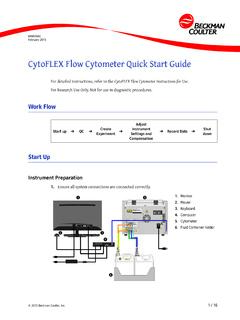
CytoFLEX Flow Cytometer Quick Start Guide
med.nyu.eduCytoFLEX Flow Cytometer Quick Start Guide Recording Data Recording Data 1. Select to start acquisition and display data. This data is saved but can be overwritten by changing the instrument setting during the run, or by repeating the run. NOTE Data saved during the run has a bl ue label next to the tube. This blue label indicates that data
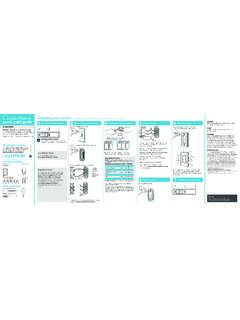
Wireless Installing your switch quick-start guide 1 2 3 4
www.casetawireless.comquick-start guide In-wall switch Welcome—and thank you for purchasing a CasétaR Wireless in-wall switch. In order to control your lights from an app or remote, you’ll need to replace an existing switch with a CasétaR Wireless in-wall switch. We hope …

Cisco WAP150 Quick Start Guide
www.cisco.com8 Cisco WAP150 Quick Start Guide We strongly recommend that you use the Setup Wizard for the first installation. For more advanced configurations, see the Administration Guide. A link to the Administration Guide is found in Where to Go From Here. Congratulations, you can now start using your Cisco WAP150. Suggested Next Steps

LABORATORY QUICK START GUIDE TO CMS CLIA …
www.cms.govLABORATORY QUICK START GUIDE TO CMS CLIA CERTIFICATION. Complete Type of Laboratory in section III. In section III, select the . Type of Laboratory. that is most descriptive of the location where the laboratory testing is performed. If you have questions, contact your 21 State Agency. STEP 2: Send Completed . CMS-Form 116 to the appropriate ...

EAR Quick Start Guide - California State Controller
www.sco.ca.govQuick Start Guide to Completing the STD 686 Employee Action Request (EAR) 5 | P a g e The W4 form will load. It is four pages. Follow the instructions on the form to determine the appropriate withholding for your circumstances. The IRS Tax Withholding Estimator referenced in Step 2(a) can be found here: ...
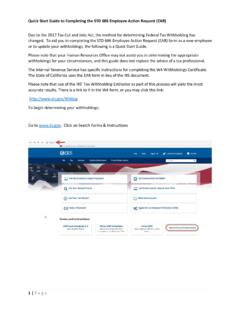
EAR Quick Start Guide - California State Controller
www.sco.ca.govQuick Start Guide to Completing the STD 686 Employee Action Request (EAR) 1 | Page Due to the 2017 Tax Cut and Jobs Act, the method for determining Federal Tax Withholding has changed. To aid you in completing the STD 686 Employee Action Request (EAR) form as a new employee or to update your withholdings, the following is a Quick Start Guide.