
Quick Start Guide - Hikvision
www.hikvision.com/en/us Please note, that the Quick Start Guide is compiled for the latest firmware versions. Please upgrade the firmware of the DVR/NVR to the latest ...
Download Quick Start Guide - Hikvision

Information
Domain:
Source:
Link to this page:
Documents from same domain

DS-2TD2636-10/15 Thermal Bi-spectrum Network …
www.hikvision.comHikvision DS-2TD2636-10/15 Thermal Bi-spectrum Network Bullet Camera is applied to perimeter defense and fire-prevention purposes in critical infrastructures such as: airport, railway, prison, power station, 4S stores, and so

Network Dome Installation - Hikvision
www.hikvision.comNetwork Dome Camera Installation Manual V3.0.0 Hangzhou Hikvision Digital Technology Co., Ltd. http://www.hikvision.com 2010‐04

DS-2CD2T22WD-I3/I5/I8 2.0MP EXIR Network …
www.hikvision.comDS-2CD2T22WD-I3/I5/I8 2.0MP EXIR Network Bullet Camera 1/2.8” Progressive Scan CMOS Up to 2 megapixel resolution Full HD1080p real-time video

DS- 2CD6626B-IZH(R)S(2.8 12 mm )/(8 32 mm) 2 MP …
www.hikvision.comDS-2CD6626B-IZH(R)S(2.8 – 12 mm )/(8 – 32 mm) 2 MP Anti-Corrosion Bullet Camera 1/1.8” Progressive Scan CMOS 1920 × 1080 @ 60fps Motorized zooming and auto focus

iVMS-4200 - Hikvision USA
www.hikvision.comModel iVMS-4200 Group Maximum of Client Encoding Device Maximum of 256 encoding devices supported Maximum of 256 groups supported Maximum of 256 channels can be imported to each group

iVMS-4200 Client Software Technical Specification v1
www.hikvision.comIntroduction iVMS-4200 Client Software is a centralized video management software using a distributed structure for surveillance device control and management.

DS-7200HQHI-F1/N SERIES TURBO HD DVR - …
www.hikvision.comDS-7200HQHI-F1/N SERIES TURBO HD DVR Video Input and Transmission Connectable to HDTVI, AHD and analog cameras Up to 2-ch 1080p IP cameras input for DS-7208/7216HQHI-F1/N

DS-2TD2166-15/25/35 - Hikvision USA
www.hikvision.comDS-2TD2166-15/25/35 Thermal Network Bullet Camera Hikvision DS-2TD2166-15/25/35 Thermal Network Bullet Camera adopts vanadium oxide uncooled focal plane sensor

DS-7200HVI-ST Series DVR User's Manual - …
www.hikvision.com10 z Remote manual recording. z Remote video image capture in JPEG format. z Remote PTZ control. z Voice talk and broadcast. z Built-in WEB Server.

DS 6400HDI T Series Decoder USER MANUAL …
www.hikvision.comUser Manual of DS-6400HDI-T Decoder 1 Hikvision Network Digital Video Recorder User’s Manual This manual, as well as the software described in it, is furnished under license and may be used or copied only in
Related documents
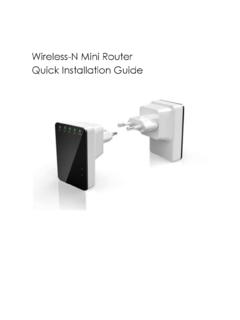
Wireless-N Mini Router Quick Installation Guide
www.accessionx.comINTRODUCTION The Wireless N Router is a combined wired/wireless network connection device designed specifically for small business, office, and home office

S2 NetBox Quick Setup - ClickTeck
www.clickteckrd.comGetting Started with S2 NetBox® CHECKLIST Packing List S2 NetBox Data Required Static IP addresses for the S2 controller, the S2 node, and a local PC or laptop Subnet mask Gateway DNS 1 and DNS2 (optional) Tools and Resources Mounting hardware Ethernet cable: CAT 5 or better with an RJ-45 connector Local PC or laptop (for setting controller IP values)

Cello Quick Start User Guide - Meter-Master
www.meter-master.comCello Quick Start User Guide 5 Document Ref: UM589018 Issue 1 STEP 1 - SETUP HOST GSM MODEM Because not all host modems are created equal or offer the same features, the following is a general setup guide only.

Français Español Italiano Deutsch
www.surveillance-download.com720z ADJUST FOCAL LENGTH & FOCUS FOR SELECTED VARI-FOCAL MODELS ONLY Manually: For the vari-focal camera that its front cover could be removed. Remotely: For the vari-focal camera that its front cover could NOT be removed. Note: The appropriate temperature for focus adjustment is 0˚C ~ 40˚C, and prevent adjusting in moisture environment. Step1: Make sure the camera power is on.
ISY994i Series Quick Setup Guide 1. ISY Installation
www.universal-devices.com- 1 - ISY994i Series Quick Setup Guide 1. ISY Installation 1. Connect one of the included Cat5e cable to ISY’s Network Port and to your network hub. Note: the network must initially be …