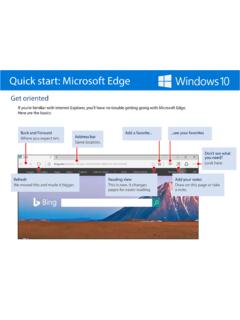
Quick start: Microsoft Edge
Quick start: Microsoft Edge If you don’t always have internet access, add webpages that you want to read later to your Reading List and you’ll be able to get to them offline, too. 1. Add things to the list Open a webpage > select the Favorites button > Reading list > Add. 2. Open the list Hub button > Reading list .
Download Quick start: Microsoft Edge

Information
Domain:
Source:
Link to this page:
Documents from same domain

Quick start for Photos – Windows Help
compass-ssl.microsoft.comQuick start Photos app Organize the collection and albums The checkboxes (or Select button) make it easy to share, move, copy, and delete photos.
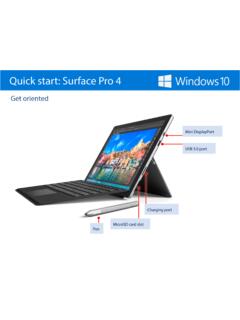
Quick start for Surface Pro 4 – Surface Help
compass-ssl.microsoft.comQuick start Surface Pro 4 Magnetic strip Attach the magnetized pen to the side of the screen for storage. Power button Volume button Kickstand Headphone jack

Use Microsoft Edge to Collaborate – Microsoft Edge Help
compass-ssl.microsoft.comUse Microsoft Edge to collaborate When you’re done editing, share the whole thing , save everything , or clip just a piece and paste it in an app or email. Made a mistake? Erase it. Erase just a part or everything at once Select the Eraser and start removing a single line at a time with your finger, stylus, or mouse.
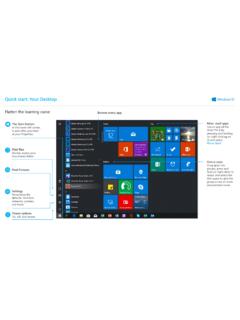
Quick start: Your Desktop
compass-ssl.microsoft.comTurn on your microphone and ask your question. Meet Cortana, your digital assistant. Cortana helps you find things on your device, manages your calendar, tracks packages, and can even tell you a joke on a rough Monday morning. The more you use Cortana, the more personalized your experience will be.
Related documents
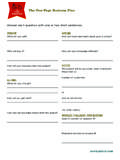
Answer each question with one or two short sentences.
100startup.com100startup.com the one-page Business plan OVERVIEW What will you sell? Who will buy it? How will your business idea help people? KA-CHING What will you charge?
Quick start for Photos – Windows Help
compass-ssl.microsoft.comQuick start Photos app Less magic, but more control Filters, contrast, and colors—oh my! 4. Dare to compare Make a change and then press-and-hold the Compare button to see the before, and let go to see the after. 2. Select the thing you want to change over here 3. Make the actual change over here Most changes require a single tap or
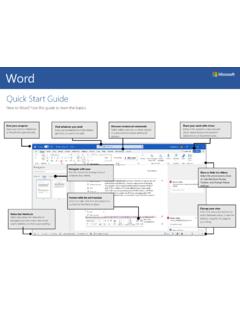
Quick Start Guide
download.microsoft.comQuick Start Guide. New to Word? Use this guide to learn the basics. Save your progress. Save your work on OneDrive or SharePoint automatically. Find whatever you need. Look up commands from the ribbon, get Help, or search the web. Discover contextual commands. Select tables, pictures, or other objects in a document to reveal additional options.
The Agile Maturity Model - ThoughtWorks
info.thoughtworks.comWe start with a discussion of the Agile Maturity Model, move on to building and releasing software, present the maturity model, and then describe how to use it. The Agile Maturity Model The Capability Maturity Model Integrated (CMMI®) is intended to institutionalize a collection of pre-defined delivery

DEBATE LANGUAGE: Professional Speaking Skills
www.cambridge.orgDEBATE LANGUAGE: Professional Speaking Skills CLARIFICATION & INFORMATION REQUESTS OPINION & PARTICIPATION REQUESTS DISAGREEMENT AGREEMENT Do you mean…? What do you mean? What does that mean? Could you clarify…? Could you repeat that?
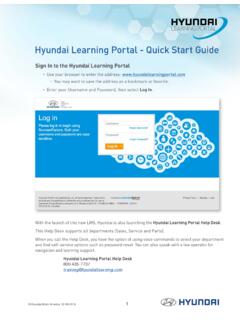
Hyundai Learning Portal - Quick Start Guide
d309r4l5dsjg4w.cloudfront.netHyundai Learning Portal - Quick Start Guide Sign In to the Hyundai Learning Portal • Use your browser to enter the address: www.hyundailearningportal.com ou may want to save the address as a bookmark or favorite.Y • Enter your Username and Password, then select Log In.

Intel® Rapid Start Technology User Guide
www.intel.com2.3. Locate the setting for Intel Rapid Start Technology, and click the check box to enable it. 2.4. Set the option for Hibernation Timer to Immediately. 2.5. Press the F10 key to save settings, exit BIOS, and restart the computer. If your computer has non-Visual BIOS or Classic Mode: 2.1.Press the F2 key during boot to enter the BIOS setup. 2.2. Scroll to the Power menu.

uick start Microsoft Edge
compass.microsoft.comuick start Microsoft Edge If you don’t always have internet access, add webpages that you want to read later to your Reading List and you’ll be able to get to them offline, too. 1. Add things to the list Open a webpage > select the Favorites button > Reading list > Add. 2. Open the list Hub button > Reading list .
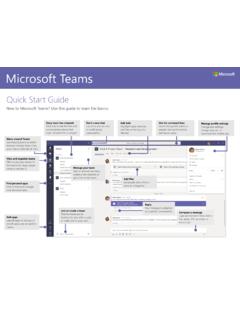
Microsoft Teams
pulse.microsoft.comStart a meeting Click Meet now under the area where you type a message to start a meeting in a channel. (If you click Reply, then Meet now , the meeting is based on that conversation.) Enter a name for the meeting, then start inviting people.