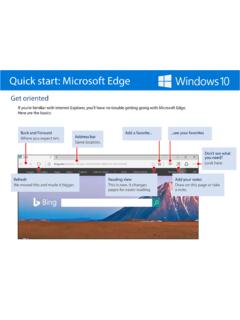
Quick start: Microsoft Edge
Quick start: Microsoft Edge The new toolbar appears at the top of the page. Select the Pen button to change the color and size. The Highlighter next to the Pen button works the same way. Want to take notes or draw on a page and then share it? Select Make a Web Note It’s in the upper right. Pick a writing tool over here on the left
Download Quick start: Microsoft Edge

Information
Domain:
Source:
Link to this page:
Documents from same domain

Quick start for Photos – Windows Help
compass-ssl.microsoft.comQuick start Photos app Organize the collection and albums The checkboxes (or Select button) make it easy to share, move, copy, and delete photos.
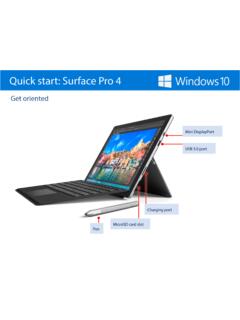
Quick start for Surface Pro 4 – Surface Help
compass-ssl.microsoft.comQuick start Surface Pro 4 Magnetic strip Attach the magnetized pen to the side of the screen for storage. Power button Volume button Kickstand Headphone jack

Use Microsoft Edge to Collaborate – Microsoft Edge Help
compass-ssl.microsoft.comUse Microsoft Edge to collaborate When you’re done editing, share the whole thing , save everything , or clip just a piece and paste it in an app or email. Made a mistake? Erase it. Erase just a part or everything at once Select the Eraser and start removing a single line at a time with your finger, stylus, or mouse.
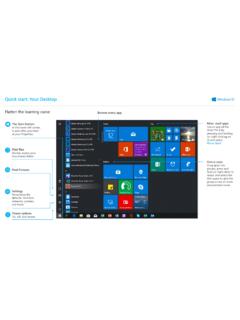
Quick start: Your Desktop
compass-ssl.microsoft.comTurn on your microphone and ask your question. Meet Cortana, your digital assistant. Cortana helps you find things on your device, manages your calendar, tracks packages, and can even tell you a joke on a rough Monday morning. The more you use Cortana, the more personalized your experience will be.
Related documents

THE EPWORTH SLEEPINESS SCALE
yoursleep.aasmnet.orgTHE EPWORTH SLEEPINESS SCALE How likely are you to doze off or fall asleep in the following situations, in contrast to feeling just tired? This refers to your usual way of life in recent times.
Quick start for Photos – Windows Help
compass-ssl.microsoft.comQuick start Photos app Less magic, but more control Filters, contrast, and colors—oh my! 4. Dare to compare Make a change and then press-and-hold the Compare button to see the before, and let go to see the after. 2. Select the thing you want to change over here 3. Make the actual change over here Most changes require a single tap or

Intel® Rapid Start Technology User Guide
www.intel.com2.3. Locate the setting for Intel Rapid Start Technology, and click the check box to enable it. 2.4. Set the option for Hibernation Timer to Immediately. 2.5. Press the F10 key to save settings, exit BIOS, and restart the computer. If your computer has non-Visual BIOS or Classic Mode: 2.1.Press the F2 key during boot to enter the BIOS setup. 2.2. Scroll to the Power menu.

uick start Microsoft Edge
compass.microsoft.comuick start Microsoft Edge The new toolbar appears at the top of the page. Select the Pen button to change the color and size. The Highlighter next to the Pen button works the same way. Want to take notes or draw on a page and then share it? Select Make a Web Note It’s in the upper right. Pick a writing tool over here on the left
Intel® Rapid Start Technology User Guide for UEFI Mode
www.intel.comIf your computer has Intel® Visual BIOS: 2.1.Press the F2 key during boot to enter the Visual BIOS. 2.2.Click the button for Advanced Setup, and then click Power. 2.3. Locate the setting for Intel Rapid Start Technology, and click the check box to enable it. 2.4. Set the option for Hibernation Timer to Immediately. 2.5. Press the F10 key to save settings, exit BIOS, and …
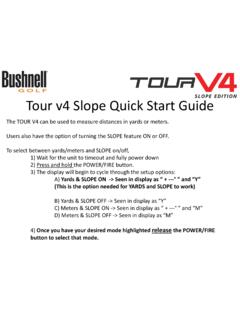
Tour v4 Quick Start Guide - Bushnell Golf
www.bushnellgolf.comTour v4 Slope Quick Start Guide The TOUR V4 can be used to measure distances in yards or meters. Users also have the option of turning the SLOPE feature ON or OFF. To select between yards/meters and SLOPE on/off, 1) Wait for the unit to timeout and fully power down 2) Press and hold the POWER/FIRE button.
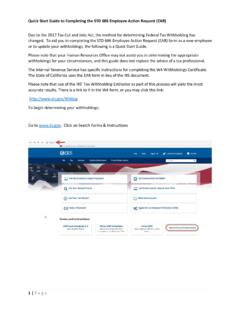
EAR Quick Start Guide - California State Controller
www.sco.ca.govQuick Start Guide to Completing the STD 686 Employee Action Request (EAR) 1 | Page Due to the 2017 Tax Cut and Jobs Act, the method for determining Federal Tax Withholding has changed. To aid you in completing the STD 686 Employee Action Request (EAR) form as a new employee or to update your withholdings, the following is a Quick Start Guide.
Sample article for organizations to use to reach customers ...
www.irs.govFresh Start in 2011 to help struggling taxpayers. Now, to help a greater number of taxpayers, the IRS has expanded the program by adopting more flexible Offer-in-Compromise terms. This expansion will enable some of the most financially distressed taxpayers to clear up their tax problems, possibly more quickly

SCARLETT QUICK START GUIDE INSTALLING ABLETON FOR …
getstarted.focusrite.comSCARLETT QUICK START GUIDE PAGE . On the Get Live 10 Lite page select your operating system in the drop-down menu and select download. Navigate to the downloads folder on your computer and you’ll see the installer for Ableton Live Lite downloading.

When to start and end isolation - Wyoming Department of …
health.wyo.govWhen to start and end isolation You should isolate until all three things are true: You have not had a fever (without using fever-reducing medications) for at least 24 hours. Your other symptoms have improved since they first began. At least 10 days have gone by since your symptoms first started. If you had no symptoms, stay in isolation for 10 days starting from the date you took …