Example: air traffic controller
Tour v4 Quick Start Guide - Bushnell Golf
Tour v4 Slope Quick Start Guide The TOUR V4 can be used to measure distances in yards or meters. Users also have the option of turning the SLOPE feature ON or OFF. To select between yards/meters and SLOPE on/off, 1) Wait for the unit to timeout and fully power down 2) Press and hold the POWER/FIRE button.
Tags:
Information
Domain:
Source:
Link to this page:
Documents from same domain
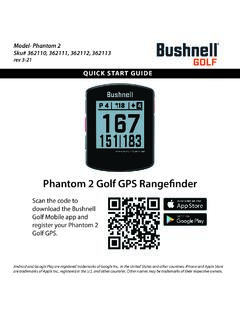
Quick Start Guide Phantom 2 GPS Models 362110 362111 ...
www.bushnellgolf.com11 - PORT USB (Type C) : pour connecter l’appareil au bloc d’alimentation. Guide de démarrage rapide. 1. Rechargez la batterie interne du Phantom 2 en branchant le câble USB d’un bloc d’alimentation sur le port USB (11) de l’appareil. 2. Maintenez le bouton de mise en marche enfoncé (1) pour allumer l’appareil.
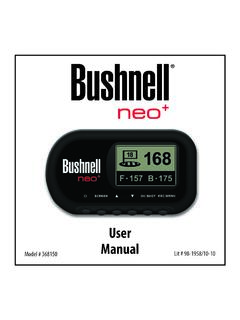
Neo+ Plus Golf GPS UserManual 1LIM rev101210
www.bushnellgolf.comThe Bushnell neo+ is preloaded with over 16,000 golf courses and ready to use out of the box without downloading any additional software. After you’ve had a chance to begin to get familiar with the capabilities of the neo+, please be sure go to iGolf.com to set up
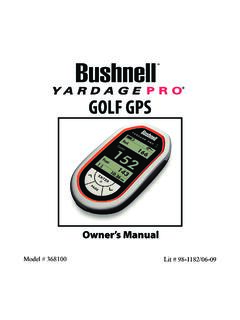
GOLF GPS
www.bushnellgolf.comBushnell is committed to the safe and responsible enjoyment of the outdoors. Warning: Do not use this device with any batteries that have broken or cracked casings. Always use fresh, high quality batteries. Check the battery compartment after the unit has had any prolonged exposure to

201660+201661 Tour V4 5LIM rev071117 - bushnellgolf.com
www.bushnellgolf.com9 About TOUR V4 - Slope Edition (LCD Indicator “ - - - “ ) This advanced and patented technology found on SLOPE EDITION models features a built-in accelerometer-based inclinometer that digitally displays the exact slope angle from -20 to +20 degrees of elevation and is +/- 1.0 degree accurate.
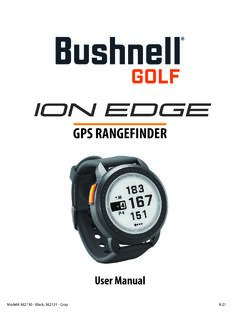
User Manual iON Edge GPS Watch Models 362130 362131
www.bushnellgolf.com– if you are a returning user to the app, select “See All” from the “My Devices Section”, click “Add Device”, and select Ion Edge. • Follow the on screen instructions in the app to pair and connect your Ion Edge . Note: After paired, once powered up the Bluetooth on/off state will be the last set state. Scan the code to
User Manual - Bushnell Golf
www.bushnellgolf.comUser. Manual. Rangefinder Watch. GPS ... By using this product, you agree that Bushnell Outdoor Products will not be held legally responsible . for any injury or damage to you or any person or property caused by the user’s improper operation and/or …
User Manual Phantom 2 Handheld GPS Models 362110 …
www.bushnellgolf.comBy using this product, you agree that Bushnell Outdoor Products will not be held legally responsible for any injury or damage to you or any person or property caused by the user’s improper operation and/or poor judgment while using this product. Note: See Limited Warranty for other limitations to our liability. Additional Information
LASER RANGEFINDER OWNER’S GUIDE
www.bushnellgolf.comACTIVE LASER Crosshairs surrounding the aiming circle indicate that the laser is being transmitted. Once a range has been acquired, you can release the Power/Fire button. The crosshairs surrounding the circle will disappear once the Power/Fire button has been released (i.e. the laser is no longer being transmitted). 6 5 4 3 2 7 1

How to do an Individual Course Sync and to your Bushnell ...
www.bushnellgolf.comSerial Number of your device. 3. Once signed-in, the Main Menu will be displayed. Select ‘MY DEVIE’ in the upper-left of the display and begin Device Setup/Bluetooth Pairing process. 4. Follow the instructions on the Device Setup page to Enable Bluetooth Discovery Mode on your device: i. Go to MENU ii. Select BLUETOOTH iii. Select TURN ON ...
Instruction Manual - Bushnell Golf
www.bushnellgolf.comGOLF MENU ITEMS (From Watch mode, press GOLF MENU button) • PLAY GOLF: from any screen, returns display to showing current hole and distances based on your current position on the course. • TEE TIME: Tee Time is a convenience feature that allows you to set up a tee time (golf date) in advance. When a Tee Time has been
Related documents

When to start and end isolation - Wyoming Department of …
health.wyo.govWhen to start and end isolation You should isolate until all three things are true: You have not had a fever (without using fever-reducing medications) for at least 24 hours. Your other symptoms have improved since they first began. At least 10 days have gone by since your symptoms first started. If you had no symptoms, stay in isolation for 10 days starting from the date you took …
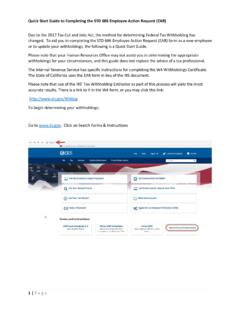
EAR Quick Start Guide - California State Controller
www.sco.ca.govQuick Start Guide to Completing the STD 686 Employee Action Request (EAR) 1 | Page Due to the 2017 Tax Cut and Jobs Act, the method for determining Federal Tax Withholding has changed. To aid you in completing the STD 686 Employee Action Request (EAR) form as a new employee or to update your withholdings, the following is a Quick Start Guide.

Intel® Rapid Start Technology User Guide
www.intel.com2.3. Locate the setting for Intel Rapid Start Technology, and click the check box to enable it. 2.4. Set the option for Hibernation Timer to Immediately. 2.5. Press the F10 key to save settings, exit BIOS, and restart the computer. If your computer has non-Visual BIOS or Classic Mode: 2.1.Press the F2 key during boot to enter the BIOS setup. 2.2. Scroll to the Power menu.

Quick start for Photos – Windows Help
compass-ssl.microsoft.comQuick start Photos app Less magic, but more control Filters, contrast, and colors—oh my! 4. Dare to compare Make a change and then press-and-hold the Compare button to see the before, and let go to see the after. 2. Select the thing you want to change over here 3. Make the actual change over here Most changes require a single tap or

uick start Microsoft Edge
compass.microsoft.comuick start Microsoft Edge The new toolbar appears at the top of the page. Select the Pen button to change the color and size. The Highlighter next to the Pen button works the same way. Want to take notes or draw on a page and then share it? Select Make a Web Note It’s in the upper right. Pick a writing tool over here on the left
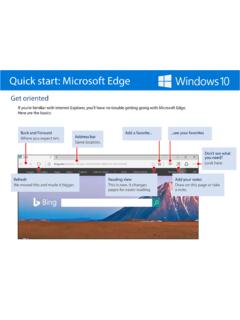
Quick start: Microsoft Edge
compass-ssl.microsoft.comQuick start: Microsoft Edge The new toolbar appears at the top of the page. Select the Pen button to change the color and size. The Highlighter next to the Pen button works the same way. Want to take notes or draw on a page and then share it? Select Make a Web Note It’s in the upper right. Pick a writing tool over here on the left
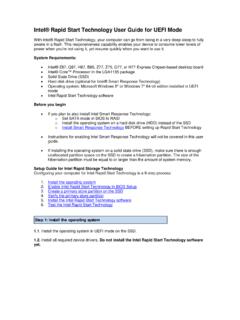
Intel® Rapid Start Technology User Guide for UEFI Mode
www.intel.comIf your computer has Intel® Visual BIOS: 2.1.Press the F2 key during boot to enter the Visual BIOS. 2.2.Click the button for Advanced Setup, and then click Power. 2.3. Locate the setting for Intel Rapid Start Technology, and click the check box to enable it. 2.4. Set the option for Hibernation Timer to Immediately. 2.5. Press the F10 key to save settings, exit BIOS, and …

SCARLETT QUICK START GUIDE INSTALLING ABLETON FOR …
getstarted.focusrite.comSCARLETT QUICK START GUIDE PAGE . On the Get Live 10 Lite page select your operating system in the drop-down menu and select download. Navigate to the downloads folder on your computer and you’ll see the installer for Ableton Live Lite downloading.
Sample article for organizations to use to reach customers ...
www.irs.govFresh Start in 2011 to help struggling taxpayers. Now, to help a greater number of taxpayers, the IRS has expanded the program by adopting more flexible Offer-in-Compromise terms. This expansion will enable some of the most financially distressed taxpayers to clear up their tax problems, possibly more quickly

THE EPWORTH SLEEPINESS SCALE
yoursleep.aasmnet.orgTHE EPWORTH SLEEPINESS SCALE How likely are you to doze off or fall asleep in the following situations, in contrast to feeling just tired? This refers to your usual way of life in recent times.