
RingCentral Phone™ for Desktop Quick Reference Guide
RingCentral Phone™ for Desktop Quick Reference Guide RingCentral Phone for desktop is a free downloadable application that turns your PC or Mac® ... • Windows® 7 (or later) • Minimum 2 GHz (32-bit or 64-bit) processor • Minimum of 4 GB of memory (8 GB recommended)
Download RingCentral Phone™ for Desktop Quick Reference Guide

Information
Domain:
Source:
Link to this page:
Documents from same domain

Polycom® VVX® 501 - RingCentral
netstorage.ringcentral.comRINGCENTRAL PHONE DATASHEET POLYCOM VVX 501 2 Features and specifications Lines • 12 lines for calls or use up to 10/50 4 for presence monitoring Display • Gesture-based, multitouch-capable, capacitive touchscreen • 3.5-in TFT LCD display at QVGA (320x240 pixel) resolution, 4:3 aspect ratio • Screensaver and digital picture frame mode Feature keys

Recommended QoS Configuration Settings for ASUS RT …
netstorage.ringcentral.comreal-time voice traffic over lower-priority data traffic, such as large downloads. This document provides recommended configuration settings to ensure the highest-possible QoS experience on the ASUS RT-AC87U router. Please reference the relevant TCP/UDP settings on the Ports and Firewalls table to complete the recommended setup.
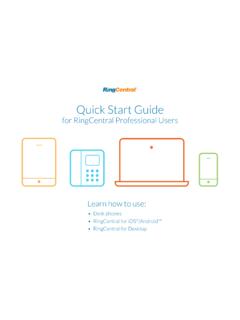
Quick Start Guide - RingCentral
netstorage.ringcentral.comRingCentral® Professional Quick Start Guide | Desk Phones While on a call: Polycom softkeys Conf. > dial second number > Cisco softkeys > dial second number > wait till other person picks up Conference Conf. Conf. Conf. While on a call: Number keys to start to end Recordings available online: Login > Messages > Recordings Record* * 9 * 9

Meraki MX64 Firewall/Router QoS Configuration Guide
netstorage.ringcentral.comservices, RingCentral cannot control the final configuration of the hardware or your computer systems/networks, or promise firewall will work with your system, or guarantee that our information is 100% up to date. This document is intended to be used as a guide to assist in customer network configuration.

U s e r G u i d e Rin g C e n tra l MVP
netstorage.ringcentral.comVoicemail setup 18 Changing the voicemail greeting 18 Use RingCentral Anywhere 21 ... Passwords and security questions on your online account maintain your confidentiality and privacy. The PIN ... Now check or reset your Re g io n a l S e ttin g s. 1. Verify Re g io n a l S e ttin g s specified for your account.
RingCentral Phone Desktop App™
netstorage.ringcentral.com• Older Cisco and some Polycom (VVX101/VVX201) models may not display non-ASCII characters properly on devices. • Characters might display improperly when using intercom and page. Note: Japanese and Brazilian Portuguese have not been integrated into Q365, SFDC, Zendesk, MS Dynamics, Global c2D, or Microsoft Outlook.

RingCentral | RC Performance Reports, Company Numbers ...
netstorage.ringcentral.comPerformance Reports RingCentral Performance Reports is an additional tool that enables you to research call records to determine your business unit performance. By using Key Performance Indicators (KPI) as well as targeted filters, Performance Reports assists you in combining user, queue, and call activity to evaluate performance.
Related documents

MiCollab Client Quick Reference Guide Q - Mitel Edocs
edocs.mitel.comMiCollab Client Quick Reference GuideQ About MiCollab Client MiCollab Client is a software comm unications product integrated with advanced call management features. The following clients are available: • MiCollab for PC Client (Windows 10 only) • MiCollab MAC Desktop Client • MiCollab Web Client

Windows 7 Quick Reference Guide - Hobbs Municipal Schools
hobbsschools.netWindows 7 Quick Reference Guide Updated: April 2010 Windows Explorer Keyboard Shortcuts • To Search for a File or Program: Click the Start button and type a keyword for the file or program. Results are displayed immediately in the menu. • To Search for a …
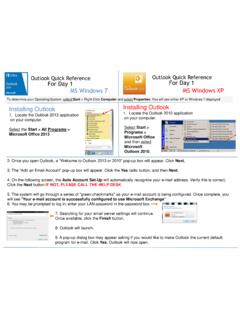
Outlook Quick Reference For Day 1 MS Windows 7 ... - …
w3.assurant.comOutlook Quick Reference For Day 1 Outlook Quick Reference For Day 1 MS Windows 7 MS Windows XP Installing Outlook 1. Locate the Outlook 2013 application on your computer. Select the Start > All Programs > Microsoft Office 2013 Installing Outlook 1. Locate the Outlook 2010 application on your computer. Select Start > Programs > Microsoft Office ...

Windows 7 Quick Reference Guide - Lehman College
wp.lehman.eduWindows 7 – Quick Reference Guide Windows Explorer Desktop shortcuts Gadgets Start menu Start menu search box T Start button Active program buttons ndows Explorer icon askbar T askbar Notific tion area Show Desktop button Starting Programs and Opening Files To open the Start menu: 1.

Adobe Photoshop 7.0 Quick Reference Card for Windows
www.cheat-sheets.orgVersion 7 for Windows ® QUICK REFERENCE CARD Adobe Online Move (V) (M) Rectangular Marquee Magic wand (W) Slice (K) Brush (B) History brush (Y)* Gradient (G)*

Windows 7 Quick Reference - SharePoint Training
www.customguide.comWindows 7 Quick Reference Card Windows Explorer Keyboard shortcuts General Start menu My Computer + E Create new folder Ctrl + Shift + N Zoom + + Connect to projector + P Flip 3D + Tabnavigation to Window management Peek at the desktop + Space Show/Hide desktop + D Minimize all windows + M Minimize other + Home windows
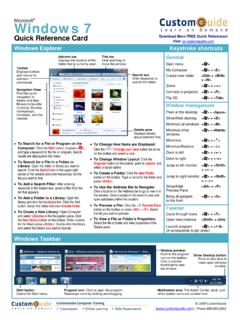
Windows 7 QR - CustomGuide
www.customguide.com• Jump Lists are quick shortcuts to files and commands that a program uses program selected. For example, Internet Explorer displays frequently visited pages, Microsoft Word displays frequently opened documents. • To View a Jump List: Right-click an icon on the Windows 7 taskbar. Or,
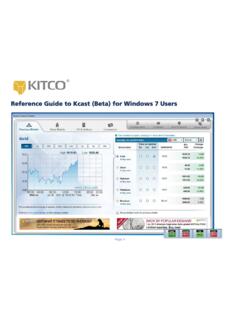
Reference Guide to Kcast (Beta) for Windows 7 Users
www.kitco.comRecommended Windows 7 Settings for Kcast Users To get the most out of your Kcast application, Kitco strongly recommends the following default settings for your Windows 7 operating system: Note: The Kcast for Windows 7 Taskbar always appears on your Application Tray (bottom left of your window). Taskbar Settings 1. Right-click the Windows taskbar 2.
Detailed Guide to Office 2010 - Word - Renfro Corporation
www.renfro.comBy design, this guide can be used as a replacement for the Windows 7 and Microsoft Office 2010 Quick Start Guide section for “Microsoft Word 2010” and the Word-related pieces of “Microsoft Office 2010 – Common Features” .
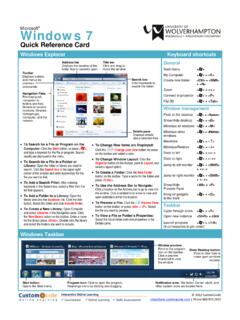
Windows 7 - University of Wolverhampton
www2.wlv.ac.ukTo Flip through Windows with Flip 3D: Press < > + <Tab>; continue to hold down the < > key while pressing <Tab> to scroll through the open windows. Personalization To Personalize Windows 7 Appearance and Sounds: Right-click the desktop and select Personalize. The …
Related search queries
MiCollab Client Quick Reference, Windows, Windows 7 Quick Reference Guide, Outlook Quick Reference For Day, Windows 7, Windows 7 – Quick Reference Guide Windows, Quick Reference Card for Windows, QUICK REFERENCE, Windows 7 Quick Reference, Quick, Reference Guide to Kcast (Beta) for Windows 7, Kitco, Detailed Guide to Office 2010 - Word