
S1 Pro - Bose
Consult the dealer or an experienced radio/TV technician for help. Changes or modifications not expressly approved by Bose Corporation could void the user’s authority to operate this equipment. This device complies with part 15 of the FCC Rules and with Industry Canada license-exempt RSS standard(s). Operation
Download S1 Pro - Bose

Information
Domain:
Source:
Link to this page:
Documents from same domain
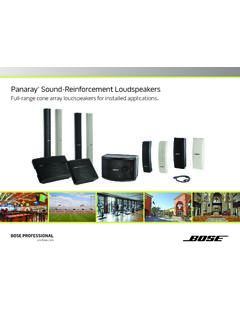
Panaray Sound-Reinforcement Loudspeakers
assets.bose.comPanaray ® Sound-Reinforcement Loudspeakers Full-range cone array loudspeakers for installed applications. 2 From the legendary Bose® 901 ® to the Professional 802 Bose first demonstrated the advantages of full-range cone driver arrays with the revolutionary 901 Direct/Reflecting® high-fidelity loudspeaker. Based on extensive …
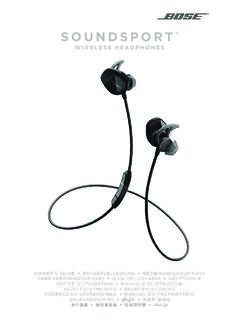
SOUNDSPORT - Bose Corporation
assets.bose.com• ®Unlock the full potential of your SoundSport wireless headphones • Free app compatible with most Apple and Android™ systems • Easily connect and switch between multiple Bluetooth® devices with a single swipe
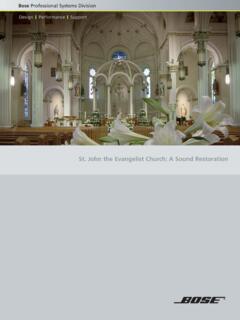
St. John the Evangelist Church: A Sound Restoration
assets.bose.comA major restoration at St. John the Evangelist Catholic Church in Delphos, Ohio, created an unexpected reverberation problem that lasted for more than seven years.
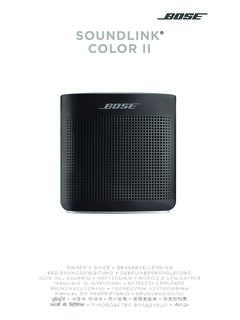
SOUNDLINK COLOR II - Bose Corporation
assets.bose.comBose Corporation hereby declares that this product is in compliance with the essential requirements and other relevant provisions of Directive 2014/53/EU and all other applicable EU directive requirements.
SOUNDLINK - Bose Corporation
assets.bose.comBose Corporation hereby declares that this product is in compliance with the essential requirements and other relevant provisions of Directive 2014/53/EU and all other applicable EU directive requirements.
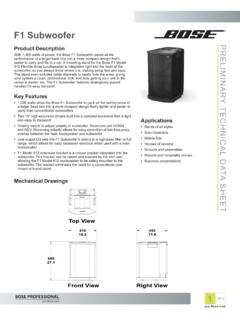
PRELIMINARY TECNICAL DATA SEET - Bose Corporation
assets.bose.com1 OF 3 PRELIMINARY TECNICAL DATA SEET proBosecom F1 Subwoofer Applications • Bands of all styles • Solo musicians • Mobile DJs • Houses of worship • Schools and universities • Resorts and hospitality venues • Business presentations Product Description With 1,000 watts of power, the Bose F1 Subwoofer packs all the
SoundSport Free Wireless - Bose
assets.bose.comWIRELESS. 2 - ENGLISH ITN SE INSINS Please read and keep all safety and use instructions. Important Safety Instructions ... • Do NOT submerge or expose the earbuds for extended period to water, or wear while participating in water sports, e.g., swimming, waterskiing, surfing, etc.
WAVE SOUNDTOUCH PEDESTAL - Bose
assets.bose.comSoundTouch pedestal: • Place the rear feet of the Wave music system into the recesses on top of the SoundTouch pedestal. • Make sure the Wave music system sits flat and the side edges of both parts are aligned. 3. Insert the SoundTouch pedestal’s cable into the Bose link connector. Connect the system to power
Gebruikershandleiding
assets.bose.comDUTCH - 3 WETT CHT UDCH ORMAT ... Apple, het Apple-logo, iPad, iPhone en iPod zijn handelsmerken van Apple Inc., gedeponeerd in de VS en andere landen. App Store is een servicemerk van Apple Inc. Het handelsmerk ‘iPhone’ …
Owner’s Guide - Bose
assets.bose.comPlug the power cord on the AC power supply into the DC connector on the back of the speaker. 3. Plug the AC power supply into a live AC (mains) outlet. The speaker emits a tone to confirm connection to AC power, and charging begins. On the front of the speaker, the battery status indicator blinks yellow to show the battery is charging.
Related documents

HELPFUL TIPS TROUBLESHOOTING PROBLEM POSSIBLE …
pdf.lowes.com4. Consult the dealer or an experienced radio/TV technician for help. WARNING: CHOKING HAZARD – Small ! Parts. Not for children under 3 years. 1 4 SAFETY INFORMATION This is a “GROUNDED” device. The male plug contains a ground pin and is only intended for use with a three-pronged grounded outlet.
SOUNDSPORT FREE - Bose
assets.bose.com• Consult the dealer or an experienced radio/TV technician for help. Changes or modifications not expressly approved by Bose Corporation could void the user’s authority to operate this equipment. This device complies with part 15 of the FCC Rules and with Industry Canada license-exempt RSS standard(s). Operation

MB168B/MB168B+ USB Monitor User Guide - Asus
dlcdnets.asus.comClass B digital device, pursuant to Part 15 of the FCC Rules. These limits ... NOTE: Tips and additional information to aid in completing a task. vi ... 3.2 Troubleshooting (FAQ) Problem Possible Solution Power LED is not ON • Press the button …

Samsung Galaxy A50 A505U User Manual - VZW
ss7.vzw.comEnjoy a full kit of pro lenses and pro-grade video modes and settings. See . Camera . on page 50. Mobile continuity: Transition between your mobile devices and personal computers for

Owner’s Manual - Yamaha Corporation
usa.yamaha.comEasy operation with a TV screen You can operate the iPod or USB storage device, view information, or easily configure the settings using the on-screen menu. BD/DVD player Game console Portable audio player Set-top box TV CD player HDMI Control TV audio Video from external device Useful tips The combination of video/audio input jacks does not

INSTALLATION CONTINUED TROUBLESHOOTING TIPS ˜ Q …
www.feit.comINSTALLATION CONTINUED TROUBLESHOOTING TIPS ˜ Q & A Feit Electric app Works with 4007044 Camera will not connect to my Wi-Fi network • Make sure the LED is blinking blue. If the LED is blinking red, you will need to press and hold Reset Button located behind the cover on the side of the camera (see the Resetting Unit & Accessing SD Card ...