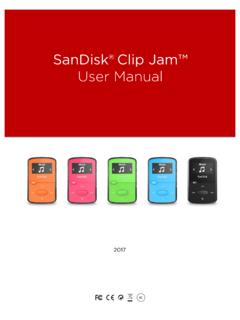
SanDisk® Clip Jam™
Card – Optional microSD™ or microSDHC cards allow extra storage and content. Card sold separately. Settings – View or customize the SanDisk player features. Folders – Browse and listen to content saved in individual folders. SanDisk Clip Jam MP3 Player Overview 6 …
Download SanDisk® Clip Jam™

Information
Domain:
Source:
Link to this page:
Documents from same domain
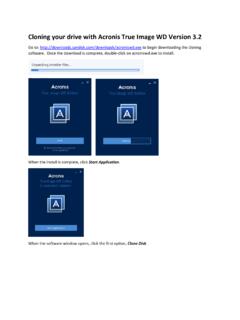
Cloning your drive with Acronis True Image WD Version 3
downloads.sandisk.comA Clone Disk Wizard window appears. We recommend selecting the Automatic option and clicking Next. Now, select the source disk. This is drive that you wish to copy from. Make sure this is your original drive so that you don’t accidentally copy over your original drive and click Next.

Bedienungsanleitung - SanDisk
downloads.sandisk.com2 Wählen Sie die Schaltfläche „+“ zum Hinzufügen von Dateien aus. 3 Wenn Sie aufgefordert werden, Dateien auszuwählen, wählen Sie die Dateien aus, die Sie vom iPhone/iPad auf den Flash Drive übertragen möchten. 4 Wählen Sie das Ziel aus, wo die Dateien auf dem Flash Drive gespeichert werden sollen.

PC SN730 NVMe SSD - SanDisk
downloads.sandisk.comAPST (Autonomous Power State Transitions) and NVMe ASPM (Active State Power Management). In addition, PC SN730 NVME SSD includes a self-thermal throttling mechanism as the last level of thermal protection The PC SN730 NVME SSD is available in M.2 2280 single sided form factor, with capacities of 256, 512 and 1024 gigabytes (GB)1.
SanDisk® Clip Jam™
downloads.sandisk.comWindows® XP SP2 or Mac OS X 10.3 and Linux (mass storage class only), restart the player, and try again. •E: NOT When battery level reaches 20% device will notify: "Battery running low", at 5%- battery will turn off.
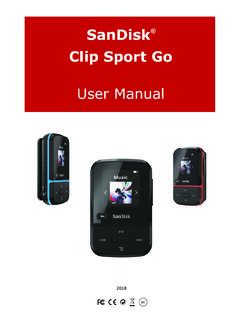
ClipSportGo UserManual 2018v11 - SanDisk
downloads.sandisk.comSanDisk® Clip Sport Go User Manual 4 Playback Screen 1 Play/Pause Displays the music or recording playback status. 2 Battery Indicator Displays the battery status. 3 Album Art Displays the picture of the Album Art of currently playing content.
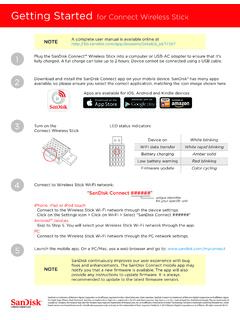
Getting Started for Connect Wireless Stick
downloads.sandisk.comGetting Started for Connect Wireless Stick Plug the SanDisk Connect™ Wireless Stick into a computer or USB-AC adapter to ensure that it’s fully charged. A full charge can take up to 2 hours.

SanDisk® Memory Zone App
downloads.sandisk.comManual Backup – you are able to back up your photos, music, videos, or ... Restore allows you to restore everything from your latest backup. Settings The settings tab leads to a page showing Information and Cloud storage options. Turning this on and off determines whether or not

Western Digital PC SN730 NVMe SSD - SanDisk
downloads.sandisk.comOperating Vibration 5 gRMS, 10-2000Hz, 3 axes Non-Operating Vibration 4.9 gRMS, 7-800Hz, 3 axes Shock 1,500G @0.5 ms half sine, 3 pulses per face Certifications FCC, UL, TUV, KCC, BSMI, VCCI, C-Tick Limited Warranty⁹ 5 years Physical Dimensions Width 22mm ±0.15mm Length 2280: 80mm ±0.15mm Thickness (max) 2.38mm Weight 2280: 7.3g ±0.5g
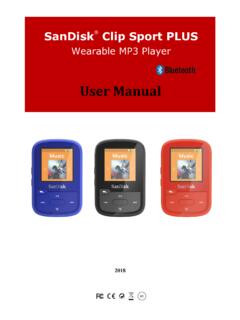
Wearable MP3 Player - SanDisk
downloads.sandisk.comRead the safety instructions carefully before using the player. 1. Review this entire manual to ensure proper usage. 2. Keep this User Manual for future reference. 3. Do not use headphones/earphones while driving, cycling, or operating any motorized vehicle. This may create a traffic hazard and may be illegal in some areas. It can also be

SanDisk SSD Dashboard
downloads.sandisk.comthe Dashboard is launched, it won't be recognized automatically. Click the refresh icon next to the "No USB Drive Found" drop-down. 2. Before proceeding, backup any existing data on the USB drive. 3. Click the drop-down list to select the USB drive.
Related documents

Samsung Galaxy A52 5G A526 User Manual
www.att.commicroSD: NOTE The use of mobile devices on an aircraft or a ship may be subject to federal and local guidelines and restrictions. Check with appropriate authorities and always follow crew instructions regarding when and how you may use your device. Gettingstarted 6.

Samsung Galaxy A12 A125 User Manual - AT&T
www.att.commicroSD: Install SIM/ microSD card: Place the SIM card and optional microSD ...

DS 2CD2183G0 I(S) 8 MP IR Fixed Dome Network Camera
www.hikvision.comApr 16, 2020 · On-board Storage uilt-in microSD/SDH/SDX slot, up to 128 G SV H.264 and H.265 encoding support Reset utton Yes Audio Environment Noise Filtering Yes Audio Sampling Rate 8 kHz/16 kHz/32 kHz/44.1 kHz/48 kHz General Operating onditions -30 ° to +60 ° (-22 °F to +140 °F), humidity 95% or less (non-condensing) Web lient Language 32 languages
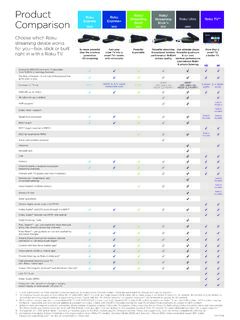
Product Roku Comparison Stick
image.roku.comMicroSD slot USB Remote Channel shortcut buttons to popular streaming channels Remote with TV power and volume buttons Remote with headphone jack for private listening Voice Search via Roku remote Remote finder Gaming buttons Optical digital audio output (S/PDIF) Dolby Audio™ and DTS pass through via HDMI® Dolby Audio™ decode via HDMI ...

Datasheet: High Endurance microSD Card
documents.westerndigital.commicroSD™ card gives you the peace of mind that your dash cam, home monitoring or security system will capture crucial footage when it happens, recording and re-recording worry-free. It’s built tough too—ready to record in extreme heat or freezing cold, and it’s shockproof, waterproof and x-ray proof.2 It’s also rated

Samsung Galaxy S8 / S8+ G950U / G955U User Manual
www.t-mobile.comSMARTPHONE. User Manual. Please read this manual before operating . your device and keep it for future reference.