
SAVE THIS MANUAL FOR FUTURE REFERENCE.
Display unit and outdoor sensor must be within 330 ft (100 m) of each other. To maximize wireless range, place units away from large metallic items, thick walls, metal surfaces, or other objects that may limit wireless communication.
Download SAVE THIS MANUAL FOR FUTURE REFERENCE.

Information
Domain:
Source:
Link to this page:
Documents from same domain

Professional Weather Center - acurite.com
www.acurite.comweather reports for newspapers and websites. Its information comes from the National Weather Service, and over 250,000 personal weather stations. About Weather UndergroundTM Wi-Fi Setup for Weather UndergroundTM This weather station features wireless Internet connectivity in order to connect and send your data to Weather UndergroundTM. If you ...

Weather Thermometer …
www.acurite.compossible product performance, please read this manual in its entirety . and retain it for future reference. Unpacking Instructions . Remove the protective film that is applied to the LCD screen prior to using this product. Locate the tab and peel off to remove. Package Contents . 1. Display unit 2. Outdoor sensor 3. Instruction Manual. IMPORTANT
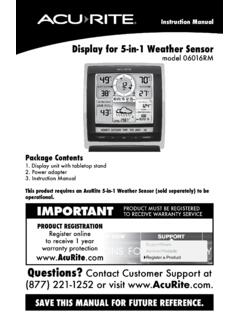
Display for 5-in-1 Weather Sensor model 06016RM Instructions
www.acurite.comInstruction Manual Display for 5-in-1 Weather Sensor model 06016RM Package Contents . 1. Display unit with tabletop stand Power adapter 3. Instruction Manual . This product requires an AcuRite 5-in-1 Weather Sensor (sold separately) to be operational. IMPORTANT. PRODUCT MUST BE REGISTERED TO RECEIVE WARRANTY SERVICE
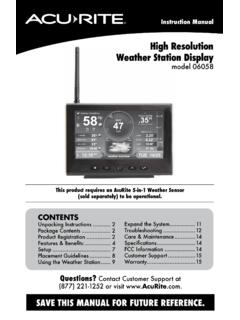
High Resolution Weather Station Display model 06058
www.acurite.comCongratulations on your new AcuRite product. To ensure the best possible product performance, please read this manual in its entirety and retain it for future reference.
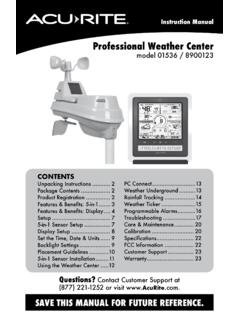
Professional Weather Center - AcuRite
www.acurite.comThis weather station’s color display features three different lighting settings: High (100%) brightness, Medium (60%) brightness and Low (15%) brightness. Using battery power alone, the backlight is available momentarily for 10 seconds by pressing the “
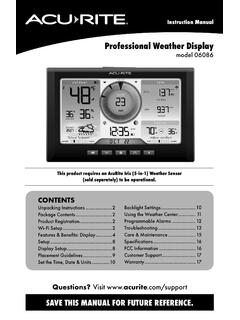
Professional Weather Display - AcuRite
www.acurite.com** This weather station display only supports 2.4 GHz wireless networks. About Weather Underground Weather Underground is a commercial weather service providing real-time weather information via the internet. Weather Underground provides weather reports for most major cities worldwide and local weather reports for newspapers and websites.
PCConnect for Windows Instruction Manual
www.acurite.compublication may be reproduced, stored in a retrieval system, or transmitted in any form or by any. means, electronic, mechanical or otherwise, for any purpose, without the prior written. permission of Chaney Instrument Co.. Chaney Instrument Co. 965 Wells Street. Lake Geneva WI 53147. Web: www.acurite.com. Phone: + 1 844 228 5465. Fax: +1 262 ...
00591W Wireless Thermometer with Sensor
www.acurite.comThe remote temperature will be displayed after installing batteries into the remote sensor. Remote sensor: C/ F Select C & F mode display TX Manually Transmit Temperature. Intended for outdoor use. Maybe used indoors. Will display temperature of immediate location. The sensors can transmit up to 100 feet distance in open area.

AcuRite Iris (5-in-1) Weather Station with Color Display ...
www.acurite.com5. Backup Battery Compartment 6. A-B-C Switch ID code that must match AcuRite Iris sensor’s A-B-C switch to ensure units synchronize. 7. CLEAR RECORD / RESET Button Press and HOLD for 8 seconds to clear all records. Press and HOLD for 10 seconds for full reset to factory defaults. 8. Power Adapter 9. USB Cable for PC Connection 10.

Professional Weather Center - AcuRite
www.acurite.comPackage Contents ..... 2 Product Registration ..... 2 Features & Benefits: 5-in-1 Features & Benefits: Display ... For easy wall mounting. 2. Button . Dimmer control while using power adapter. Activates momentary ... air conditioners, chimneys, exhaust vents, asphalt and concrete (surfaces that radiate heat). ...
Related documents

Network / IP Camera - RIT
ridl.cfd.rit.eduSystem Requirements 4 Indicators The following table shows what each of the LED indicators means. System Requirements The system requires an ethernet port/wireless connection and

User Manual - Brinno
www.brinno.com4 Time Lapse Camera TLC120 Manual Specifications Model No. TLC120 Waterproof IPX4 Image Sensor HDR Sensor with 4.2μm pixel size Optics Lens Low Distortion Fixed Aspherical Lens

LumaWatt Pro Micro Sensor Spec Sheet - Cooper Industries
www.cooperindustries.comLumaWatt Pro Catalog Project Comments Prepared by Type Date PS503047EN 5-22-2018 COMPLIANCE Europe: CE, RoHS, Reach U.S.A.: FC, cUL Listed Canada: cUL Listed
General
www.firelite.comDF-60957:C • 7/16/2018 — Page 1 of 4 ES-200X Intelligent Addressable FACP with Communicator Addressable Fire Alarm Control Panels DF-60957:C General

Scottsdale Vertex™ - SCV Petroleum Canopy LED Luminaire
www.lsi-industries.comScottsdale® Vertex™ - SCV Petroleum Canopy LED Luminaire

Radio Powr SavrT Wireless Daylight Sensor
www.lutron.com®SPECIFICA AL Page ob Name: ob Number: Model Numbers: Radio Powr Savr M LRFX-DCRB Wireless Daylight Sensor 369262i 1 03.24.16 Radio Powr SavrT Wireless Daylight Sensor The LutronR wireless daylight sensor is a
Instruction Manual Indoor/Outdoor Thermometer and ...
www.ntsupply.comneighbor who may be using the same type of sensor under the same channel setting. The base unit can monitor up to 3 remote sensors at a time. (One sensor is included with this item.) • Lift off the rear cover of the remote sensor by separating front and back panels at the side seam. • Select the channel with the switch on the right hand side.
AIRO Micro Strike - hubbellcdn
hubbellcdn.comNXSP30F1 NX, PIR Occupancy Sensor, Dimming Daylight Harvesting, 30' (use white for WH, black for DB, GT, TT, gray for LG, PS) NXWE1 NX Wireless Enabled (module + radio) Stand Alone Sensors SCP-8F5,6 Remote control programmable line voltage sensor SCP-40F5,6 Remote control programmable line voltage sensor Control Options Other 7PR 7 Pin Receptacle

RATIO Series - hubbellcdn
hubbellcdn.comNXWE NX Wireless Enabled (module + radio) NXSPW_F NX Wireless, PIR Occ. Sensor, Daylight Harvesting 4 NXSP_F NX, PIR Occ. Sensor, Daylight Harvesting 4 Control Options Other SCP-40F Programmable occupancy sensor 3 7PR 7-Pin twist lock receptacle 7PR-SC 7-Pin receptacle with shorting cap 7PR-MD40F Low voltage sensor for 7PR 7PR-TL 7-Pin PCR …

PT-VZ580 Series - Panasonic
panasonic.netDaylight View Basic Proprietary technology delivers sharp, comfortably viewed images by enhancing fine details, particularly in dark areas of the image, which are normally difficult to see in brightly lit rooms. A built-in sensor measures ambient light while Daylight View Basic adjusts halftone color and brightness to suit ambient illumination.