
Setup Guide Logitech® USB Headset H540
> Suono > Scheda Riproduzione. 2. Scegliere “Logitech USB Headset H540.” 3. Fare clic su Imposta come predefinito e quindi su OK. 4. Selezionare la scheda Registrazione. 5. Scegliere “Logitech USB Headset H540.” 6. Fare clic su Imposta come predefinito e quindi su OK. Installazione del prodotto 1. Accendere il computer. 2.
Download Setup Guide Logitech® USB Headset H540

Information
Domain:
Source:
Link to this page:
Documents from same domain

Activities Want to know more? - Logitech
www.logitech.comLogitech Gaming Software - Help Center file:///E|/Help/en_US/front_page.htm[4/28/2014 8:07:32 PM] Activities... Want to know more? Create a new profile Getting started

On - logitech.com
www.logitech.com1 2 Logitech® Wireless Mouse M217 Setup Guide Guide d’installation English Mac® OS X Users: When plugging in the Unifying receiver, the Keyboard Assistant

圧倒される 超・高解像度 - logitech.com
www.logitech.comLogicool BRIO Ultra HD 4K画像センサー 4K(Ultra HD)@ 30 fps、1080p(フルHD)@ 30/ 60 fps および 720p(HD)@ 30/60/90 fpsを含めた複 数の解像度をサポートし、お使いのアプリケーションや

SMALL GROUPS. BIG POTENTIAL. - Logitech
www.logitech.comSmall group video conferencing deserves more than huddling around PC webcams or begging for time on overbooked conference room systems. The ConferenceCam BCC950

Logicool ゲーム ソフトウェア - logitech.com
www.logitech.com快適な作業および安全性 file:///E¦/Help/ja_JP/comfort_and_safety.htm[4/26/2014 9:19:02 PM] 快適な作業および安全性 ここでは快適な作業 ...

Logitech® USB Headset H390
www.logitech.comEnglish Know your product 1. USB Headset H390 2. Microphone boom 3. Microphone 4. Volume controls (+/–) 5. Mute button 6. Mute light 7. USB connector

SUPER-WIDE FIELD OF VIEW FOR SMALL SPACES.
www.logitech.comMeetUp’s integrated audio is optimized for huddle room acoustics and delivers an exceptional sound experience. Three horizontally-aimed beamforming mics and

Introducing the Logitech MeetUp
www.logitech.com3 TalkingPointz July 21, 2017 What’s a MeetUp? Logitech currently offers three small room conferencing products in its ConferenceCam lineup .

Setup Guide Guide d’installation Logitech® HD …
www.logitech.com4 English English 5 Getting started with Logitech® HD Pro Webcam C920 Thank you for buying your c920! Use this guide to set up and begin using your Logitech webcam.

Logitech Addresses and Phone Numbers
www.logitech.comLogitech ® G 27 Racing Wheel © 2013 Logitech. All rights reserved. Logitech, the Logitech logo, and other Logitech marks are owned by Logitech …
Related documents
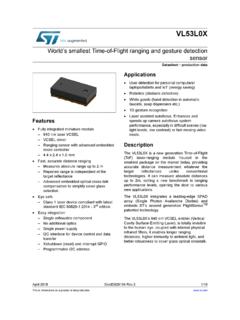
World s smallest Time-of-Flight ranging and gesture ...
www.st.comDocID029104 Rev 3 7/40 VL53L0X Overview 37 1.3 Device pinout Figure 2 shows the pinout of the VL53L0X (see also Figure 22). Figure 2. VL53L0X pinout (bottom view) Table 2. VL53L0X pin description Pin number Signal name Signal type Signal description

manuale d’uso
h10032.www1.hp.comQuesto prodotto non è stato testato per essere collegato a sistemi di alimentazione per apparecchiature informatiche (sistema di distribuzione in c.a. privo di collegamento diretto a terra, in conformità con IEC 60950). sicurezza per l’alimentazione in c.a. AVVERTENZA Collocare il computer vicino a una presa in c.a. Il

SCHEDA TECNICA PRODOTTO RACCOMANDATA …
business.poste.itTipologia SCHEDA TECNICA PRODOTTO Titolo SCHEDA TECNICA PRODOTTO RACCOMANDATA GIUDIZIARIA COMUNICAZIONI AI SENSI ART. 139, 140, 660 C.P.C. e 157, 161 C.P.P. Proprietà di Poste Italiane S.p.A. - Tutti i diritti riservati a termine di legge Pagina 4 di 32 1 SCOPO E CAMPO DI APPLICAZIONE

UNITA’ DI APPRENDIMENTO (UdA) esempio
it.pearson.com8. Esamina quanto finora prodotto e, discutendo in gruppo, progetta come combinare insieme i vari materiali e come confezionarli in forma di opuscolo illustrativo. 9. Lavora a gruppi con i compagni per la stesura del testo; discute con i compagni e il …
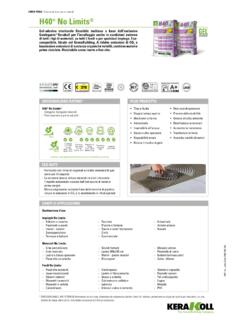
LINEA POSA H40 No Limits - Kerakoll
products.kerakoll.comPLUS PRODOTTO. Preparazione fondi (UNI 11493 – punto 7.3) Tutti i fondi devono essere planari, stagionati, integri, compatti, rigidi, resistenti, asciutti, esenti da agenti distaccanti e da risalite di ... La scheda tecnica è redatta in base alle nostre migliori conoscenze tecniche e applicative. Non potendo tuttavia intervenire direttamente ...

Scheda di Confrontabilità e Scheda Sintetica
www.enel.itScheda di confrontabilità per clienti finali domestici di energia elettrica ... In caso di recesso, cessazione della fornitura e cambio prodotto (ricontrattualizzazione) sarà riconosciuta al Cliente la quota parte del bonus maturato sino a quel momento. Enel Energia si
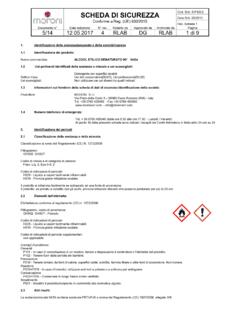
SCHEDA DI SICUREZZA Cod. Sch. S-P4/2-2
www.societaitalianachimica.comscheda. I DPI consigliati per i soccorritori sono maschera ed occhiali protettivi, guanti in lattice, opportunamente omologati. 4.2 Principali sintomi ed effetti, sia acuti che ritardati: Il prodotto, se portato a contatto con gli occhi, provoca irritazioni rilevanti che possono perdurare per più di 24 ore. Effetti acuti:

Scheda tecnica di prodotto - Ursa
www.ursa.itQuesta scheda ha lo scopo di fornire informazioni sulle caratteristiche del prodotto. URSA Italia si riserva il diritto di apportare in qualsiasi momento le modifiche e variazioni che riterrà opportune. Le caratteristiche tecniche del prodotto URSA XPS indicate in questa scheda, sono state determinate secondo quanto previsto