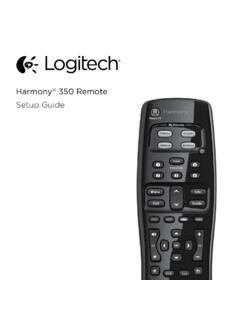
Setup Guide - Logitech
How the remote works Harmony 350 is an infrared (IR) remote that controls other IR devices such as TVs, audio/video receivers, and cable/satellite receivers. Visit setup.myharmony.com to create an account and set up your new Harmony remote. Watch TV button Set up a Watch TV Activity to automatically power on/off devices
Download Setup Guide - Logitech

Information
Domain:
Source:
Link to this page:
Documents from same domain

Activities Want to know more? - Logitech
www.logitech.comLogitech Gaming Software - Help Center file:///E|/Help/en_US/front_page.htm[4/28/2014 8:07:32 PM] Activities... Want to know more? Create a new profile Getting started

On - logitech.com
www.logitech.com1 2 Logitech® Wireless Mouse M217 Setup Guide Guide d’installation English Mac® OS X Users: When plugging in the Unifying receiver, the Keyboard Assistant

圧倒される 超・高解像度 - logitech.com
www.logitech.comLogicool BRIO Ultra HD 4K画像センサー 4K(Ultra HD)@ 30 fps、1080p(フルHD)@ 30/ 60 fps および 720p(HD)@ 30/60/90 fpsを含めた複 数の解像度をサポートし、お使いのアプリケーションや

SMALL GROUPS. BIG POTENTIAL. - Logitech
www.logitech.comSmall group video conferencing deserves more than huddling around PC webcams or begging for time on overbooked conference room systems. The ConferenceCam BCC950

Logicool ゲーム ソフトウェア - logitech.com
www.logitech.com快適な作業および安全性 file:///E¦/Help/ja_JP/comfort_and_safety.htm[4/26/2014 9:19:02 PM] 快適な作業および安全性 ここでは快適な作業 ...

Logitech® USB Headset H390
www.logitech.comEnglish Know your product 1. USB Headset H390 2. Microphone boom 3. Microphone 4. Volume controls (+/–) 5. Mute button 6. Mute light 7. USB connector

SUPER-WIDE FIELD OF VIEW FOR SMALL SPACES.
www.logitech.comMeetUp’s integrated audio is optimized for huddle room acoustics and delivers an exceptional sound experience. Three horizontally-aimed beamforming mics and

Introducing the Logitech MeetUp
www.logitech.com3 TalkingPointz July 21, 2017 What’s a MeetUp? Logitech currently offers three small room conferencing products in its ConferenceCam lineup .

Setup Guide Guide d’installation Logitech® HD …
www.logitech.com4 English English 5 Getting started with Logitech® HD Pro Webcam C920 Thank you for buying your c920! Use this guide to set up and begin using your Logitech webcam.

Logitech Addresses and Phone Numbers
www.logitech.comLogitech ® G 27 Racing Wheel © 2013 Logitech. All rights reserved. Logitech, the Logitech logo, and other Logitech marks are owned by Logitech …
Related documents

Remote Engine Start System User’s Information Manual
owners.honda.comBattery Power Use the transmitter only when necessary. Every time a button is pressed, the remote engine starter is consuming battery power. If the battery is low on power, the transmitting range of the remote engine starter will be affected. Check the battery periodically, and replace it when necessary. For battery replacement refer to page 32.
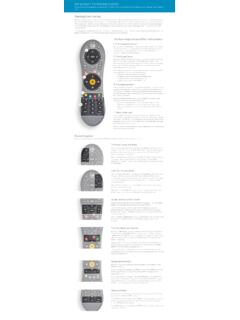
Using Your TiVo Remote Control
www.tivo.comremote to control the power, mute, and volume of your TV, you can use TV POWER to turn your TV on and off. Below TV POWER is the INPUT button. Press INPUT to select the input that your TV displays. Inputs can include a DVR, a DVD player, or a game system.
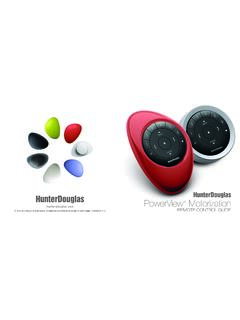
PowerView Remote Control Guide - Hunter Douglas
cdn.hunterdouglas.comFirst, activate the remote by pulling both plastic tabs from the back battery compartment. Inserting the remote module into the PowerView Pebble™ (hand-held): 1. 3Center the Hunter Douglas logo on the remote module above the indentation on the bottom rim of the Pebble. 2. Align the ribs on the remote module with the grooves on the Pebble. 3.
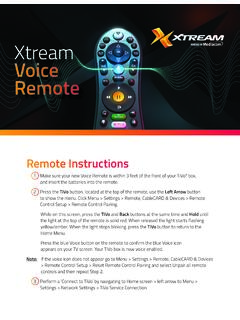
Xtream Voice Remote
mediacomcc.custhelp.com2 Go to Menu > Settings > Remote, CableCARD & Devices > Remote Control Setup. 3 Select ‘Set TV Power, Volume and Mute,’ ‘Set TV Input’ or ‘Set A/V Volume and Mute’ and follow the instructions. Note: Programming codes will start with a ‘1’. If your device lists codes that begin
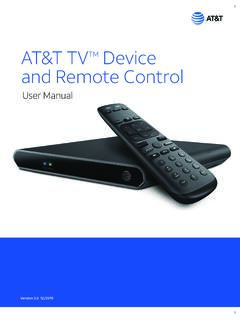
AT&T TVTM Device and Remote Control
www.att.com2. Power Supply The AT&T TV (C71KW) uses the DIRECTV® EPS10 power supply. 3. Remote Control The AT&T TV (C71KW) works with the RC82V Remote Control. (The box and remote control are not compatible with any older DIRECTV or AT&T U-verse® equipment.) Like other AT&T remote controls, the RC82V can be programmed to operate some features

IFT-RC400
downloads.hearthnhome.comyour remote are low, a notification will display on the screen asking you to ‘replace remote batteries’. Refer to Replace Remote Batteries Section. Backup Battery The battery life indicator is for a backup power source located inside your appliance. It is intended to operate the appliance in the event of a power failure. Consult

PowerView Remote Control Guide - Hunter Douglas
cdn2.hunterdouglas.comInserting the remote module into the PowerView ® Pebble (hand-held): 1. Center the Hunter Douglas logo on the remote module above the indentation on the bottom rim of the Pebble. 2. Align the ribs on the remote module with the grooves on the Pebble. 3. Gently push the remote module into the Pebble until it is snug. Ribs on remote to be aligned ...
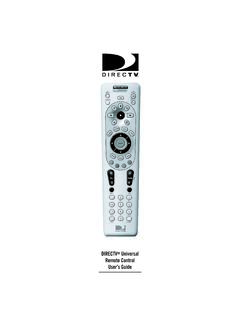
DIRECTV Universal Remote Control User’s Guide
www.att.com6. Aim the remote at your component and press the power key once. The component should turn off. If it does not turn off, repeat steps 3 and 4 trying each code for your brand until you find the correct code. 7. Repeat steps 1 through 6 to program a new component under AV2 (or AV1). 8. For future reference write down the working code for