
SIMATIC S7-300 Getting Started for First Time Users
Installing and grounding the mounting rail 1. Screw the mounting rail to the subsurface. Use two M6 screws for this. 2. Connect the mounting rail to the ground wire. The prescribed minimum cross-section for the cable to the protective conductor is 10 mm2. Note the following information when installing the mounting rail:
Download SIMATIC S7-300 Getting Started for First Time Users

Information
Domain:
Source:
Link to this page:
Documents from same domain

LOCTITE 243™
docs.rs-online.comTDS LOCTITE® 243™, August-2016 For Cleanup 1. Cured product can be removed with a combination of soaking in a LOCTITE® solvent and mechanical abrasion such as a wire brush Loctite Material SpecificationLMS LMS dated June-29, 2009.

Shelf Life for Loctite Products - RS Components
docs.rs-online.comThe shelf life period for Loctite® products is one year from date of shipment from Henkel facilities or as indicated by package labeling. For optimal storage, maintain product at a temperature between 8°C (46°F) to 21°C (70°F). Storage below 8°C (46°F) or greater than 28°C (82°F) can adversely affect product properties.

AC Industrial Electric Motors Data Sheet
docs.rs-online.comThe power factor usually being referred to as cos Ø. The power factor is usually between 0.7 and 0.9, however this may vary depending on the motor size and rating. If there are many motors in an installation they will consume a lot of reactive power and will therefore have a lower power factor. Power supply authorities sometimes require the

SIM868 Hardware Design V1.00-150516 - RS Components
docs.rs-online.comSIM868 is a quad-band GSM/GPRS module that works on frequencies GSM 850MHz, EGSM 900MHz, DCS 1800MHz and PCS 1900MHz. SIM868 features GPRS multi-slot class 12/class 10 (optional) and supports

APPLICATION MKS-L MKS-SC
docs.rs-online.comNote: (1) These tools are for prototype tooling or repair. (2) YC tool has two crimping sections (A and B). YRS tool has also two crimping sections by inverting upper dies. Be sure to check applicable wires before use. Since the dies are fixed, the crimping height cannot be adjusted. Therefore, some of the

APC Smart-UPS X-Series 2000/2200/3000 VA Operation Manual
docs.rs-online.comSmart-UPS X 2000/2200/3000 VA 1 Overview About the UPS The APC® by Schneider Electric Smart-UPS® X is a high performance uninterruptible power supply (UPS). It provides protection for electronic equipment from utility power blackouts, brownouts, sags,

Charger Instructions for Duracell High-Speed Chargers (ALL)
docs.rs-online.com5. The charger is capable of accepting 100-240 V AV 50/60 Hz and therefore, can be used overseas with a corresponding regional plug converter. 6. If battery is fully charged and then reinserted right away into the charger, the fault Red Blinking LED indicator may occur since the battery is already fully charged 7.

Programmable Logic Controllers Beginner´s Manual
docs.rs-online.comThe programmable logic controllers of the FX1S,FX1N,FX2N,FX2NC,FX3G,FX3GC,FX3GE, FX3S,FX3U and FX3UC series are only intended for the specific applications explicitly described in this manual. All parameters and settings specified in this manual must be observed. The products described have all been designed, manufactured, tested and docu-

PLATINUM RESISTANCE THERMOMETER (PRT)
docs.rs-online.comBuy this and more at rspro.com RS PRO Sensors - PRT Guide 3 COMPARISON OF SENSOR TYPES PLATINUM RESISTANCE THERMOMETER THERMOCOUPLE THERMISTOR Sensor Platinum-wire wound or flatfilm resistor Thermoelement, two dissimilar metals/alloys Ceramic (metal oxides) Accuracy (typical values) 0.1 to 1.0°C 0.5 to 5.0°C 0.1 to 1.5°C Long term …
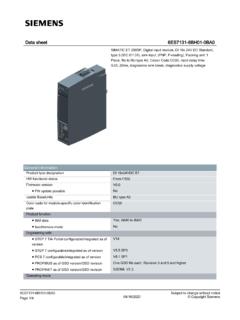
Data sheet 6ES7131-6BH01-0BA0
docs.rs-online.comfor standard inputs — parameterizable Yes; 0.05 / 0.1 / 0.4 / 0.8 / 1.6 / 3.2 / 12.8 / 20 ms (in each case + delay of 30 to 500 µs, depending on line length)
Related documents

Alienware 410K RGB Mechanical Gaming Keyboard User's Guide
downloads.dell.comInstalling AWCC through Windows Update Installing AWCC from the Dell Support website. 1. Navigate to the program folder to ensure that the AWCC installation is complete. 2. Launch AWCC and perform the following steps to download the additional software components: - In the . Settings. window, click . Windows Update, and then click - Check for ...

User's Guide - XP-410
files.support.epson.comContents XP-410 User's Guide..... 11

Installing and Configuring Windows Server 2012 R2
ptgmedia.pearsoncmg.comPrepare for Microsoft Exam 70-410—and help demonstrate your real-world mastery installing and configuring Windows Server 2012 R2. Designed for experienced IT professionals ready to advance their status, Exam Ref focuses on the critical-thinking and decision-making acumen needed for success at the MCSA or MCSE level.

Polycom VVX 400 and 410 Business Media Phones User Guide
support.polycom.comBy installing, copying, or otherwise using this product, you acknowledge that you have read, understand and agree to be bound by the terms and conditions of the End User License Agreement for this product. ... Polycom VVX 400 and 410 …

Polycom VVX 400/410 Desk Phone Owner’s Manual V
www.computerexpertsgroup.comThe Polycom VVX400/410 Desk Phone provides a powerful, yet flexible IP communications solution, delivering excellent voice quality. The high-resolution graphic display supplies content for call information, directory access, and system status. The phones support advanced functionality including multiple call appearances, HTTPS

F410 USER MANUAL - Fusion3
www.fusion3design.comOct 28, 2020 · If you are installing multiple F410s, be mindful of the capacity of your electrical circuits. Three F410s can over-draw a 15A circuit. NOTE FOR INTERNATIONAL CUSTOMERS: You will need to check the internal power supply’s voltage select switch BEFORE operating your F410. Please contact Fusion3 Customer Support at

John Deere 410 Industrial Tractor Service Manual
www.jensales.com410 backhoe loader this is a manual produced by jensales inc. without the authorization of john deere or it's successors. john deere and it's successors are not responsible for the quality or accuracy of this manual. trade marks and trade names …

NVIDIA WMI
www.nvidia.comNVIDIA WMI WP-06953-001_v02 | ii . DOCUMENT CHANGE HISTORY . WP-06953-001_v02 . Version Date Authors Description of Change . 01