
SonicWall Switch Getting Started Guide
SonicWall Switch Gettng Started Guide Overview 2 5 Overview • Introduction on page 5 • Hardware Overview on page 7 • About PoE on page 13 • About SFP/SFP+ on page 13 • Specifications on page 13 Introduction The SonicWall Switches are designed to connect SonicWall firewalls with Access Points and IP Surveillance
Download SonicWall Switch Getting Started Guide

Information
Domain:
Source:
Link to this page:
Documents from same domain
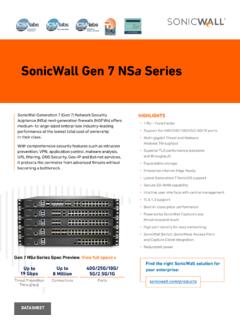
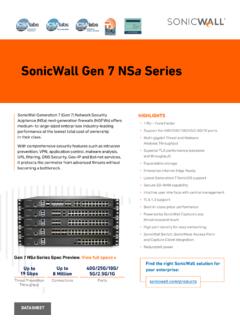
SonicWall Gen 7 NSa Series
www.sonicwall.compolicy configuration, zero-touch deployment and flexible management — all of which allow enterprises to improve both their security and operational efficiency. The Gen 7 NSa Series supports advanced networking features, such as SD-WAN, dynamic routing, layer 4-7 high-availability and high-speed VPN functionality.
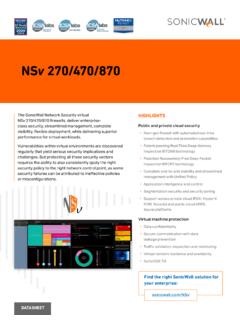
SonicWall Network Security virtual (NSv) firewall series
www.sonicwall.comnetwork architectures, such as virtualization and cloud, continue to be a game-changing strategy for many organizations. Virtualizing the data center, migrating ... It leads to an intuitive set up of contextual security policies through actionable alerts, and with point-and-click simplicity.
SonicWall NSa 2700
www.sonicwall.comnetwork and hardware redundancy with high availability, clustering and dual power supplies. Generation 7 – SonicOS 7.0 and Security Services The SonicWall NSa 2700 runs on SonicOS 7.0, a new operating system built from the ground up to deliver a modern user interface, intuitive workflows and user-first design principles. SonicOS 7.0 provides
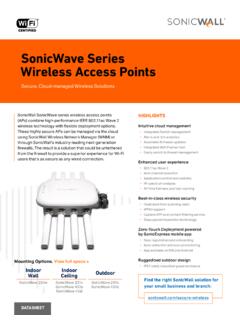
SonicWave Series Wireless Access Points
www.sonicwall.comWireless Access Points Secure, Cloud-managed Wireless Solutions ... prevention, virtual AP segmentation, wireless guest services, RF monitoring and wireless packet capture. Simplified firewall management ... site survey tool that enables to optimally design and deploy a wireless network for enhanced wireless user experience.

SonicOS 7.0 and Services
www.sonicwall.comMalware Analysis statistics Displays in-depth statistics on dynamic vs static malware analysis per file. ... SDWAN Monitoring Displays SD-WAN Performance probes and top connections. ... HTOP and Linux Perf Tool. Switch Network Overview SonicWall Switch view like physical view, list view and VLAN view. ...
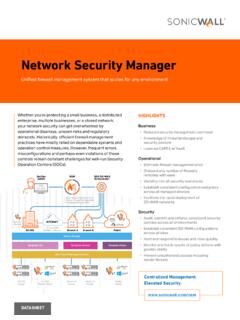
Network Security Manager
www.sonicwall.comgroups and committing and deploying configuration templates on groups of firewalls. These allow you to synchronize and enforce policies, objects and setting requirements across any selected firewall groups consistently and reliably. All approved policy changes in the template are applied automatically to all device groups linked to that template.
Customer Loyalty Program - sonicwall.com
www.sonicwall.comDATASHEET HIGHLIGHTS • Special pricing on upgrades, SonicWall products ... • 2- or 3-year Advanced Gateway Security Suite (AGSS) or Comprehensive Gateway Security Suite (CGSS) subscription options for all firewall models, excluding Gen 7 Series ... NSA 6600, NSa 6650, NSA E7500, NSA E7510, NSA E8500, ...
Directory Connector with SSO Administration Guide
www.sonicwall.comonly identify this user through a Client Probing method. This is be cause the other methods all involve Active Directory. When the administrator enables the WMI/NetAPI Scanner option in Directory Connector, the SSO Agent will repeatedly probe these IP addresses using Client Probing methods. The SSO Agent can detect when
SONICWALL SECURE MOBILE ACCESS (SMA)
www.sonicwall.comA hardened edge gateway for anytime, anywhere, any device secure access ... Best-in-class, context-aware authentication grants access only to trusted devices and authorized users. Laptops and PCs are also interrogated for the presence or absence of security
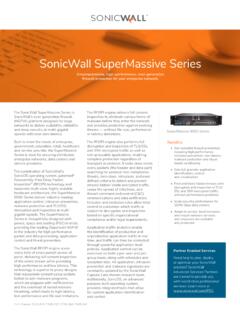
SonicWall SuperMassive Series
www.sonicwall.comsearching for protocol non-compliance, threats, zero-days, intrusions, and even defined criteria to detect and prevent attacks hidden inside encrypted traffic, cease the spread of infections, and thwart command and control (C&C) communications and data exfiltration. Inclusion and exclusion rules allow total control to customize which traffic is
Related documents

Configuring IPsec VPN with a FortiGate and a Cisco ASA
community.cisco.comConfiguring the static route in the FortiGate. Navigate to Router > Static > Static . Routes and select Create New. Create a static route with the Destination . IP/Mask matching the address of the Cisco local network (by default, 192.168.1.0). Under . Device, select the site-to …

configuring static routes - Router Alley
routeralley.com- Configuring Static Routes - Configuring Static Routes The basic syntax for a static route is as follows: Router(config)# ip route [destination_network] [subnet_mask] [next-hop] Consider the following example: RouterA will have the 172.16.0.0/16 and 172.17.0.0/16 networks in its routing table as directly-connected routes. To add a static route ...
LAB MANUAL for Computer Network
sjce.ac.in22 Configuring Static and Default Routes 23 Configuring RIP 24 Planning Network-based Firewalls 25 Configuring a Cisco Router as a DHCP Server. Experiment-1 Aim: Study of different types of Network cables and Practically implement the cross-wired cable and straight through cable using clamping tool.

Basic Router Configuration - Cisco
www.cisco.com† Configuring Static Routes, page 23 ... The loopback interface acts as a placeholder for the static IP address and provides default routing information. For complete information on the loopback commands, see the Cisco IOS Release configuration guide documentation set.
Configuring Static and Default Routes - Cisco
www.cisco.comChapter 25 Configuring Static and Default Routes Configuring Static and Default Routes Examples The following example shows static rout es that are equal cost routes that direct traf fic to three different gateways on the outside interface. The ASA distributes the traffic among the specified gateways.

Cisco Business 250 Series Smart Switches Data Sheet
www.cisco.comUp to 32 static routes and up to 16 IP interfaces IPv6 routing Wire-speed routing of IPv6 packets Layer 3 interface Configuration of Layer 3 interface on physical port, LAG, VLAN interface, or loopback interface Classless Interdomain Routing (CIDR) Support for CIDR

Configuring the Grandstream UCM6200/UCM6300 for use …
www.exele.comto assign its default static IP address to both the WAN and LAN port. Once assigned you can connect the UCM6300 to your computer/laptop and use this static IP below. To enable the static IP address, from the LCD screen: o Home button (house icon) o …