Speed Dome Camera Installation Guide
This camera could be used as an IP camera, a TVI camera and an AHD camera. Before connecting this camera to any recorder, you may need to manually set the camera mode, ID & baudrate for the camera to work properly. Plase check the description below for details. NOTE: The on / off of the DIP switch is shown as white. WHERE TO SET
Download Speed Dome Camera Installation Guide

Information
Domain:
Source:
Link to this page:
Documents from same domain

One Cable solution (PON) HD Video Recording
www.surveillance-download.comAVH0401 One Cable solution (PON) HD Video Recording 4CH HD Video Recorder Features One Ethernet Cable Solution (PON, Power-over-Network) Camera power supply & video transmission over

AVN80X network V1.1 - surveillance-download.com
www.surveillance-download.com5 1. CAMERA NETWORK CONFIGURATIONS Please follow the instructions below to finish camera installation and network configurations. You may configure the network connection of this network camera with your laptop / computer, or with your iPhone®

16CH 2MP NVR - surveillance-download.com
www.surveillance-download.comSpecifications* Hardware Video Input One LAN port (up to 16 IP cameras) Video Output HDMI Video Output Resolution 1920 x 1080 Audio Output YES

FULL D1 DVR User Manual - surveillance …
www.surveillance-download.comIMPORTANT SAFEGUARD CAUTION RISK OF ELECTRIC SHOCK CAUTION: To reduce the risk of electric shock, do not expose this apparatus to rain or moisture.

4CH MPEG4 DVR - surveillance-download.com
www.surveillance-download.com273Z 760A_760AS_761AS_761ASV_560A_560AS_561AS_561ASV_Quick_V1.2 4CH MPEG4 DVR Quick Guide Please read instructions thoroughly before operation and retain it for future reference.
MPEG4 4CH DVR MANUAL L - surveillance …
www.surveillance-download.com260Z DR040ASV_DR040_Manual_V1.05 MPEG4 4CH DVR MANUAL L Please read instructions thoroughly before operation and retain it for future reference.

Compatible with TVI, AHD and IP systems
www.surveillance-download.comz592_593_system_V1.0 TRIBRID SPEED DOME CAMERA System Configuration Guide Compatible with TVI, AHD and IP systems The product image shown above may differ from the actual product.
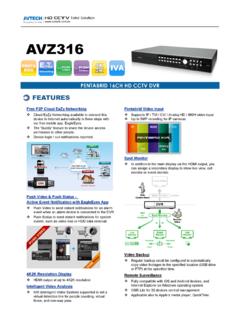
AVZ316 spec - surveillance-download.com
www.surveillance-download.comVideo Video System NTSC / PAL (auto detection) Video Compression Format H.264 Video Signal IP / TVI / CVI / Analog HD / 960H Video Input 16 quadbrid channels (IP / TVI / Analog HD / 960H),

HD CCTV 1080P IR Dome Camera - surveillance …
www.surveillance-download.comDGC1304 HD CCTV 1080P IR Dome Camera FEATURES (1) 1/2.7” CMOS sensor with 1080P video output (2) Low light sensitivity of 0.1 Lux / …
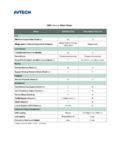
CMS Lite v.s. Video Viewer - surveillance …
www.surveillance-download.comCMS Lite v.s. Video Viewer Model CMS Lite (V3.0) Video Viewer (V0.2.1.4) Live Maximum Layout Cuts (Check a.) 32 16 Merge mode & Remote Independent (Check b.)
Related documents
WWC Camera App CamHi User manual
camera.wyslink.comby push Reset hard ware button if the camera provide it. Reset camera to factory : Setting -> System Setting -> Reset Camera. By this procedure, the camera hotspot function will work, so you can use smart phone to connect it. Please refer to 3.2 Camera by camera Wi-Fi hot spot access point function.

Full HD SQ11 Sports Mini DV Camera
www.cyanscorpion.comPush again the on/off button and the recording stops. The state of the Led returns to blue. - To power off the camera, push the on/off button for about 6 seconds and the camera will turn off. - Change to by using the ‘Mode ’ button. Push one time the ‘Mode ’ button, the Led is turning from blue to blue/red.
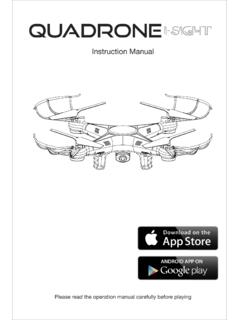
Instruction Manual - B&H Photo
www.bhphotovideo.com1. Push the camera into the slot on the battery cover (Figure 1). 2. Open the battery cover with camera attached (Figure 2). 3. Secure the camera tightly with the provided screws (Figure 3). 4. Close the battery cover with camera, then insert the 3-pin plug to the slot on the side (Figure 4) Signal function: When the signal is weak, pull the ...

KODAK PRINTOMATIC
www.kodak.comremoved from the camera, or charged outside the camera. There is a danger of explosion if battery is incorrectly replaced, and should be replaced only with the same or equivalent type. Please contact our support team for service. – When the battery power dips below 10%, the battery LED indicator will glow red and the camera will not print.
Logitech ConferenceCam CC3000E Camera
www.logitech.com6 Camera Presets: GROUP has 5 camera presets (1 through 3 are on both the remote and the speakerphone and 4 & 5 are on the remote) that allow you to position the camera at a preset location with a push of a button To set the camera preset, move the camera to the desired location and then press and hold the Camera Preset button until
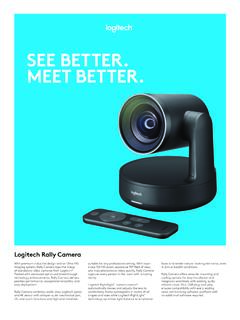
SEE BETTER. MEET BETTER. - Logitech
www.logitech.comOperate Rally Camera from anywhere in the room, no need to point the remote directly at the camera. 3 camera presets De!ne up to three preset locations ¨ (presets 1, 2, and Home) for the camera view and return to any of them with the push of a button on the remote control. Top-of-the-line stand alone PTZ video camera
Backup of Backup of M1球机说明书-V2.3
www.njwss.comMotion Detection and Push Alert Message 1. If you want the camera also detects a sound, please turn on “Audible alarm”. 2. If you only want the camera detect motion at night or any special time, you can go to “Advanced Setting” to set up the time range.