
SYSTEM USER GUIDE
Chime Press Chime to turn the chime feature on and off. If chime is on, the keypad will sound an alert and display a notification when external doors and windows (with sensors installed) are opened. Reset Press Reset to reset fire and panic sensors after they have triggered an alarm. Favorites Favorites displays a list of your Z-Wave favorites.
Download SYSTEM USER GUIDE

Information
Domain:
Source:
Link to this page:
Documents from same domain
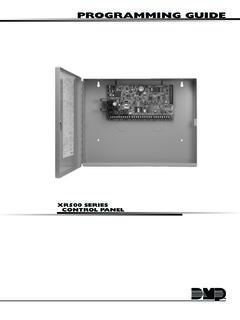
PROGRAMMING GUIDE - DMP
buy.dmp.comMODEL XR500 SERIES CONTROL PANEL PROGRAMMING GUIDE Contains programming Instructions for use with the Model XR500, XR500N, XR500E Series Control Panels
PROGRAMMING GUIDE - DMP
buy.dmp.comAs you go through the programming, the keypad display shows any current programming already stored in the panel memory. If no change is required for an …
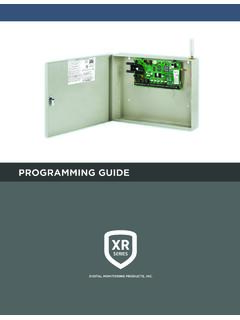
PROGRAMMING GUIDE - DMP
buy.dmp.comXR150/XR550 Series Programming Guide Digital Monitoring Products 1 INTRODUCTION XR PROGRAMMING INFORMATION This guide provides programming information for the DMP XR150/XR550 Series panel. Before starting to program, we recommend that you read through the contents of this guide.
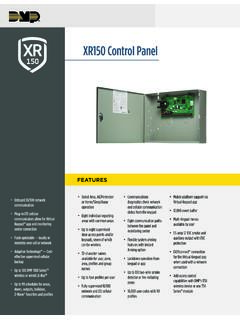
XR150 Control Panel - DMP.com
buy.dmp.comOne Built-In LX Bus (100 zones) SIMPLE ZONE EXPANSION WITH THE 1154/1158 WIRELESS INPUT MODULES When a DMP panel is installed in the same location as a non-DMP panel, the ... advantage of access control capabilities in hard …

INSTALLATION GUIDE
buy.dmp.comoutputs provide ground connection for a positive voltage source. A Model 300 Output Harness is required to use these outputs. Enclosure Specifications The XR150/XR550 Series panels are shipped in an enclosure with a transformer, end-of-line resistors, battery leads, user’s guide, and programming sheets. Enclosure Model

Training Institute Troubleshooting Guide
buy.dmp.comThe first Diagnostic function displayed is: [TEST LX-BUS]. This Diagnostics function allows you to test the ability of the Interface Cards (Models 481, 462N, 462P, 462FM, and 472) to communicate with zone and output expanders connected to the LX-Bus™. TECH NOTE: The XR500 Command Processor™ series has one built-in LX-Bus™. An

XR550 Control Panel - DMP
buy.dmp.comNo to confirm alarm status and send it to the monitoring center. DMP WIRELESS DMP 1100 Series wireless communication employs 900 MHz frequency-hopping spread-spectrum to ensure clear and accurate signal transmissions without interference in practically any environment. Receivers are alerted of transmitters that go missing with two-way ...

SYSTEM USER GUIDE - DMP.com
buy.dmp.comSecureComTM Video SecureCom Video allows you to add wired or wireless cameras inside or outside the building. You can easily record clips or view live video feed at any time using the Virtual Keypad App or VirtualKeypad.com. Virtual Keypad App and VirtualKeypad.com The Virtual Keypad App and VirtualKeypad.com allow you to control and monitor

XT30 and XT50 Panels - DMP
buy.dmp.comfour-digit user codes with authority levels 100-event (XT30) or ... Four onboard and eight wireless outputs for annunciation and control applications Supports up to eight ... a customer may be preparing to cancel their monitoring contract. With this …

PROGRAMMING AND INSTALLATION GUIDE
buy.dmp.comDualCom Programming and Installation Guide Digital Monitoring Products 3 Backlit Logo The backlit logo indicates the power and armed status of the communicator.
Related documents

Grandfather Clock Instruction Manual
imgdataserver.comRemove the cardboard sleeve, from around the chime rods and pendulum guide, by holding the cardboard sleeve at points ‘A’ and ‘B’ and pulling straight down. Pull straight downand off the ends of the chime rods and pendulum guide. (See figure 1). Remove the foam pads from between the chime hammers and chime rods.

Installation and Operation Guide Portable, Wired ...
livewell.honeywellhome.com8. Check that the transmitter is linked with the chime.* Two ‘beep’ sounds are heard after the normal tune Replace doorbell push battery with a new CR2032. The halo light flashes yellow at the bottom edge Replace doorbell batteries with 4 new C alkaline batteries. Range is reduced 1. Metal structures including uPVC door frames can reduce ...
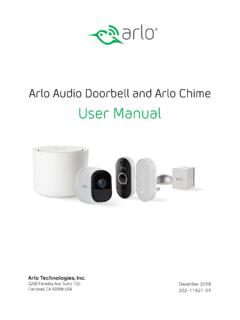
Arlo Audio Doorbell and Arlo Chime User Manual
www.arlo.comchime The Arlo Audio Doorbell is compatible with AC-powered mechanical and digital chimes operating between 8-24 volts. The Arlo Audio Doorbell isn’t compatible with wireless door chimes or any chime or intercom system using a DC transformer. Set the chime switch The chime switch is located inside the Arlo Audio Doorbell. This switch is only used

CONTROL4® CHIME VIDEO DOORBELL
www.control4.comChime is the first video doorbell designed for the Control4 smart home. Chime allows homeowners to see and talk to visitors while controlling the most important smart home features. Customers can see and hear who’s at the door through the Control4 mobile app or touchscreen, and a 5MP camera with a 180-degree
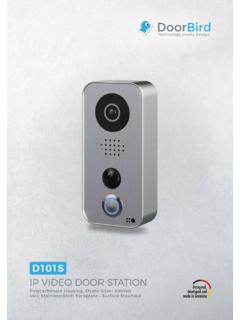
IP VIDEO DOOR STATION - DoorBird
www.doorbird.comPower, electric door opener/strike, door chime, door opener button, network Weather protection Yes, IP65 Approvals IP65, CE, FCC, IC, RoHS, REACH, IEC/EN 62368, IEC/EN 62471 Dimensions 157 x 75 x 35 mm (H x W x D) 6.18 x 2.95 x 1.38 in (H x W x D) Operating conditions-20 to +40°C / -4 to 104°F Humidity 10 to 85 % RH (non condensing) Scope of ...

Bosch Solution 6000 User Manual - Serious Security
www.serioussecurity.com.au1-1-2 Add PIN 2-0-5 Chime On/Off 3-0-5 Smoke Sensor Reset 4-0-5 Door Override 1-1-3 Delete PIN 2-0-6 Chime Mode 3-1 Zone Properties 4-1 Output Properties 1-2 Token 2-1 Area Properties 3-1-0 Zone Name 4-1-0 Output Name 1-2-0 Add Token 2-1-0 Area Name 1-2-1 Delete Token 2-1-6 Part Mode 1 Name 3-9 Input Testing 4-2 Door Control 1-2-2 Token Status ...