
TOTAL CONTROL - remotecodelist.com
Blink out the Current Code If you have set up your TOTAL CONTROL via the Search Method, you can blink back your code for future reference. Example: To blink out your television code: 1 Press the TVkey on your TOTAL CONTROL. 2 Press and hold down the SETkey until the red light blinks twice. 3 Press 9 9 0, the red light will blink twice.
Download TOTAL CONTROL - remotecodelist.com

Information
Domain:
Source:
Link to this page:
Documents from same domain
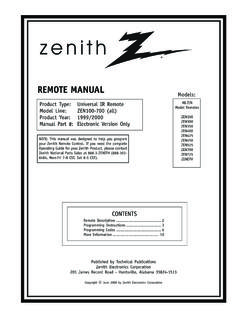
REMOTE MANUAL - Universal Remote Control Codes
www.remotecodelist.comZENITH REMOTE MANUAL 4 ZEN SERIES ZEN REMOTE PROGRAMMING PROGRAMMING CABLE BOXES 1. Manually turn on the Cable Box. 2. …

Refer to the setup procedure below and look up the …
www.remotecodelist.comSave Code list for future reference Refer to the setup procedure below and look up the 3 digit code for your brand of TV, VCR, etc., from the list below. Refer to the Owner’s Manual for your remote for more information.

inVoca User's (Manual Build 5, AA Battery)
www.remotecodelist.comFully Functional Universal Remote Control – Operates with voice commands or button presses – Control up to four devices (TV, VCR, Cable/DSS, DVD)! User-Trained Voice Recognition ... understand what you are saying over the sounds coming out of the TV. In general, you will have best results when inVoca is between

www.remotecodelist.com
www.remotecodelist.comThe remote is already programmed to control most RCA, PROSCAN, and GE TVs, VCRs, DVD players and satellite receivers. Testing the remote To determine whether the universal remote needs to be programmed, turn a device ON, such as a VCR, point the remote at the VCR, and press the VCR 1 button. Then press ONeOFF or CH (channel up) or
Cover/Front of Package - Universal Remote Control Codes
www.remotecodelist.com7 Changing The RF Remote Control Code Your remote control is equipped with RF functionality. This means that the remote can control the digital satellite receiver using both IR (infrared…
Related documents
Introduction to Arduino
introtoarduino.com10. Open the LED blink example sketch: File > Examples > 1.Basics > Blink 11. Select Arduino Uno under the Tools > Board menu. 12. Selectyourserial port(if youdon’tknowwhichone,disconnecttheUNO and the entry that disappears is the right one.) 13. Click the Upload button. 14. After the message “Done uploading” appears, you should see the ...
Blink: The Power of Thinking Without Thinking
www.lequydonhanoi.edu.vnBlink: The Power of Thinking Without Thinking Malcolm Gladwell Introduction - The Statue That Didn’t Look Right In September of 1983, an art dealer by the name of Gianfranco Becchina approached the J. Paul Getty Museum in California. He had in his possession, he …
Understanding Internal Controls
www-bfs.ucsd.eduestablish and effectively communicate written policies and procedures, a code of ethics, and standards of conduct. Moreover, a governing board and management enhance the control environment when they behave in an ethical manner -creating a positive "tone at the top" --and

BMW Code DeFaut - e38.org BMW 7-series information and …
www.e38.orgThe CHECK ENGINE light will blink out the FAULT CODES starting with the lowest number first. These FAULT CODES consist of 4 digits each separated by a short pause (ie. blink pause blink blink pause blink pause blink translates as 1 2 1 1). CODE MALFUNCTIONING SYSTEM EXPLANATION 1211 DME Control Unit This code is stored when the DME self test fails.
SHAW DIRECT IRC600/ URC600 Remote Control …
assets.aws.shawdirect.cablink twice. 3. To view the code for the first digit, press 1 once. Wait 3 seconds and count the number of times the Red Light blinks (e.g., 3 blinks =3) and write down the number in the left most TV Code box (at end of this section). NOTE: If a code digit is “0”, the red light will not blink. 4. …
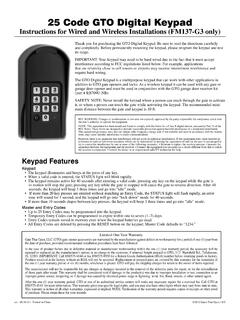
25 Code GTO Digital Keypad - Mighty Mule
www.mightymule.com• When a valid code is entered, the STATUS light will blink rapidly. • The keypad remains active for 40 seconds after entering a valid code: pressing any key on the keypad while the gate is in motion will stop the gate; pressing any key while the gate is stopped will cause the gate to reverse direction. After 40

Troubleshooting - Heartland Owners Forum
manuals.heartlandowners.orgFor example, Fault Code No. 36 appears as: blink-blink-blink—pause—blink-blink-blink-blink-blink-blink— long pause—repeat • Four blinks indicates that cranking exceeded 30 seconds without the engine starting. •Note: Fault Code Nos. 3 and 4 are first level faults. Avoid interpreting them as second-level Fault Code Nos. 33 and 44 ...
Verizon FiOS TV P265v1 Remote CH + Control Manual
www.verizon.comPlease Note, the Code Search Method could take up to 8 minutes, as it must go through over 500 codes. The most common codes are tried first, but you may need to press and hold for a while to locate the correct code. 4. The RED LED light will blink twice, and remain on. 5. Press . 6. The RED LED will blink 3 times and then turn off. 7.
Operating Instructions For Button Functions *Note : Set-up ...
d15yx0mnc9teae.cloudfront.netcode number from the brand list. STEP4 Store the three-digit code by pressing the same [DEVICE] button once again. The device LED will blink twice to confirm that the code has been stored. C. Auto Search Method If none of the three digit code numbers assigned to your brand of equipment works, or the code table does not list your brand, you can

CircuitPython Essentials - Adafruit Industries
cdn-learn.adafruit.comDec 12, 2021 · Instead of the two lines of code above, you simply provide the singleton as the I2C object. So if you were using the TSL2591 and its CircuitPython library, the two above lines of code would be replaced with: tsl2591 = adafruit_tsl2591.TSL2591(board.I2C()) This eliminates the need for the busio module, and simplifies the code. Behind the