
TV Connector - Phonak
5. Troubleshooting 5.1 Testing the audio transmission If you cannot hear the sound from the audio source (e.g. TV), check the following options: • Make sure all cables are inserted properly into the TV Connector and the audio device (e.g. TV) • No audio input available Make sure the audio cable is plugged into the audio
Download TV Connector - Phonak

Information
Domain:
Source:
Link to this page:
Documents from same domain
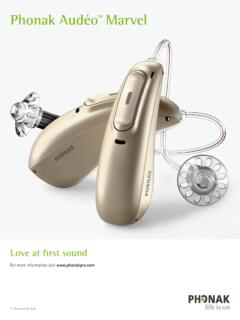
Phonak Audéo TM Marvel
www.phonak.comPhonak Audéo M Bluetooth® versions Direct calls / audio streaming Bluetooth® 4.2 wireless technology and most older Bluetooth phones The Bluetooth® word mark and logos are registered trademarks owned by Bluetooth SIG, Inc.

myPhonak 4
www.phonak.comlow energy (BT-LE) capability and is compatible with iPhone® 5s and newer running iOS® Version 12.0 or newer. myPhonak can be used on Google Mobile Services (GMS) certified Android™ devices supporting Bluetooth® 4.2 and Android OS 7.0 and newer. Contents Quick overview 3 Installing the myPhonak app 5
Sample IEP Goals and Learning Objectives for GAP
www.phonak.comIEP goals for high school students may include all areas of the content standards (reading, writing, speaking, listening, and language). When getting started, however, the speaking and listening standards are an important place to start. Some sample IEP goals which are aligned to content standards illustrates how this works.

User Guide - Phonak
www.phonak.comc. Start over with step 1 (opposite). Connecting the power supply to the docking station 1. Place the docking station next to your TV / audio device and connect the smaller end of the charging cable to the power input of the docking station . 2. Plug the larger end of the charging cable into the universal power supply. 3.

Phonak AudéoTM B-R
www.phonak.com2 3 Your hearing aid & charger details Hearing aid model Earpieces c Audéo B90-R c Dome c Audéo B70-R c SlimTip c Audéo B50-R c cShell Charging accessories c Charger Case RIC incl. power supply c Power Pack c Mini Charger RIC incl. power supply If no box is checked and you do not know the model of your hearing aid or charging accessories,

Roger OnTM - Find the best hearing aid solution | Phonak
www.phonak.com10.1 Connect to a hearing aid or Roger receiver 36 10.2 Connect another microphone 39 10.3 Disconnecting Roger devices 41 11. Using in a large group 42 11.1 Using multiple microphones 43 12. Reset 44 13. Shipping mode 45 14. Care and maintenance 46 15. roubleshootingT 48 16. Compliance information 52 17. Information and explanation of symbols ...

Gebrauchsanleitung TV Connector - Phonak
www.phonak.com2 Inhalt 1. Willkommen 4 2. Lernen Sie Ihren TV Connector kennen 5 3. Erste Schritte 8 3.1 Vorbereiten des Netzteils 8 3.2 Unterstützte Audioanschlüsse 10 3.3 Anschließen von Audiogeräten 11 3.4 Optional: Anschließen von Audiogeräten mithilfe der optischen Buchse 12 3.5 Verbinden des TV Connector mit den Hörgeräten 13 4.

Phonak Audéo TM P
www.phonak.comlithium-ion battery. The Power Pack contains a built-in and non-removable rechargeable lithium-polymer battery. Please also read safety information regarding handling rechargeable hearing aids (chapter 23). * Incl. power supply and USB cable (< 3 m)

User Guide TV Connector - Phonak
www.phonak.comUser Guide TV Connector. 2 Contents 1. Welcome 4 2. Getting to know your TV Connector 5 3. Getting started 8 3.1 Setting up the power supply 8 3.2 Supported audio connections 10 3.3 Connecting to an audio device 11 3.4 Optional: Connecting to …
Phonak Audéo TM P
www.phonak.comP-13T Trial Zinc-air battery size 312 13 312 13 Color marking on package brown orange brown orange IEC code PR41 PR48 PR41 PR48 ANSI code 7002ZD 7000ZD 7002ZD 7000ZD. 15 6. Putting on the hearing aid Place the hearing aid behind your ear. Insert the earpiece into your ear canal. If there is an anchor attached
Related documents
Service Programming System (SPS) Errors
static.nhtsa.govThis is a loss of communication between the programming device, (MDI or Tech 2), and Techline PC and not a module or vehicle problem. Resolution: Confirm the connection from the PC. If the programming device is connected by USB, select a different USB port on the Techline PC.

Understanding Your Rights
thegoodguys.sirv.comUnderstanding Your Rights Home Appliances, Technology, Consumer Electronics, ... or simply require some form of basic troubleshooting. ... change of mind for PC Games or Computer Software Faulty CDs, DVDs, PC Games & Computer Software with packaging in any

TOTAL TPE SOLUTIONS - Avient
www.polyone.comsuch as PC, ABS,acetal and nylon. ... TPE Overmolding Troubleshooting 28 Index 30. 3 2 Overmolding Overmolding is the injection molding process where one material (usually a TPE) is molded onto a second material (typically a rigid plastic). If properly selected,the overmolded TPE will ... understanding of the TPEs, engineering plastics, and ...

User's Guide - Seagate.com
www.seagate.comUnderstanding these terms and concepts will be helpful when using the program's features. 2.2 The difference between file backups and disk/partition images When you back up files and folders, only the files and folder tree are compressed and stored. Disk/partition backups are different from file and folder backups. Seagate DiscWizard stores an ...
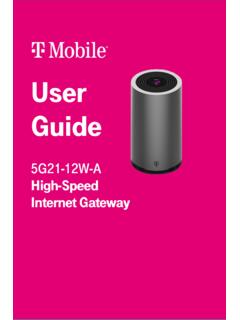
User Guide - T-Mobile
www.t-mobile.comGUI on a PC, laptop, smart phone, or tablet. This section describes: • How to establish a connection between the device on which you will access the web GUI and the gateway. • How to log into the web GUI when needed to view and configure network parameters. Accessing the web GUI Ensure the Local Area Connection setting on your PC, laptop, smart