
u-center User guide
u-center - User guide 1 Preface 1.1 Overview u-center is u-blox's powerful GNSS evaluation and visualization tool which can be downloaded free-of-charge from our website (www.u-blox.com). This user guide provides a description of the features of this software. It allows end users to assess and test u-blox GNSS positioning chips and modules
Download u-center User guide

Information
Domain:
Source:
Link to this page:
Documents from same domain

SARA-S200 - U-blox
www.u-blox.comSARA-S200 - System Integration Manual UBX-17048649 - R01 Preface Page 3 of 61 Preface u-blox Technical Documentation As part of our commitment to customer support, u-blox maintains an extensive volume of technical

SARA-R4 series AT commands manual
www.u-blox.com- Profile: the command setting can be saved in a personal profile as specified in Chapter 1.4 - NVM: the command setting is saved in the non-volatile memory as specified in Chapter 1.4 - <command_name>: the parameter values set with the command are volatile, but the whole profile can be stored in NVM with <command_name> AT command.

NEO-M8U - U-blox
www.u-blox.comNEO-M8U - Data sheet . UBX-15015679 - R11 Functional description Page 7 of 27 C1-Public . 1.4 Block diagram . Figure 1: NEO-M8U block diagram. 1.5 Supported GNSS constellations . The NEOM8U GNSS module is a concurrent GNSS receiver which can receive and track multiple - GNSS systems: GPS, Galileo, GLONASS and BeiDou.
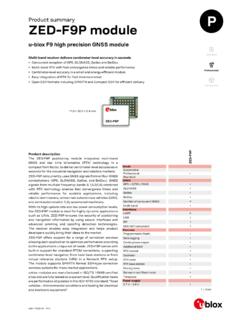
Product summary ZED-F9P module - U-blox
www.u-blox.comZED-F9P module Features Receiver type 184-channel u-blox F9 engine GPS L1C/A L2C, GLO L1OF L2OF, GAL E1B/C E5b, BDS B1I B2I, QZSS L1C/A L1S L2C, SBAS L1C/A Nav. update rate RTK up to 20 Hz1 Position accuracy2 RTK 0.01 m + 1 ppm CEP Convergence time2 RTK Storage temp.< 10 sec Acquisition Cold starts 24 s Aided starts 2 s Reacquisition 2 s

u-blox GNSS product overview
www.u-blox.comu-blox products come in various integration levels catering to all kinds of needs, from low volume, ease of use scenarios to scalable solutions for customized applications. The product offering includes modules, SiPs, smart antenna modules, and chips.

NEO-6 series - U-blox
www.u-blox.com• Based on GPS chips qualified according to AEC-Q100 • Manufactured in ISO/TS 16949 certified production sites • Qualified according to ISO 16750 NEO-6: 12.2 x 16.0 x 2.4 mm Product selector Model Type Supply Interfaces Features Standalone GPS Standalone GLONASS Timing & Raw Data Dead Reckoning 1.75 V – 2.0 V 2.7 V – 3.6 V UART USB ...
u-blox M8 concurrent GNSS modules
www.u-blox.comproviding reception of three GNSS systems. By default the M8 receivers are configured for concurrent GPS and GLONASS, including SBAS and QZSS reception. If power consumption is a key factor, the receiver should be conf igured for a single GNSS operation using GPS, Galileo, GLONASS or BeiDou and disabling QZSS and SBAS.

u-blox M8 concurrent GNSS modules
www.u-blox.comand GLONASS reception. If power consumption is a key factor, then the receiver should be configured for single GNSS operation using either GPS or GLONASS or BeiDou and disabling QZSS and SBAS. Galileo, QZSS and SBAS share the same frequency band as GPS and can always be processed in conjunction with GPS. 1.5.1 GPS
u-blox GNSS Sensor and VCP Device Driver
www.u-blox.comu-blox GNSS Sensor and VCP Device Driver - User Guide UBX-15022397 - R06 Production Information 1 Introduction Page 5 of 24 1.3 Sensor API The Sensor API enables developers to create sensor-based programs by using a set of COM interfaces.
ZED-F9P Integration manual
www.u-blox.comDec 20, 2018 · 2.1.1 Correction services u-blox ZED-F9P can use different types of correction services which broadly fall into two categories, based either on an Observation State Representation (OSR) or a State Space Representation
Related documents

Quick Start Guide 2 Computational Anatomy Toolbox - …
www.neuro.uni-jena.deQuick Start Guide 2 Version Information 4 Introduction and Overview 10 Getting Started 10 Download and Installation 10 Starting the Toolbox 11 Basic VBM Analysis (Overview) 11 Overview of CAT12 Processing 14 CAT12 Major Processing Steps 14 CAT12 Processing Steps in Detail 15 Basic VBM Analysis (detailed description) 17 Preprocessing Data 17

Rockwell Automation Process HMI Style Guide
literature.rockwellautomation.com• The HMI style guide uses the guiding principles and concepts that are defined by the HMI philosophy to provide ... Provides descriptions of the HMI visualization files provided with the Library of Process Objects ... Using this methodology …

PHD2 v2.6.10 User Guide - Open PHD Guiding
openphdguiding.orgThe PHD2 main window is designed for ease of use and clarity. Its intent is to support a quick and natural sequence of interactions to start and control guiding. The basic steps for doing this are as follows: 1. Connect to your guide camera and mount 2. Start a sequence of guide exposures to see what stars are available in the field of view 3.

Quick Guide to Science Communication - Brown University
www.brown.eduVisualization Resources The following resources provide valuable insight and guidance about visualizing science for the public: Communicating Science Effectively: A Practical Handbook for Integrating Visuals by Thomas et al. (2006) Visual Strategies: A Practical Guide to Graphics for Scientists and Engineers by Felice Frankel (2012)
CYTOLOGY REFERENCE GUIDE Dechra Veterinary Products
www.dechra-us.comCytology is a quick, simple-to-perform method to achieve useful information about the possible etiology of cutaneous lesions. This reference guide was created as a source of step-by-step recommendations to assist the veterinary team in proper collection and preparation of appropriate cytological samples.

VMD User’s Guide
www.ks.uiuc.eduThe VMD User’s Guide describes how to run and use the molecular visualization and analysis program VMD. This guide documents the user interfaces displaying and grapically manipulating molecules, and describes how to use the scripting interfaces …
Data Visualization Techniques Title - SAS
www.sas.comData Visualization Techniques ... Here is a quick guide to help you decide which chart type (or graph) to use for your data. Line Charts Line charts show the relationship of one variable to another. They are most often used to track changes or trends over time. Line charts are also useful when comparing

A Beginner’s Guide to Automated Image Analysis in ZEN Blue
www.zeiss.comA Beginner’s Guide to Automated Image Analysis in ZEN Blue button. (A more thorough example of the latter will be de - scribed later in this guide.) In the example above, the object-level class has been point-ed to the blue DAPI label in the Channel section. To assist with the visualization of positively-identified nuclei, the Color