![[U] User's Guide - Stata](/cache/preview/7/7/5/3/e/3/b/2/thumb-7753e3b2038b263eb367b7bfd142f64f.jpg)
[U] User's Guide - Stata
2. Now turn to the other manuals; see [U] 1.2 The User’s Guide and the Reference manuals. 1.2 The User’s Guide and the Reference manuals The User’s Guide is divided into three sections: Stata basics, Elements of Stata, and Advice. The table of contents lists the chapters within each of these sections. Click on the chapter titles to see the
Download [U] User's Guide - Stata

Information
Domain:
Source:
Link to this page:
Documents from same domain
Syntax - Stata
www.stata.com2cluster kmeans and kmedians— Kmeans and kmedians cluster analysis Options Main k(#) is required and indicates that # groups are to be formed by the cluster analysis.
Syntax Description - Stata
www.stata.com2substr()— Extract substring Diagnostics In substr(s, b, l) and substr(s, b), if b describes a position before the beginning of the string or after the end, "" is returned.
Title stata.com generate — Create or change …
www.stata.comTitle stata.com generate — Create or change contents of variable SyntaxMenuDescriptionOptions Remarks and examplesMethods and formulasReferencesAlso see Syntax Create new variable generate type newvar
SyntaxDescriptionRemarks and examplesAlso see
www.stata.commacro— Macro definition and manipulation 3 Macro extended functions related to matrices rownamesjcolnamesjrowfullnamesjcolfullnames matname roweqjcoleq
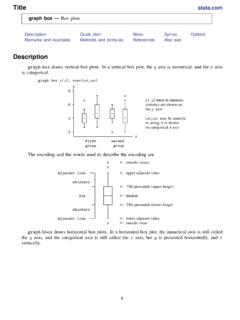
Title stata.com graph box — Box plots
www.stata.comgraph box— Box plots 3 Menu Graphics > Box plot Syntax graph box yvars if in weight, options graph hbox yvars if in weight, options where yvars is a varlist options Description
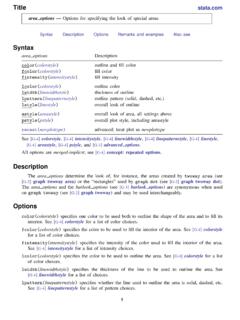
Title stata
www.stata.comarea options — Options for specifying the look of special areas 3 Also see [G-2] graph dot — Dot charts (summary statistics)
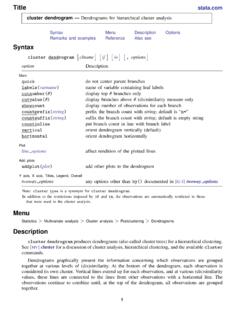
www.stata.com
www.stata.com2cluster dendrogram— Dendrograms for hierarchical cluster analysis The height of the vertical lines and the range of the (dis)similarity axis give visual clues about the
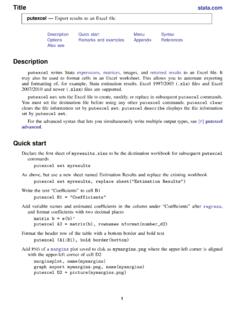
Title stata.com putexcel — Export results to an Excel …
www.stata.computexcel— Export results to an Excel file 3 export options Description Main overwritefmt overwrite existing cell formatting when exporting new content
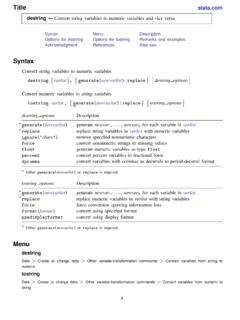
destring — Convert string variables to numeric ... - …
www.stata.comTitle stata.com destring — Convert string variables to numeric variables and vice versa SyntaxMenuDescription Options for destringOptions for tostringRemarks and …
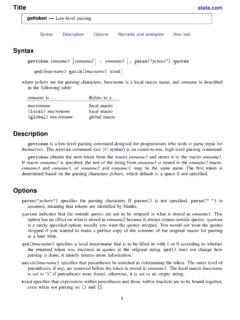
Title stata.com gettoken — Low-level parsing
www.stata.comTitle stata.com gettoken — Low-level parsing SyntaxDescriptionOptionsRemarks and examplesAlso see Syntax gettoken emname1 emname2: emname3, parse("pchars") quotes qed(lmacname) match(lmacname) bind
Related documents

HP Pavilion PC User™s Guide
h10032.www1.hp.com10 HP Pavilion PC User’s Guide After you sign up, you will see the HP At Home Web site, which was created especially for HP Pavilion PC owners. It’s filled with questions and answers, tips, tricks, and activities for fun with your HP Pavilion PC. The custom browser provides direct links to popular sites on the Web,
EPIC - User's Guide
www.epic-ide.orgEPIC - User’s Guide 1 / 40 Chapter 1 Plug-in Installation 1.1Prerequisites 1.1.1Eclipse Before installing the EPIC plug-in, a recent version of Eclipse has to be installed.

WSPR 2.0 User’s Guide - Princeton University
physics.princeton.eduNov 23, 2009 · WSPR 2.0 User’s Guide Joe Taylor, K1JT Overview WSPR (pronounced "whisper") stands for “Weak Signal Propagation Reporter.” The WSPR software is designed for probing potential radio propagation paths using low-
Time Entry User’s Guide - ADP
timesaver.adp.com• TimeSaver User’s Guide - Describes all of the time and labor management tasks you can complete through the TimeSaver web application. • Time Entry User’s Guide - Describes the Time Entry system, which allows an employee to perform several self service tasks such as entering time and attendance transactions
SafeNet Authentication Client User’s Guide - GlobalSign
www.globalsign.comOct 04, 2011 · User Interfaces This section describes the SafeNet Authentication Client user interfaces. Note: If a customized version of SafeNet Authentication Client is installed, the graphics you see may be different than those displayed in this guide. In this chapter: Overview of SafeNet Authentication Client User Interfaces

IXL Teacher's User Guide
www.ixl.comTEACHER’S USER GUIDE www.ixl.com. 777 Mariner’s Island Blvd., Suite 600, San Mateo, CA 94404 ... Head over to IXL’s Help center. You can use the search bar or browse by category to find the answer. There’s also a list of frequently asked questions in Appendix B …
USER’S GUIDE - SpaceX
www.spacex.comThis user’s guide is intended for pre-contract mission planning and for understanding SpaceX’s standard services. The user’s guide is not intended fo r detailed design use. Data for detailed design purposes will be exchanged directly between …