
Ubuntu Linux Setup Guide - Lenovo
5 Section 2 – Discrete vs Hybrid Graphics The Thinkpad P53 and P73 offer both Nvidia and Intel graphics. To run exclusively Nvidia graphics, use the discrete graphics mode highlighted below. • Boot into BIOS, tab over to the “Config” menu option, and select the “Display” option.
Download Ubuntu Linux Setup Guide - Lenovo

Information
Domain:
Source:
Link to this page:
Documents from same domain

ThinkPadT460sUserGuide
download.lenovo.comProtectyourcomputeranddatawhenmovingit. Before moving a computer equipped with a hard disk drive, do one of the following,andmakesurethatthepowerbuttonisofforisblinking:

M720q User Guide and Hardware Maintenance Manual
download.lenovo.comFigure 2. Rear view 1 Optional connector 2 2 1 3 Security-lock slot 4 Wi-Fi antenna slot 5 Ethernet connector 6 USB 3.1 Gen 2 connectors (2) 7 USB 3.1 Gen 1 connector 8 HDMI™ 1.4 out connector 9 USB 3.1 Gen 1 connector 10 DisplayPort® 1.2 out connector 11 Power adapter connector 1 Optional connector 2 Depending on the computer model, the connector might vary.
T480 User Guide - Lenovo
download.lenovo.comProtect yourself from the heat generated by the ac power adapter. When the ac power adapter is connected to an electrical outlet and your computer, it generates heat.
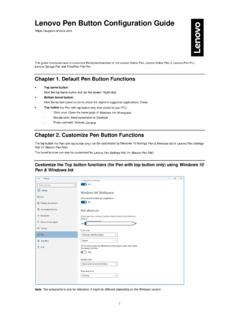
Lenovo Pen Button Configuration Guide
download.lenovo.com• Keystrokes – Allow the user to record keystrokes for playback later. • Open/Run App – Allow the user to choose an executable, document or other file to be opened/ran. ... It will display a floating pop-up menu on the user’s screen that can provide customized functionality with a …

E14/R14/E15/S3 Gen 2 User Guide - Lenovo
download.lenovo.comdisabled in UEFI BIOS. • When the computer is off or in hibernation mode, and Charge in Battery Mode is disabled in UEFI BIOS, ensure that you have connected the computer to ac power. To enable the Always On USB feature: 1. Enter the UEFI BIOS menu. See “Enter the UEFI BIOS menu” on page 29. 2.
Lenovo ThinkSystem System Manager User Guide
download.lenovo.comQuick buttons on the TSM main interface The quick buttons and user information are located on the upper side of the TSM main interface. Table 1. Quick buttons on the TSM main interface Button Description After you click this icon, the current page will be expanded to hide the left menu bar. To display the left menu bar, click this icon again.

Ubuntu Linux 20.04 LTS Installation
download.lenovo.comLinux 20.04 LTS utilizing RAID arrays on the Lenovo ThinkStation P620. Note: This is assuming storage RAID is already set up and configured in BIOS. • Download the Linux AMD storage RAID driver from the Lenovo support site and copy the contents onto a directory labelled ‘dd’ from the root of a USB flash drive.

T490s and X390 User Guide - Lenovo
download.lenovo.comThinkPad X390 2 T490s and X390 User Guide. 1. Power button Press to turn on the computer or put the computer to sleep mode. To turn off the computer, open the Start menu, click Power, and then select ... • Charge USB-C compatible devices with the …

ThinkPad X12 Detachable Gen 1 User Guide - Lenovo
download.lenovo.com2 ThinkPad X12 Detachable Gen 1 User Guide. Emergency-reset hole If the computer stops responding and you cannot turn it off by pressing the power button, reset your computer: ... – USB-C to VGA: up to 1920 x 1200 pixels, 60 Hz – USB-C to …

M710q - Lenovo
download.lenovo.com• Some of the har dware components explained in this manual are optional. • Use computer components provided only by Lenovo. • When installing or replacing an option, use the appropriate instructions explained in this manual along …
Related documents
BASIC INPUT OUTPUT SYSTEM - Yale University
flint.cs.yale.eduBasic Input Output System - BIOS 5 b. A more important performance difference depends on upon how a BIOS initiates its host computer. Some BIOSs do a better job in optimizing the relationship between the Microprocessors local bus and the IO channel. A better BIOS automatically checks for the best operation of all available features.
VMware ESXi Installation and Setup
docs.vmware.com2 Introduction to vSphere Installation and Setup 5 3 Overview of the vSphere Installation and Setup Process 6 4 About ESXi Evaluation and Licensed Modes 9 5 Installing and Setting Up ESXi 10 ... Note Changing the boot type from legacy BIOS to UEFI after you install ESXi 6.7 might cause the host to fail to boot. In this case, the host displays ...

Aptio 5.x AFU User Guide - Intel
downloadmirror.intel.comThis document provides information to use the Aptio 5.x AFU for updating system BIOS. Audience Generic BIOS Engineers, OEM Engineers, and Aptio Customers. This document has been proofed for use of the AMI Aptio 5.x AFU utility software when updating the BIOS on the Intel® Server Board M10JNP2SB.