
User Guide
Once connected, you will see the device is recognised by your PC or Mac and the Quick Start tool will guide you through the process from there. IMPORTANT: The Scarlett 2i2 has a single USB 2.0 Type C port (on the rear panel): connect it to your computer using the USB cable provided. Note that Scarlett 2i2 is a USB 2.0 device, and
Download User Guide

Information
Domain:
Source:
Link to this page:
Documents from same domain

Scarlett2i2 3rd Gen User Guide - Focusrite
fael-downloads-prod.focusrite.comgive you greater dynamic range and even lower noise and distortion; additionally, the mic preamp now accepts higher input levels. An important enhancement is the inclusion of Focusrite’s AIR function. Individually selectable on each channel, AIR …
![Launchpad Mini [MK3]](/cache/preview/3/5/2/0/9/1/3/0/thumb-352091305a23b53aaeac8e8d6e798fae.jpg)
Launchpad Mini [MK3]
fael-downloads-prod.focusrite.comIn Lighting Custom Modes (and Programmer mode) the Launchpad Mini [MK3] accepts colours through the MIDI interface. Channels are used as follows: - Channel 1, Notes: 90h (144), Control Changes: B0h (176): Static colour. - Channel 2, Notes: 91h (145), Control Changes: B1h (177): Flashing colour.

User Guide - Focusrite
fael-downloads-prod.focusrite.comIn developing the Third Generation series of Scarlett interfaces, we have made further improvements to both performance and features. Audio specifications have been upgraded throughout the unit to ... (MSD), and during its first connection, the Scarlett will be in “MSD Mode” ...

Scarlett Solo (3G) User Guide
fael-downloads-prod.focusrite.comMSD mode and unlock the full potential of the interface. Initially, when in MSD mode, the interface will function at sample rates up to 48 kHz. Once Focusrite Control is installed on your computer, you can work at sample rates up to 192 kHz. If you decide not to download and install Focusrite Control immediately, it can be downloaded at any ...

User Guide - fael-downloads-prod.focusrite.com
fael-downloads-prod.focusrite.comIMPORTANT: The Scarlett Solo has a single USB 2.0 Type C port (on the rear panel): connect it to your computer using the USB cable provided. Note that Scarlett Solo is a USB 2.0 device, and thus the USB connection requires a USB 2.0+ compliant port on your computer. The Scarlett Solo does not need a separate power supply; It gets its power from ...

Windows USB Driver 4.65.5 - Release Notes
fael-downloads-prod.focusrite.com- Added multichannel WDM support (surround sound) - Added option to expose multiple WDM inputs and outputs (Analogue, S/PDIF and Loopback channels) - Fixed an issue that could cause glitching on systems with some older AMD processors (Phenom-II, FX and Athlon series)

Scarlett Solo (3G) User Guide
fael-downloads-prod.focusrite.comlower noise and distortion; additionally, the mic preamp now accepts higher input levels. An important enhancement is the inclusion of Focusrite’s AIR function. Individually selectable on each channel, AIR subtly modifies the preamp’s frequency response to model the sonic characteristics of our classic transformer-based ISA microphone preamps.
![Launchpad Pro [MK3]](/cache/preview/9/4/6/1/d/9/8/9/thumb-9461d989e92b99b92c7f9ee02e1ec04f.jpg)
Launchpad Pro [MK3]
fael-downloads-prod.focusrite.comMIDI messages are also expressed in plain data, with decimal and hexadecimal equivalents. The hexadecimal number will always be followed by an ‘h’ and the decimal equivalent given in brackets. For example, a note on message on channel 1 is signified by the status byte 90h
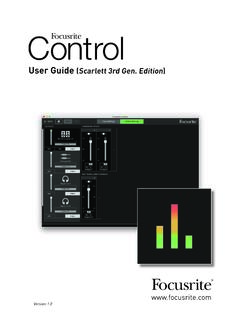
User Guide (Scarlett 3rd Gen. Edition)
fael-downloads-prod.focusrite.comYour Scarlett is currently in MSD mode (Quick Start). Please click OK to restart your Scarlett and complete the online setup process. (Cancel/OK) This will take the device out of MSD mode and update the firmware if necessary. 7. Once back to the online setup webpage, please complete the Scarlett setup procedure.

Scarlett 4i4 3rd Gen User Guide - Focusrite
fael-downloads-prod.focusrite.cominstruments or line level audio signals to a computer running Mac OS or Windows. The signals at the physical inputs can be routed to your audio recording software / digital audio workstation (referred to throughout this User Guide as the “DAW”) …
Related documents

Discovery kit with STM32F407VG MCU - User manual
www.st.com• USB OTG FS • ST MEMS 3-axis accelerometer • ST-MEMS audio sensor omni-directional digital microphone • Audio DAC with integrated class D speaker driver • User and reset push-buttons • Eight LEDs: – LD1 (red/green) for USB communication – LD2 (red) for 3.3 V power on – Four user LEDs, LD3 (orange), LD4 (green), LD5 (red) and ...

STM32Cube USB Device Library STMicroelectronics ...
www.st.comapplications for most common USB device clas ses (HID, MSC, Audio, CDC…) based on the USB device stack that supports all STM32 microcontroller Series. Note: This document is applicable to all STM32 Series that feature an USB peripheral. However for simplicity reason, the STM32F4xx devices and STM32CubeF4 are used as reference platform.

PRIME H310M-E R2
dlcdnets.asus.comUSB Intel® H310 Chipset: - 4 x USB 3.1 Gen 1 (up to 5Gbps) ports (2 ports at mid-board; 2 ports at back panel, blue, Type A) - 6 x USB 2.0/1.1 ports (4 ports at mid-board; 2 ports at back panel) Audio Realtek® ALC887 8-channel High Definition Audio CODEC* Gaming Audio: - LED-illuminated design: Brighten up your build with the gorgeous illuminated

PRIME H310M-R R2
dlcdnets.asus.com2 x USB 3.1 Gen 1 (up to 5Gbps) ports (Type-A, blue) 2 x USB 2.0/1.1 ports 1 x HDMI port 1 x D-Sub port 1 x DVI-D port 1 x LAN (RJ-45) port 3 x Audio jacks support 8-channel audio output* * Use a chassis with HD audio module in the front panel to support a 8-channel audio output. (continued on the next page)
Universal Serial Bus Device Class Definition for Audio …
www.usb.orgUSB Device Class Definition for Audio Devices Release 1.0 March 18, 1998 ii Scope of This Release This document is the 1.0 release of this device class definition. Contributors Gal Ashour IBM Corporation Billy Brackenridge Microsoft Corporation Oren Tirosh Altec Lansing Craig Todd Dolby Laboratories Remy Zimmermann Logitech Geert Knapen Philips ...